Epson SC23MB & S2101 Maintenance Tank: A Comprehensive Guide
Epson SC23MB & S2101 Maintenance Tank: A Comprehensive Guide
Introduction to Epson Maintenance Tanks
Epson maintenance tanks are essential components for maintaining the optimal performance of your printer. They ensure that your printer runs smoothly by providing ink and cleaning solutions to keep the print heads clean and functioning properly.
What is an Epson Maintenance Tank?
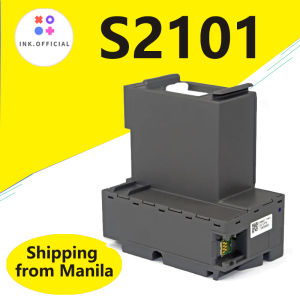
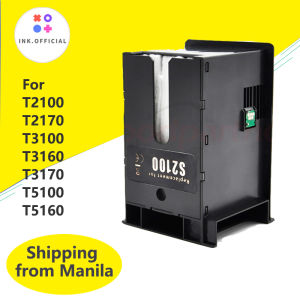
An Epson maintenance tank is a small container that holds ink and cleaning solutions, which are used by the printer to clean the print heads and maintain optimal printing performance. These tanks are specifically designed for certain models of Epson printers, including the SC-F100, SC-F130, SC-F160, SCF-170, F500, F540, F570, F571, F551, F541, T2100, T3100, T5100, T3170, T5170, T2140, T3140, T5140, T2150, T3150, T5150, and T3130.
Why Choose an Epson Maintenance Tank?
Using an original Epson maintenance tank ensures that your printer receives the right amount of ink and cleaning solutions, which helps maintain its performance and extend its lifespan. Third-party maintenance tanks may not be compatible with your printer, leading to poor print quality and potential damage to your printer.
Compatibility Guide
Epson maintenance tanks are compatible with a wide range of Epson printers. Here is a list of compatible models:
- Epson SC-F100, SC-F130, SC-F160, SCF-170 Printers
- Epson F500, F540, F570, F571, F551, F541 Printers
- Epson T2100, T3100, T5100, T3170, T5170, T2140, T3140, T5140, T2150, T3150, T5150, T3130 Printers
How to Install & Replace Maintenance Tanks
Installing and replacing maintenance tanks is a simple process that can be completed in just a few steps.
Step-by-Step Installation Guide
- Turn off your printer and unplug it from the power source.
- Open the front cover of your printer and locate the maintenance tank compartment.
- Remove the old maintenance tank by gently pulling it out of the compartment.
- Insert the new maintenance tank into the compartment, making sure it clicks into place.
- Close the front cover of your printer and plug it back into the power source.
- Turn on your printer and allow it to initialize.
Troubleshooting Common Issues
If you encounter any issues while installing or replacing your maintenance tank, here are some common solutions:
- Make sure the new maintenance tank is compatible with your printer model.
- Check that the maintenance tank is properly inserted into the compartment.
- If the printer does not recognize the new maintenance tank, try removing and reinserting it.
Frequently Asked Questions
How Long Does a Maintenance Tank Last?
The lifespan of a maintenance tank depends on the frequency of use and the amount of ink used. On average, a maintenance tank lasts for about 6 months to 1 year.
Can I Use Third-Party Maintenance Tanks?
While third-party maintenance tanks may be cheaper, they may not be compatible with your printer model, leading to poor print quality and potential damage to your printer. It is recommended to use original Epson maintenance tanks to ensure optimal performance.
What Are the Benefits of Using Original Epson Maintenance Tanks?
Using original Epson maintenance tanks ensures that your printer receives the right amount of ink and cleaning solutions, which helps maintain its performance and extend its lifespan. Additionally, using original Epson maintenance tanks guarantees compatibility with your printer model, preventing potential damage and ensuring optimal print quality.

ink.print
Review

You May Also Like
Sunlight Color Change PLA Filament 1kg/500g/250g 1.75mm 3D Printer Material PLA Filament UV Reaction White To Pink Blue Purple
Canon G5070 Colored Single Function Printer / Photo Printer
L&C Brother BT6000 Black Dye Ink Refill for Compatible Printers

Kyocera Compatible Toner Chip for P3060dn P3055dn P3045dn P3050dn TK3193 3196 3195K 3160 3170 Office Equipment Consumables
For Lab Rings/Single/Y Shape LED Light with Magnetic Control DIY 3D Printing Model Parts for Voron AD5M 3D Printer
Phomemo M120 Bluetooth Thermal Label Printer Support 20-50mm Print Width Portable Inkfree Label Make Sticker Machine
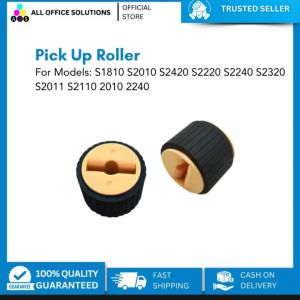
AOS PICK UP ROLLER S2320 / S2110: An In-depth Guide
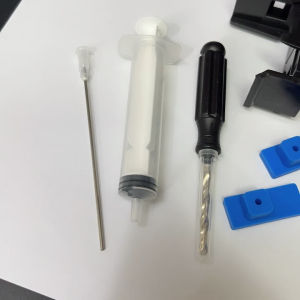
Suction tools for empty cartridges or refill kit
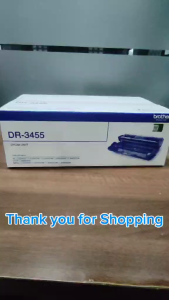
BrotherR DR 3455 Drum Unit Original (DR-3455)
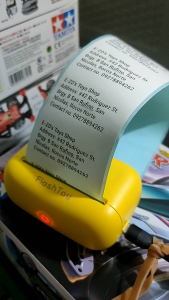
Flash Toy Mini Portable Printer: A Compact Printing Solution for Kids
【PH Ready Stock】L&C DTF Hotmelt Powder For DTF Transfer Film Fine Particle High Elasticity Premium Quality