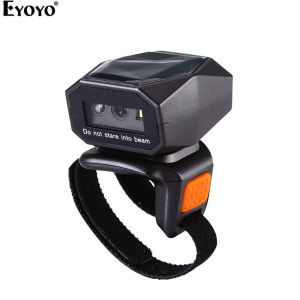
Eyoyo 1D/2D Wearable/Wireless Ring Barcode Scanner Mini Portable 3-in-1 USB Wired & 2.4G Wireless & Bluetooth finger scanner Image 1D QR Bar Code Reader PDF417 Data Matrix Screen Scanning for iPad IOS Android PC
Eyoyo 1D/2D Wearable/Wireless Ring Barcode Scanner Mini Portable 3-in-1 USB Wired & 2.4G Wireless & Bluetooth finger scanner Image 1D QR Bar Code Reader PDF417 Data Matrix Screen Scanning for iPad IOS Android PC
What is Eyoyo Wearable Barcode Scanner?
The Eyoyo Wearable Barcode Scanner is a cutting-edge device designed to revolutionize the way you capture and manage barcode data. This innovative finger scanner is built with a wearable ring design, allowing users to wear it comfortably on their fingers. This unique feature frees up your hands and increases your overall productivity.
Key Features
- Wearable Ring Design: The scanner is ergonomically designed to fit comfortably on your finger, enabling seamless scanning and data entry.
- 330° Flexible Adjustment: The scanner can be adjusted to fit different finger sizes, making it compatible with both left and right hands.
- Multiple Connection Modes: The scanner supports 2.4G wireless, Bluetooth, and USB wired connections, providing versatility and compatibility with various devices.
- Wide Range of Barcode Support: The scanner can read and decode most 1D and 2D barcodes, including EAN, UPC, Code 39, Code 93, Code 128, UCC/EAN 128, Codabar, and Interleaved 2 of 5.
How It Works
To use the Eyoyo Wearable Barcode Scanner, simply attach it to your finger and point the scanner at the barcode you wish to scan. The scanner will automatically read the barcode and transmit the data to your connected device. With its easy-to-use design and intuitive operation, this scanner is perfect for professionals in various industries, including retail, logistics, and healthcare.
Benefits of Using Eyoyo Wearable Barcode Scanner
- Increased Efficiency: The wearable ring design allows users to scan barcodes hands-free, significantly increasing productivity and reducing the time spent on manual data entry.
- Compatibility: The scanner supports multiple connection modes, making it compatible with a wide range of devices, including laptops, PCs, smartphones, tablets, and POS systems.
- Durability: Built with high-quality materials, the scanner is designed to withstand daily wear and tear, ensuring a long-lasting and reliable performance.
Connecting Your Eyoyo Wearable Barcode Scanner
To get started with the Eyoyo Wearable Barcode Scanner, you'll need to establish a connection between the scanner and your device. Here are the steps for connecting via 2.4G wireless, Bluetooth, and USB wired connections:
2.4G Wireless Connection
- Press and hold the power button on the scanner until the LED light turns green, indicating that the scanner is powered on.
- On your device, navigate to the settings menu and select the 2.4G wireless network option.
- Select the Eyoyo scanner from the available network list and enter the default password (if required).
Bluetooth Connection
- Press and hold the power button on the scanner until the LED light turns green, indicating that the scanner is powered on.
- On your device, navigate to the settings menu and select the Bluetooth option.
- Enable Bluetooth and search for nearby devices.
- Select the Eyoyo scanner from the available device list and follow the on-screen instructions to complete the pairing process.
USB Wired Connection
- Connect the scanner to your device using the included USB cable.
- Wait for your device to recognize the scanner and install the necessary drivers (if prompted).
Scanning Barcodes with Eyoyo Wearable Barcode Scanner
Once connected, you can start scanning barcodes using the Eyoyo Wearable Barcode Scanner. Follow these guidelines for efficient scanning:
Supported Barcode Types
The scanner supports most 1D and 2D barcodes, including EAN, UPC, Code 39, Code 93, Code 128, UCC/EAN 128, Codabar, and Interleaved 2 of 5.
Screen Scanning
In addition to reading physical barcodes, the scanner can also scan barcodes displayed on screens, such as those found on mobile devices or computer monitors.
Tips for Efficient Scanning
- Ensure the barcode is clean and well-lit for optimal readability.
- Hold the scanner at a consistent distance from the barcode to avoid errors.
- Adjust the scanner's sensitivity settings if necessary to improve accuracy.
With its versatile connection options, wide range of supported barcode types, and ergonomic design, the Eyoyo Wearable Barcode Scanner is the perfect solution for professionals seeking to streamline their barcode scanning processes. Experience the freedom and efficiency of hands-free scanning today!

Eyoyo
Review

You May Also Like
PaperCornerPh - QUAFF All Desktop Dye Ink 100ML For Inkjet Printers

FANTASY Peripage P90 Wireless Tattoo Stencil Printer with Transfer Paper Options Choose 5pcs or 100pcs Thermal Stencil Sheets Bluetooth and USB Connectivity Inkless Monochrome Printing Compatible with Android iOS and PC for Artists on the Move
Epson T6710 Waste Inks Box: A Comprehensive Guide
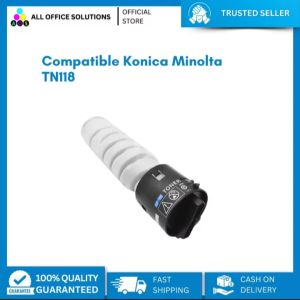
Brand New Compatible Konica-Minolta TN-118 Toner Cartridge

Mini HD Portable Thermal Bluetooth Printer Print Photo Pocket Sticker 58mm Printing Wireless Android iOS Machine with Paper Roll
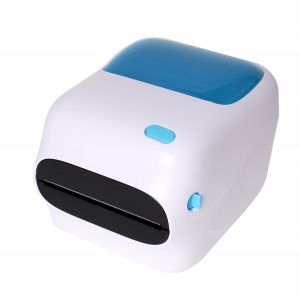
WIFI + USB Black and White 4x6 Shipping Label Printer with Large Paper Bin
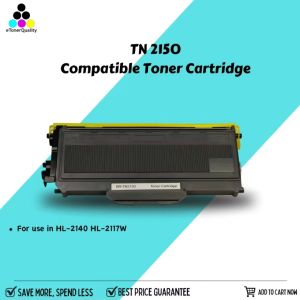
eTONER Compatible TN-2150 Toner Cartridge for use in HL-2140 HL-2117W
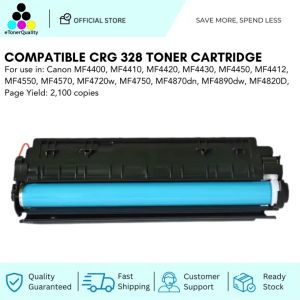
ETQ Compatible CRG 325 328 CRG326 Toner Cartridge
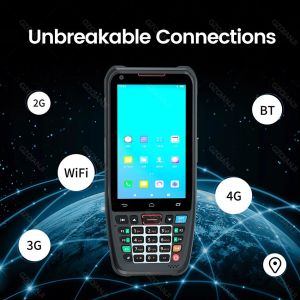
4G Rugged Handheld Android 10 PDA Scanner 1D 2D QR Barcode Touch Keyboard POS Terminal Wifi Bluetooth GPS Handheld Terminal Data Capture Mobile Computer Collector Delivery Warehouse Inventory Management
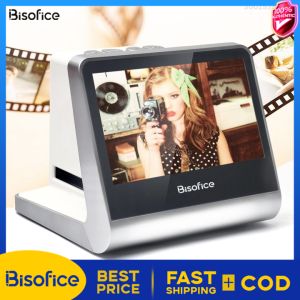
Bisofice Film & Slide Scanner: A Comprehensive Guide
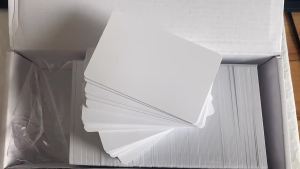
NFC 215 Chip Card: Inkjet Printable Card for ESPON & Canon Printers