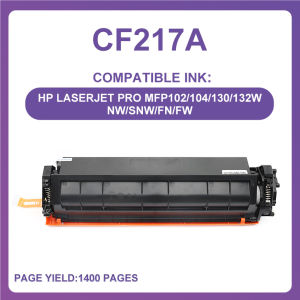
Compatible CF217A 17a Toner Cartridge for HP Printers
Compatible CF217A 17a Toner Cartridge for HP Printers
Introduction to Compatible CF217A Toner Cartridge
The compatible CF217A toner cartridge is a cost-effective alternative to the original HP toner cartridge for various HP LaserJet Pro printers. With a page yield of 1600 pages, this compatible toner cartridge offers excellent value for money while maintaining high print quality.
Key Features and Benefits
- Page Yield: 1600 pages
- Color: Black (BK)
- Compatibility: HP LaserJet Pro M102a, M102w, MFPM130a, M130fw, M130nw, M132a, M132fn, M132fp, M132fw, M132nw, M132snw
- Cost-effective: Save money by using compatible toner cartridges instead of expensive original HP toner cartridges
- High Print Quality: Compatible CF217A toner cartridge offers excellent print quality, ensuring clear and sharp text and images
Compatibility with HP Printers
The compatible CF217A toner cartridge is designed to work seamlessly with various HP LaserJet Pro printers, including the M102a, M102w, MFPM130a, M130fw, M130nw, M132a, M132fn, M132fp, M132fw, M132nw, and M132snw models. It offers a reliable alternative to original HP toner cartridges while maintaining high print quality.
How to Choose the Right Compatible CF217A Toner Cartridge
To ensure that you choose the right compatible CF217A toner cartridge for your HP printer, follow these steps:
Identifying Your Printer Model
- Check the model number of your HP printer to ensure compatibility with the compatible CF217A toner cartridge.
- If you're unsure about your printer model, refer to the printer's manual or visit the HP website for more information.
Finding Compatible CF217A Toner Cartridges
- Search for compatible CF217A toner cartridges online or at local office supply stores.
- Look for reputable brands that offer high-quality compatible toner cartridges.
How to Install the Compatible CF217A Toner Cartridge
Installing the compatible CF217A toner cartridge is a straightforward process. Follow these steps to ensure proper installation:
Preparing Your Printer
- Turn off your printer and unplug it from the power source.
- Open the printer's front cover and remove any empty or partially used toner cartridges.
Installing the Toner Cartridge
- Remove the new compatible CF217A toner cartridge from its packaging.
- Hold the toner cartridge by its sides and gently shake it from side to side to distribute the toner evenly.
- Align the toner cartridge with the printer's toner cartridge slot and slide it into place until it clicks into position.
- Close the printer's front cover and plug it back into the power source.
- Turn on your printer and allow it to perform its initial calibration process.
Troubleshooting Common Issues with Compatible CF217A Toner Cartridges
Despite the high quality of compatible CF217A toner cartridges, some users may experience issues with low page yield or print quality. Here are some solutions to common problems:
Low Page Yield
- Solution: Ensure that you are using the correct compatible CF217A toner cartridge for your printer model.
- Solution: Check the printer's settings to ensure that the page yield is not being artificially reduced due to high-resolution printing or duplex printing.
Print Quality Issues
- Solution: Clean the printer's drum unit and toner cartridge if you notice any smudging or streaking on printed pages.
- Solution: If the issue persists, try replacing the toner cartridge with a new one to ensure optimal print quality.
Conclusion
The compatible CF217A toner cartridge is a cost-effective alternative to original HP toner cartridges, offering excellent value for money while maintaining high print quality. By following the steps outlined in this guide, you can choose the right compatible toner cartridge for your HP printer and install it easily. If you encounter any issues with low page yield or print quality, refer to the troubleshooting section for solutions." }

STEDDY
You May Also Like

PGI320 PGI321 BCI-320 Ink Cartridge Compatible For Canon suit for MP540 MP550 MP560 IP3600 IP4600 IP4700 MX860 MX870 printer
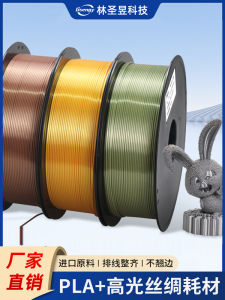
High Gloss Silk Material 3D Printing Consumables PLA+ High Resilience 1.75mm 1kg Eco-friendly Degradable Metal Quality
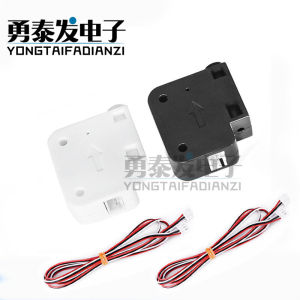
3D Printer Accessories: Consumables & Material Detection
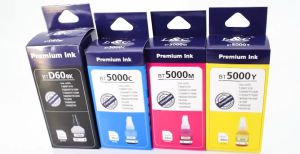
Brother Dye Ink Compatible For Brother T220 T420W T425W T428 T810 Refill For Brother Ink
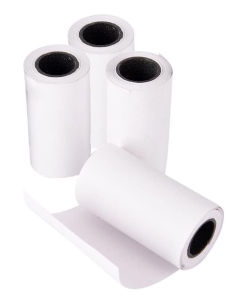
H2Z 57x30mm Thermal Paper For PAPERANG P1 (4 Rolls)

HP Printer Parts For HP 115 Shaft Rod. HP 315 Shaft Rod. HP 415 Shaft Rod. HP 500 Shaft Rod. Refurbished.
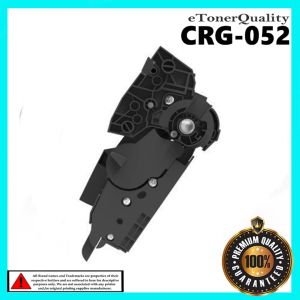
Compatible Toner Cartridge CRG-052 CRG 052 CRG052 for Canon Black
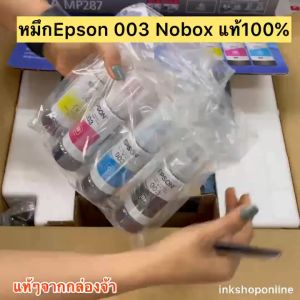
Ready Stock: Refill 003 Ink Dye Ink for Epson Inkjet Printer
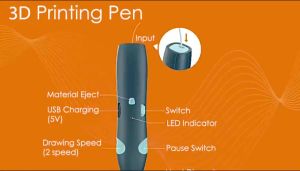
Low Temperature Wireless 3D Printing Pen: A Creative Children's Toy
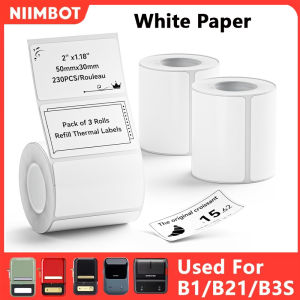
Niimbot B1 Mini Portable Thermal Printer: Multi-scene Application Stickers & White Label Solutions

NIIMBOT B1 Inkless Label Printer: A Comprehensive Guide