NIIMBOT B1 Inkless Label Printer: A Comprehensive Guide
NIIMBOT B1 Inkless Label Printer: A Comprehensive Guide
What is NIIMBOT B1?
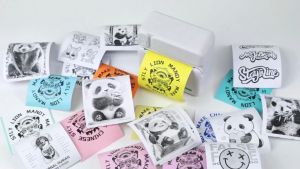
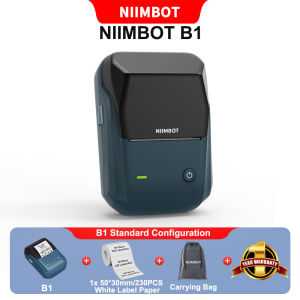
The NIIMBOT B1 is a versatile, portable inkless label printer designed to meet the demands of various industries. With its compact size and cutting-edge technology, it offers a cost-effective solution for printing barcodes, food labels, clothing tags, and thermal stickers. This guide will provide you with a comprehensive understanding of the NIIMBOT B1, its features, and how it can benefit your business.
Key Features & Specifications
- Model: B1
- Printing Technology: Direct Thermal
- Resolution: 203dpi
- Print Speed: 20-50mm/s
- Print Width: 20mm-50mm
- Mobile Connectivity: Bluetooth
- PC Connectivity: USB
- Battery Capacity: 1500mAh
- Charging Cable: Type-C USB Cable
- Printer Size: 132.2 x 91.2 x 61.6mm
How Does It Work?
The NIIMBOT B1 utilizes direct thermal printing technology, which eliminates the need for ink cartridges. This process allows for quick and efficient printing of high-quality labels and tags. The printer's compact size and portability make it perfect for various applications, such as supermarkets, retail stores, and small businesses.
Why Choose NIIMBOT B1?
The NIIMBOT B1 offers several advantages that make it stand out in the market:
Superior Printing Technology
Direct thermal printing technology ensures fast and accurate label production. The high-resolution print quality and customizable print width allow you to create labels tailored to your specific needs.
Portable Design & Connectivity
The NIIMBOT B1's compact size and lightweight design make it easy to transport and store. It supports both Bluetooth and USB connectivity, allowing seamless integration with mobile devices and PCs.
Cost-Effective Solution
The NIIMBOT B1 eliminates the need for ink cartridges, reducing maintenance costs and downtime. Its long-lasting battery life ensures continuous operation throughout the day.
How to Use NIIMBOT B1
Follow these steps to set up and use your NIIMBOT B1 printer:
Setting Up Your Printer
- Charge the printer using the Type-C USB cable included in the package.
- Connect the printer to your mobile device or PC via Bluetooth or USB.
- Install the NIIMBOT app on your mobile device or download the driver software for your PC.
Printing Barcodes & Food Labels
- Open the NIIMBOT app or software on your device.
- Select the desired label template or create a custom design.
- Enter the required information and adjust the print settings as needed.
- Preview the label and start printing.
Connecting to Mobile Devices & PC
The NIIMBOT B1 supports both Bluetooth and USB connectivity, allowing seamless integration with various devices. To connect your printer, follow the instructions provided in the app or software.
NIIMBOT B1 in Action: Real-Life Applications
The NIIMBOT B1 has proven to be a valuable asset in various industries, including supermarkets, retail stores, and small businesses. Here are some real-life applications:
Supermarket Commercial Printer
Supermarkets rely on accurate labeling to maintain inventory control and enhance customer experience. The NIIMBOT B1's high-resolution print quality and fast print speed make it an ideal choice for supermarkets looking to streamline their operations.
Barcode Food Label Maker
The food industry requires precise labeling to comply with regulations and ensure product safety. The NIIMBOT B1's customizable print width and direct thermal printing technology allow for the creation of accurate and durable food labels.
Portable Small Label Maker
Small businesses and entrepreneurs often require a compact and portable label printer that can handle various tasks. The NIIMBOT B1's lightweight design and long-lasting battery life make it perfect for on-the-go printing needs.

NIIMBOT Philippines Store
Review
You May Also Like
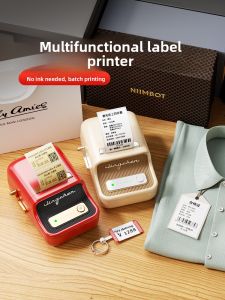
Portable Handheld Small Label Printer Jingchen B21 Thermal Printer Barcode Price Tag Sticker Clothing Jewelry Food Commercial Smart Printer for Home Use
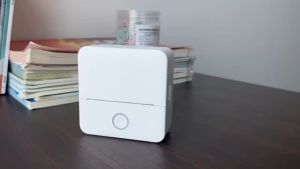
Bluetooth Mini Printers: A Comprehensive Guide
Two-color Silk PLA Filament Dimensional Accuracy +/- 0.03 mm 250g Spool(0.55lbs) 1.75 mm Bronze Black
Portable Inkjet Printer Handheld Inkjet Printer handheld label printer QR Code Date Number Logo
L&C 79A CF279A Toner Cartridge for HP LaserJet Printers
1.75mm Sandal wood 3D Printer PLA Cherry Wood Filament Teak wood 250g 500g 1Kg 3D Printing Materials Walnut PLA Cherry Red wood
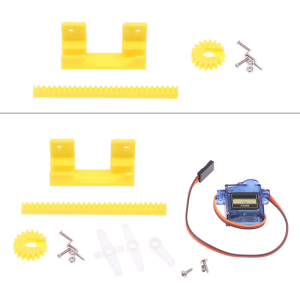
9g Servo Designed 3D Printing Science Production for Model Making Perfect For DIY 3D Printing Enthusiasts
Digiprints PH - 500ml Pigment Ink CUYI Brand (C M Y. K)
Compatible Canon Printers Ink Absorption Box
Motor Speed Controllers 10 60V 6A Inversable Operate Speed Regulator for Packaging & Printing Machines
SoonMark M4201 Thermal Transfer Printer WiFi Bluetooth