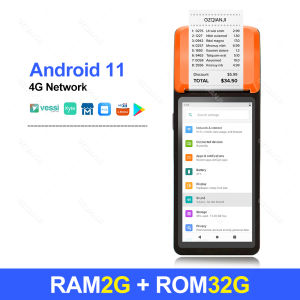
GZQIANJI Android 11 Terminal POS System With 58mm Receipt Printer Scan 1D/2D Code By Camera Android All-in-one Handheld POS Machine
GZQIANJI Android 11 Terminal POS System With 58mm Receipt Printer Scan 1D/2D Code By Camera Android All-in-one Handheld POS Machine
Introduction to GZQIANJI Android 11 POS System
GZQIANJI Android 11 POS System is a comprehensive solution for businesses looking to streamline their point-of-sale operations. This all-in-one terminal and 58mm receipt printer combination provides a seamless experience for both merchants and customers. With its powerful features and user-friendly interface, it's no wonder why many businesses are choosing GZQIANJI Android 11 POS System over other solutions.
Key Features
- Android 11 Operating System: The latest version of Android offers improved performance, security, and compatibility with a wide range of applications.
- All-in-one Terminal: Combines a touch screen display, payment processing, and receipt printing into one compact device.
- 58mm Receipt Printer: Print receipts quickly and efficiently using thermal technology.
- 1D/2D Code Scanner: Easily scan barcodes and QR codes using the built-in camera.
- Handheld POS Machine: Lightweight and portable design makes it easy to use anywhere in your store.
Comparison with Other POS Systems
When compared to other POS systems, GZQIANJI Android 11 stands out due to its all-in-one design, ease of use, and compatibility with a wide range of applications. Unlike traditional POS systems, this solution eliminates the need for separate hardware components, saving businesses time and money.
How to Use GZQIANJI Android 11 POS System
Setting up and using the GZQIANJI Android 11 POS System is simple and straightforward. Follow these steps to get started:
Setting Up the Terminal
- Unpack the device and connect it to power.
- Connect to Wi-Fi or Ethernet to ensure proper network connectivity.
- Install any necessary software updates.
- Configure settings such as date, time, and language.
Connecting the 58mm Receipt Printer
- Locate the printer port on the back of the terminal.
- Connect the 58mm receipt printer using the included cable.
- Load thermal paper into the printer.
Scanning 1D/2D Codes with Camera
- Open the scanning app on the terminal.
- Point the camera at the barcode or QR code.
- Wait for the scanner to automatically detect and read the code.
Benefits of GZQIANJI Android 11 POS System
By implementing the GZQIANJI Android 11 POS System, businesses can enjoy numerous benefits, including:
Improved Efficiency
With its powerful features and user-friendly interface, this system helps streamline operations and increase productivity. The ability to scan barcodes and QR codes quickly and accurately ensures that transactions are processed efficiently.
Cost Savings
By combining multiple functions into one compact device, businesses can save money on hardware costs. Additionally, the system's compatibility with a wide range of applications reduces the need for expensive software solutions.
Enhanced Customer Experience
A smooth and efficient checkout process leads to happier customers. With the GZQIANJI Android 11 POS System, businesses can provide a seamless experience that keeps customers coming back.

GZQIANJI Store
Review
You May Also Like
NIIMBOT B21 Pro Upgraded Label Maker 300DPI Fun APP Portable Label Printer Bluetooth Sticker Printer for OrganizationPriceLogoScrapbook
3D Printer Accessories: Consumables & Material Detection
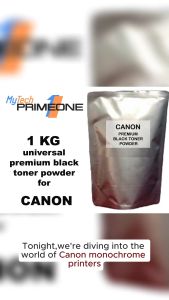
1 KG (1000 grams) UNIVERSAL CANON premium black toner powder for CANON monochrome printers
Soonpos Wired USB 2.4G Wireless Bluetooth 1D 2D Barcode Scanners Inventory Portable QR Code Scanner CMOS Sensor Bar Code Reader With Stand Support Self-sensing
ERYONE 1KG PETG Carbon Fiber Filament Premium 3D Print 1.75mmMulticolor Available1kg petg-cf filament 3d print1KG/Spool
Compatible CF283A 83A toner cartridge for HP Laserjet pro M201 M225 M202 M226 M125A M127FN printer
NefLaca N41 Direct thermal printer Xprinter A6 waybill printer is suitable for thermal labels of various sizes
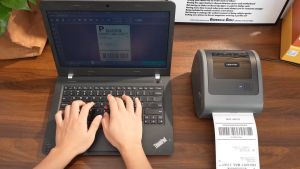
Phomemo D450BT: A Compact Bluetooth Thermal Printer for A6 Waybill Labels
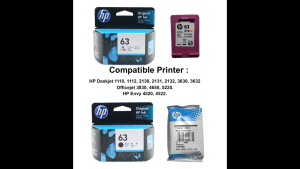
HP 63 100% Original Ink Advantage Cartridge For HP Deskjet 1110 1112 2130 2131 2132 3630 3632. HP Envy 4520 4522. HP Officejet 3830 4650 5220.
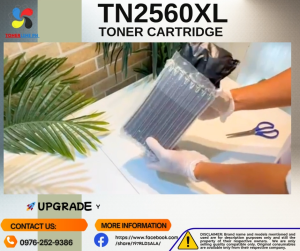
TN2560XL w/Chip TN2560 Toner Cartridge & Reset Chip Compatible for Brother DCP-L2640DW L2680 L2885 L2805 L2400 L2440
Memoqueen D30 Label Maker Machine with Tape - Bluetooth Thermal PortableLabel Printer Labeler Sticker Maker Compatible with Phomemo D30 iOS&Android for Home Office OrganizationWhite