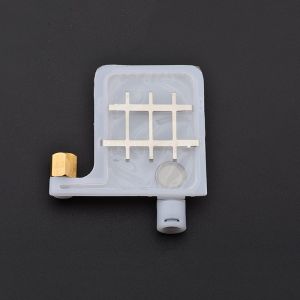
💥🎁Free Gift🎁💥10PCS DX4 DX5 Ink Damper For Roland & EPSON Printers
💥🎁Free Gift🎁💥10PCS DX4 DX5 Ink Damper For Roland & EPSON Printers
Introduction to Ink Dampers
Ink dampers play a crucial role in maintaining the quality and performance of your printer. These small yet essential components work by filtering out debris and impurities that could potentially clog your ink lines and damage your printer. By using ink dampers, you can extend the life of your printer and ensure that it produces high-quality prints consistently.
What is an Ink Damper?
An ink damper is a small, replaceable component that attaches to the ink line of your printer. Its primary function is to filter out debris and impurities, preventing them from entering the ink system and causing damage. Ink dampers are compatible with various printer models, including Roland PS SP RS VS XJ VP XC540 printers and EPSON DX5 XP600 TX800 printers.
How Do Ink Dampers Work?
Ink dampers work by filtering out debris and impurities from the ink line. As ink flows through the damper, the filter traps any contaminants, preventing them from reaching the printhead. This helps maintain the quality of your prints and reduces the risk of clogs and other issues that could affect the performance of your printer.
Benefits of Using Ink Dampers
Using ink dampers offers several benefits, including:
- Improved print quality: By filtering out debris and impurities, ink dampers help maintain the quality of your prints.
- Reduced risk of clogs: Ink dampers prevent contaminants from entering the ink system, reducing the risk of clogs and other issues that could affect the performance of your printer.
- Extended printer life: Using ink dampers can extend the life of your printer by protecting it from damage caused by debris and impurities.
Ink Damper Compatibility
Our ink dampers are compatible with various printer models, including Roland PS SP RS VS XJ VP XC540 printers and EPSON DX5 XP600 TX800 printers.
Roland PS SP RS VS XJ VP XC540 Printer Compatibility
Our ink dampers are compatible with the following Roland printer models:
- Roland PS
- Roland SP
- Roland RS
- Roland VS
- Roland XJ
- Roland VP
- Roland XC540
EPSON DX5 XP600 TX800 Printer Compatibility
Our ink dampers are compatible with the following EPSON printer models:
- EPSON DX5
- EPSON XP600
- EPSON TX800
How to Install Ink Dampers
Installing ink dampers is a simple process that can be completed in just a few steps.
Preparing Your Printer for Installation
Before installing ink dampers, make sure your printer is turned off and unplugged. This will help prevent any electrical issues during the installation process.
Step-by-Step Installation Process
- Locate the ink line on your printer.
- Remove the old ink damper by gently pulling it off the ink line.
- Insert the new ink damper onto the ink line.
- Turn your printer back on and test it to ensure the ink dampers are working properly.
Troubleshooting Common Issues
If you encounter any issues during the installation process, try the following troubleshooting steps:
- Check the ink line: Make sure the ink line is clean and free of debris before installing the ink damper.
- Double-check compatibility: Make sure the ink damper is compatible with your printer model.
- Follow the installation instructions carefully: If you're still having issues, consult the installation instructions for your specific printer model.
Maintaining Optimal Performance
To maintain optimal performance, it's important to regularly clean and maintain your ink dampers.
Regular Cleaning & Maintenance
Regular cleaning and maintenance can help extend the life of your ink dampers and ensure they continue to work effectively. To clean your ink dampers, simply remove them from the ink line and rinse them with water. Allow them to dry completely before reinserting them into the ink line.
Tips for Extending the Life of Your Ink Dampers
Here are some tips for extending the life of your ink dampers:
- Clean them regularly: Regular cleaning can help prevent clogs and other issues that could affect the performance of your ink dampers.
- Store them properly: Store your ink dampers in a cool, dry place to prevent damage.
- Replace them when necessary: If your ink dampers become damaged or worn out, replace them with new ones to ensure optimal performance.
Conclusion & Free Gift Offer
In conclusion, using ink dampers can help improve the quality and performance of your printer. Our ink dampers are compatible with various printer models, including Roland PS SP RS VS XJ VP XC540 printers and EPSON DX5 XP600 TX800 printers. With regular cleaning and maintenance, you can extend the life of your ink dampers and ensure they continue to work effectively.
As a special offer, we're providing a free gift of 10PCS DX4 DX5 Ink Dampers for Roland PS SP RS VS XJ VP XC540 printers and EPSON DX5 XP600 TX800 printers. Don't miss out on this opportunity to improve the performance of your printer!

Sunny&happy
You May Also Like
AOS Compatible Fujifilm Apeos C325z Printer CT203486 & CT203489 Printer Toner Cartridges
Brand New! Epson TM-T100 Thermal Receipt Printer USB and Serial
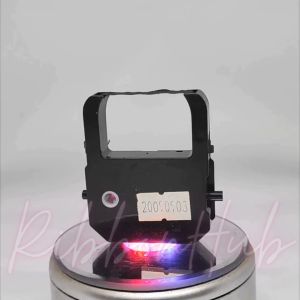
Premium Seiko TP10/20 & Davidlink S8000 & Iwata SP900 Stock: Elevate Your E-commerce Business

T7411 T7412 T7413 T7414 T741X 1000ml Ink Pack: A Comprehensive Guide
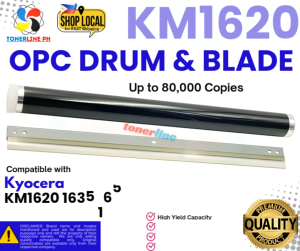
Cleaning Blade+ OPC Drum for Use and Compatible With KM1620 KM1650 KM1635 KM2020 KM2035 KM2050
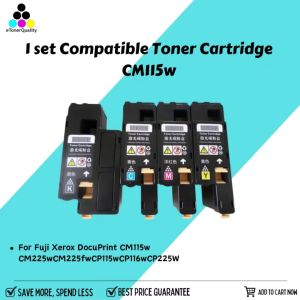
ETQ CMYK 1 Set Compatible Toner Cartridge for Fuji Xerox DocuPrint CM115w
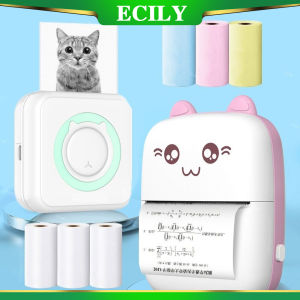
ECILY Mini Thermal Label Printer: A Smart & Portable Solution for Your Phone
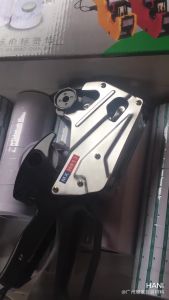
MX-H813 Universal Price Tag Labeller Supermarket Price Tag Sticker Labelling Machine

Portable Mini Thermal Printer Paper Photo Pocket Thermal Printer 58mm Printing DIY Printer Home Office Use
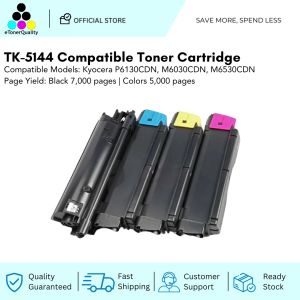
ETQ TK-5144 Compatible Toner Cartridge for Kyocera P6130CDN M6030CDN M6530CDN models
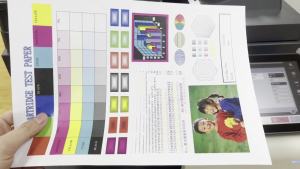
Compatible Xerox DocuCentre SC2022 for Copier Toner Cartridge DCC2022 DSCC2022N SC-2022NW