[PERNG] Tehe X99-P4 2011-3 Motherboard Set Kit Desktop ECC Server DDR4 X99 2660V3 2680V4 Memory NVME M.2 SATA
Features: Powerful processing power: The X99-P4 2011-3 motherboard supports a variety of powerful processors, which can meet the various computing needs of desktop servers. These processors include Intel's Xeon E5-2600 series, E5-4600 series, etc. ensuring that the server can handle large amounts of data and tasks. Strong compatibility: X99-P4 2011-3 motherboard is not only compatible with various processors and memory technologies, but also supports various operating systems, such as Windows Server, Linux, etc. to meet the needs of different users. Specifications: Color: As Picture Shows. Package Include: 1Piece. Note: 1. Please allow 2%-5%cm differences due to manual measurement, thanks. 2. Please understand because of the light irradiation or computer display difference, so I can't guarantee photos and color is 100 the same. Features: Powerful processing power: The X99-P4 2011-3 motherboard supports a variety of powerful processors, which can meet the various computing needs of desk

PERNG
![[PERNG] Tehe X99-P4 2011-3 Motherboard Set Kit Desktop ECC Server DDR4 X99 2660V3 2680V4 Memory NVME M.2 SATA](https://img.lazcdn.com/g/p/5e2825a874bd234e7dfa1af9974560de.jpg_300x300q80.jpg)
Review

You May Also Like

【Original 2025】Laptop 15.6 Inch | Intel Core i7-8500Y | 16GB RAM | 1TB SSD | Windows 11 Pro | 3 Year Warranty | For Office
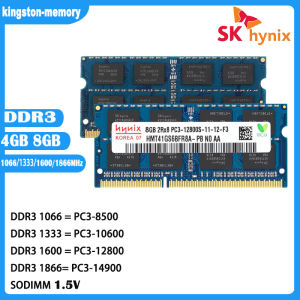
Hynix DDR3 SODIMM 204pin Memory: A Comprehensive Guide
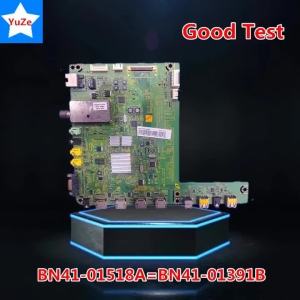
Motherboard BN41-01518A = BN41-01391B Main Board TV UN32C5000QM UN40C5000QM UN46C5000QM UA46C5000QR UN40C5000

ARZOPA 16.1 144Hz Z1FC Portable Gaming Monitor 1080P HDR with USB 3.1 HDMI Laptop Computer Monitor for Switch PlayStation Xbox PS5 Mac
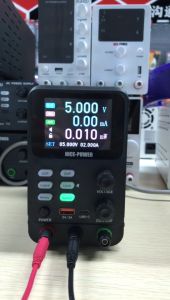
Newest Microcurrent DC power supply adjustable 5 digit lab Bench power source 30V 10A AC switching Stabilized power supply for PCB Phone repairbattery charging
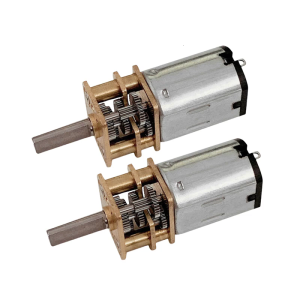
High Torque 12V 100RPM High Torque Gear Motor for Educational Models and DIY Robotics Slow Speed
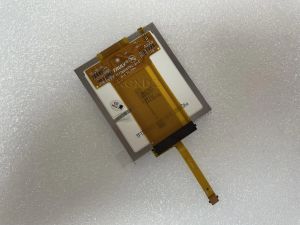
Original and new LCD screen display TFT7K0791FPC-A1-E TFT2P2221-V6-S-W-E LCD With touch screen creen replacement free shipping
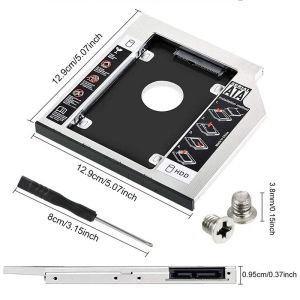
9.5/12.7mm All-aluminum Hard Drive Bracket: A Comprehensive Guide\\n\\n What is a Second HDD Caddy SATA 9.5mm/12.7mm All-aluminum Hard Drive Bracket?\\n\\nA Second HDD Caddy SATA 9.5mm/12.7mm All-aluminum Hard Drive Bracket is a small, lightweight, and durable aluminum bracket designed to hold an additional hard drive or SSD in laptops equipped with a CD-ROM bay. This bracket enables users to expand their storage capacity while maintaining portability and performance.\\n\\n Key Features of the Bracket\\n\\n- **Compatibility:** The bracket supports both 9.5mm and 12.7mm SATA hard drives and SSDs.\\n- **Durability:** Made of high-quality aluminum, the bracket ensures long-lasting use and protection for your storage devices.\\n- **Ease of Installation:** The bracket features a simple design that makes installation quick and easy.\\n\\n How to Install the Bracket\\n\\n1. Remove the CD-ROM drive from your laptop.\\n2. Insert the hard drive or SSD into the bracket.\\n3. Connect the SATA cable and power cable to the bracket.\\n4. Secure the bracket and drive into the CD-ROM bay.\\n\\n Benefits of Using a Second HDD Caddy SATA 9.5mm/12.7mm All-aluminum Hard Drive Bracket\\n\\n Improved Performance\\n\\nUpgrading to an SSD or using a faster hard drive can significantly improve your laptop's performance by reducing boot times, loading times, and overall system responsiveness.\\n\\n Increased Storage Capacity\\n\\nAdding a second hard drive or SSD allows you to store more files, programs, and data, providing ample space for your growing digital needs.\\n\\n Enhanced Portability\\n\\nThe compact design of the bracket ensures that your laptop remains lightweight and portable, even with the added storage capacity.\\n\\n How to Choose the Right Second HDD Caddy SATA 9.5mm/12.7mm All-aluminum Hard Drive Bracket\\n\\n Compatibility with Different Laptops\\n\\nBefore purchasing a bracket, ensure that it is compatible with your laptop model. Check the CD-ROM bay size and SATA port configuration to guarantee a seamless installation.\\n\\n Size and Weight Considerations\\n\\nConsider the size and weight of the bracket, as well as the hard drive or SSD you plan to use, to maintain optimal portability and balance in your laptop.\\n\\n Price Range and Budget\\n\\nSet a budget for your purchase and compare prices from different sellers to find the best deal. Keep in mind that higher-quality brackets may cost more but offer better durability and performance.\\n\\n Troubleshooting Common Issues with Second HDD Caddy SATA 9.5mm/12.7mm All-aluminum Hard Drive Bracket\\n\\n Connection Problems\\n\\nIf you experience connection issues, double-check that the SATA and power cables are securely connected to both the bracket and the laptop. Ensure that the cables are not damaged or loose.\\n\\n Compatibility Issues\\n\\nIf the bracket does not fit your laptop, check the specifications and compatibility list provided by the manufacturer. Consider contacting customer support for further assistance.\\n\\n Installation Difficulties\\n\\nIf you encounter difficulties during installation, consult the user manual or seek help from online forums or tutorials. Ensure that you have the necessary tools and follow the instructions carefully.\\n\\n Conclusion\\n\\n Recap of Key Points\\n\\nThe Second HDD Caddy SATA 9.5mm/12.7mm All-aluminum Hard Drive Bracket offers a convenient solution for expanding storage capacity in laptops equipped with a CD-ROM bay. With its compatibility, durability, and ease of installation, this bracket is an excellent choice for users looking to enhance their laptop's performance and storage capabilities.\\n\\n Final Thoughts on the Second HDD Caddy SATA 9.5mm/12.7mm All-aluminum Hard Drive Bracket\\n\\nBy carefully considering the factors mentioned above, you can choose the right bracket for your needs and enjoy the benefits of increased storage capacity and improved performance in your laptop.\n}
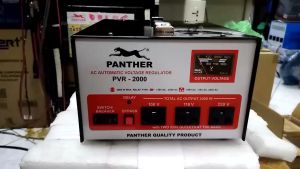
Panther PVR 2001/2000 AVR Relay Type with 100V 110V & 220V Output and 3-5 Mins. Power on Delay
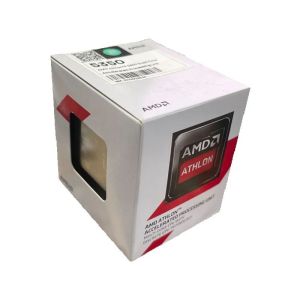
AMD X4 5350 Athlon 5350 2.05 GHz Quad-Core Quad-Thread CPU AD5350JAH44HM Socket AM1 Sealed New and come with cooler
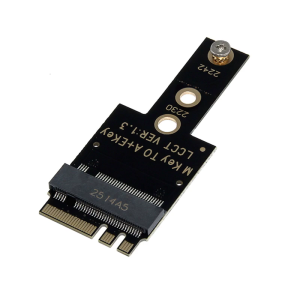
M.2 A+E to PCIE Adapters for NVMe SSDs PCIe4.0 Host Controller Expansion Supports 2242 NVME SSDs