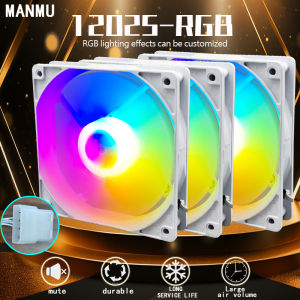
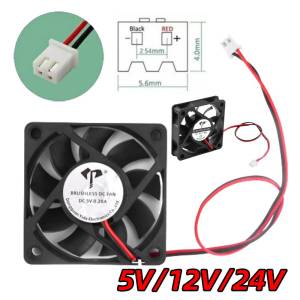
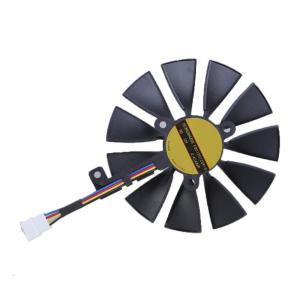
GPU Fan Efficient Cooling Fan 4/6/7Pin Connection For FDC10U12S9-C 2070 Provides Quiet and Effective Heat Dissipation
Hard Case. Ensuring your 2070 graphics runs smoothly under heavy loads with the FDC10U12S9-C Cooling Fan for optimaled heat dissipation and stability. This cooling fan operates quietly and boasts a life of up to 50,000hours, easy installation and replace. For gamers, graphics designers, and requiring highly graphics cards. GPU Fan Efficient Cooling Fan 4/6/7Pin Connection For FDC10U12S9-C 2070 Provides Quiet and Effective Heat Dissipation Features: Ensuring your 2070 graphics runs smoothly under heavy loads with the FDC10U12S9-C Cooling Fan for optimaled heat dissipation and stability. This cooling fan operates quietly and boasts a life of up to 50,000hours, easy installation and replace. For gamers, graphics designers, and requiring highly graphics cards. Perfectly for high intensity gaming, video editing, and running large software applications in environment demanding prolonged stability. Enhances your PC performances with this reliabled cooling accessory, ensuring long and efficien

Potato Digital
Review

You May Also Like
Weidmuller Switching Power Supply PRO ECO 480W 24V 20A Equal Series in Stock

4Pcs Laptop Silicone Feet Replacement Bottom Case Foot for Dell E7440 E7240 E7250 E7450 E7270 E7470 Shell Case Pad

DarkFlash Infinity 24 ARGB 3in1 ARGB with Controller Remote Cooling Fan

YUYIN4 Mini PCI-E to USB3.0 Expansion Card Laptop Converter Riser Card W Screw Fittings

KAMPEON Gaming Monitor for PC: 24 Inch Curved & 27 Inch Laptop Monitor Review\\n\\n What is the KAMPEON Gaming Monitor?\\n\\nThe KAMPEON Gaming Monitor is a high-performance computer monitor designed specifically for gaming enthusiasts. It comes in two sizes: a 24-inch curved gaming monitor and a 27-inch laptop monitor, both offering impressive features and specifications.\\n\\n Key Features & Specifications\\n\\nBoth models feature stunning 4K resolution and fast refresh rates, with the 24-inch model offering 144Hz and the 27-inch model providing 165Hz. This ensures smooth gameplay and seamless visuals for any gamer. Additionally, the curved design of the 24-inch model enhances immersion and reduces eye strain during extended gaming sessions.\\n\\n How Does It Compare to Other Monitors?\\n\\nCompared to other monitors on the market, the KAMPEON Gaming Monitor stands out due to its combination of high resolution, fast refresh rates, and curved design. It offers superior performance and visual quality, making it an excellent choice for serious gamers.\\n\\n How to Choose the Right KAMPEON Gaming Monitor\\n\\nWhen selecting the right KAMPEON Gaming Monitor, consider the following factors:\\n\\n Curved vs. Flat Display\\n\\nThe 24-inch model features a curved display, which provides a more immersive gaming experience and reduces eye strain. On the other hand, the 27-inch model has a flat display, offering a larger screen area for multitasking and productivity tasks alongside gaming.\\n\\n 24 Inch & 27 Inch Options\\n\\nBoth models come in two sizes, catering to different preferences and needs. The 24-inch monitor is ideal for those who prioritize immersion and eye comfort, while the 27-inch model offers a larger screen area for multitasking and productivity tasks alongside gaming.\\n\\n 144Hz & 165Hz Refresh Rates\\n\\nThe refresh rate determines how many frames per second the monitor can display. The 24-inch model features a 144Hz refresh rate, while the 27-inch model boasts a 165Hz refresh rate. Higher refresh rates result in smoother gameplay and more responsive visuals, enhancing the overall gaming experience.\\n\\n Setting Up Your KAMPEON Gaming Monitor\\n\\nSetting up your KAMPEON Gaming Monitor is straightforward and easy. Follow these steps:\\n\\n Connecting Your Monitor\\n\\nConnect your monitor to your PC using the included HDMI or DisplayPort cables. Make sure to select the correct input source on your monitor and adjust the resolution and refresh rate settings in your PC's display settings.\\n\\n Adjusting Display Settings\\n\\nOnce connected, adjust the display settings on your monitor to optimize its performance. You can customize brightness, contrast, color temperature, and other settings to suit your preferences and gaming needs.\\n\\n Optimizing Performance for Gaming\\n\\nTo get the most out of your KAMPEON Gaming Monitor, ensure that your PC meets the minimum system requirements for the selected refresh rate. This includes having a powerful graphics card and sufficient RAM. Additionally, consider enabling adaptive sync technologies like FreeSync or G-Sync to eliminate screen tearing and stuttering.\\n\\n Enhancing Your Gaming Experience with KAMPEON\\n\\nMaximize your gaming experience by taking advantage of the KAMPEON Gaming Monitor's advanced features:\\n\\n Customizing Visual Settings\\n\\nCustomize your monitor's visual settings to enhance your gaming experience. Experiment with different color profiles, contrast ratios, and sharpness levels to achieve the perfect balance of detail and clarity.\\n\\n Using Advanced Features\\n\\nTake advantage of the KAMPEON Gaming Monitor's advanced features, such as game modes, crosshair overlays, and black stabilizer. These features can help you stay focused, improve accuracy, and enjoy a more immersive gaming experience.\\n\\n Maintaining Optimal Performance\\n\\nTo maintain optimal performance, keep your monitor clean and free from dust. Regularly update your graphics drivers and firmware to ensure compatibility and access to the latest features. Additionally, avoid placing heavy objects on top of your monitor to prevent damage and maintain its longevity.\\n\\nIn conclusion, the KAMPEON Gaming Monitor is an excellent choice for PC gamers looking for high-resolution visuals, fast refresh rates, and advanced features. Whether you prefer a curved or flat display, the 24-inch or 27-inch size, or the 144Hz or 165Hz refresh rate, there's a KAMPEON Gaming Monitor that's perfect for you. So why wait? Upgrade your gaming setup today and experience the ultimate gaming experience with KAMPEON!\"

NICE-POWER DC Lab Power Supply Titanium Anodized Motor Starts Short Killer OCP OVP Adjustable 160V 2A 30V 10A 5A

MX341 Automatic Regulator Avr

T9 Plus Mini PC Intel Alder Lake N150 8GB/16GB DDR5 256/512GB/1TB Windows 11 Ultra Small Pocket Computer Dual LAN Three HDMI

Efficiency QY60083 Printer Head For QY60083 MG6380 MG7180 iP8780 And Additional Supported Printers Models Heads

OFIYAA S2 14’’ Triple Laptop Screen Extender 1080P FHD Portable Dual Monitor for Laptop USB C HDMI Plug-play Monitor Extender for Mac/Windows Fit 13”-17.3” Laptops

Metal GPU Support Graphics Card Support GPU Stand Compatible With RTX 4090 4080 4070 Graphics Card