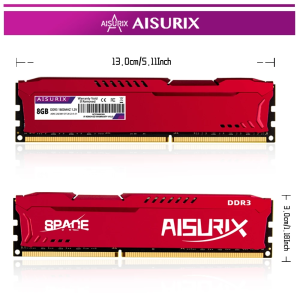
AISURIX DDR3 DDR4 4GB 8GB Desktop Memory RAM 1600MHz 2666Mhz
AISURIX DDR3 DDR4 4GB 8GB Desktop Memory RAM 1600MHz 2666Mhz
Understanding Compatible Memory Solutions
Identifying DDR3 & DDR4 Compatibility
When it comes to choosing the right memory solution for your desktop, it is essential to understand the compatibility of DDR3 and DDR4 memory modules. Both DDR3 and DDR4 RAM types have different specifications, which affect their performance and compatibility with various systems.
DDR3 memory operates at a lower voltage (1.5V) compared to DDR4 (1.2V), making it less power-efficient. However, DDR3 is still widely used in older systems due to its compatibility and availability. On the other hand, DDR4 memory offers higher performance and lower power consumption, making it the preferred choice for modern desktops.
Evaluating RAM Speeds: 1600MHz vs 2666Mhz
RAM speed plays a crucial role in determining the overall performance of your system. AISURIX DDR3 and DDR4 RAM modules come in various speeds, including 1600MHz and 2666Mhz. While both speeds offer improved performance over slower alternatives, the 2666Mhz RAM provides faster data transfer rates, resulting in better system responsiveness and multitasking capabilities.
It is important to note that your computer's motherboard must support the chosen RAM speed to ensure optimal performance. Upgrading to faster RAM speeds may require a compatible motherboard or even a new system build.
Enhancing System Performance with AISURIX DDR3 & DDR4 RAM
Boosting Desktop Memory with 4GB & 8GB Options
AISURIX DDR3 and DDR4 RAM modules come in two popular capacities: 4GB and 8GB. Choosing the right capacity depends on your system requirements and intended use. For general-purpose computing tasks like web browsing, office work, and media consumption, a 4GB RAM module may suffice. However, if you plan to run resource-intensive applications like video editing software, 3D modeling tools, or gaming, an 8GB RAM module would be more suitable.
Increasing your desktop memory capacity can significantly improve system performance by allowing more applications to run simultaneously without slowing down your computer. This results in a smoother user experience and faster task completion times.
Maximizing RAM Efficiency: Tips & Tricks
To get the most out of your AISURIX DDR3 or DDR4 RAM, consider implementing the following tips and tricks:
- Ensure your RAM modules are installed correctly and securely in their respective slots.
- Check your BIOS settings to enable XMP (Extreme Memory Profile) for optimal RAM performance.
- Keep your operating system and drivers up-to-date to ensure compatibility with your RAM modules.
- Regularly clean dust from your computer components to maintain proper airflow and prevent overheating.
Making the Right Choice: Which AISURIX RAM is Best for You?
Assessing Your Needs: Factors to Consider
When choosing between AISURIX DDR3 and DDR4 RAM, consider the following factors:
- System Compatibility: Ensure your desktop motherboard supports the chosen RAM type and speed.
- Performance Requirements: Determine whether you need faster data transfer rates and improved multitasking capabilities.
- Budget: Compare prices and availability of DDR3 and DDR4 RAM modules to find the best value for your needs.
Comparing AISURIX DDR3 & DDR4 RAM Models
In summary, AISURIX DDR3 and DDR4 RAM modules offer various benefits depending on your system requirements and intended use. While DDR3 RAM is still widely used in older systems due to its compatibility and availability, DDR4 RAM provides higher performance and lower power consumption, making it the preferred choice for modern desktops.
When choosing between 1600MHz and 2666Mhz RAM speeds, consider your computer's motherboard compatibility and desired performance improvements. Additionally, selecting the right capacity (4GB or 8GB) depends on your system requirements and intended use.
By considering these factors and implementing the tips and tricks mentioned above, you can make an informed decision about which AISURIX RAM model is best suited for your needs.
Remember to keep your operating system and drivers up-to-date, maintain proper airflow, and regularly clean dust from your computer components to ensure optimal performance and longevity of your AISURIX DDR3 or DDR4 RAM."

AISURIX Electronics Accessories
You May Also Like
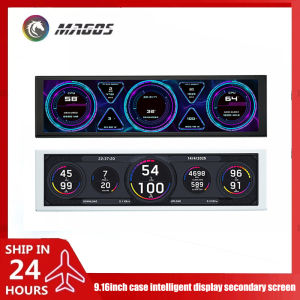
9.2 Inch USB Secondary Screen for Computer Chassis 1920*462 LCD Display One USB Connected CPU RAM GPU HDD Weather Monitor
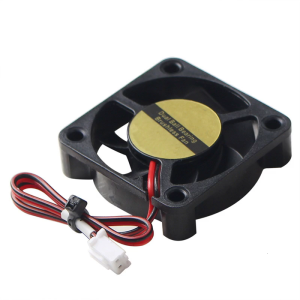
Durability 24V 4010 Brushless 3D Printers Cooling Fan With Long Lifespans For DIY Enthusiasts And Professionals
Magnetic Attraction PVC Computer Case Dust Filter Net Laptop Fan Desktop Server Speaker Ventilation Filter Net
KingSpec mSATA SSD 512GGB 256GB 128GB Internal Solid State Drive SATAIII 6GB/s 1TB SSD Mini SATA3 Hard Disk for Laptop Desktop

LED Screen Replacement for Asus Laptops: A Comprehensive Guide

LPO Desktop Segotep Intel Core i5-7400: A Comprehensive Guide

Powerbox Portable Generator- 1000 Watts

TITAN ARMY P2711V 27 inches IPS Monitor HDR400 4K+144Hz/FHD+288Hz 1ms 3840x2160 Dual Mode Switch Gaming Monitor

Panther PVE 501 AVR Relay Type 220V AC Output Automatic Voltage Regulator / Voltage Stabilizer Proudly Philippine Made - Lazada

14 Inch Laptop LCD Touch Screen LP140WF5-SPB3 LP140WF5-SPB2 LP140WF5-SPK1 For Lenovo Thinkpad T460 T460s Display Matrix Panel
Compactly 4S 14.8V/16.8V 20A LithiumsBMS PCM Protections Board For Safe Power Supply In Electronic Devices