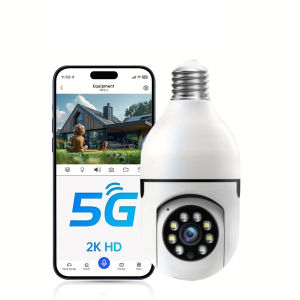
Bulb E27 Surveillance Camera WiFi 5G Smart Home Indoor Wireless Surveillance Camera Detect Security Baby Monitor
Bulb E27 Surveillance Camera WiFi 5G Smart Home Indoor Wireless Surveillance Camera Detect Security Baby Monitor
What is a Bulb E27 Surveillance Camera?
A Bulb E27 Surveillance Camera is a compact and versatile indoor wireless security camera that seamlessly integrates with your existing lighting fixtures. It is designed to provide comprehensive security coverage while maintaining a sleek and unobtrusive appearance.
Key Features & Benefits
The Bulb E27 Surveillance Camera boasts several key features that make it an ideal choice for home security:
-
Compact Design: The camera is small enough to fit into any standard E27 light bulb socket, making it easy to install and blend in with your home decor.
-
High-Quality Video: With its built-in HD camera, the Bulb E27 Surveillance Camera captures crystal-clear video footage, allowing you to keep a close eye on your home.
-
Motion Detection: The camera's motion detection feature ensures that you receive instant alerts whenever there is movement within its field of view.
-
Night Vision: Equipped with infrared LEDs, the Bulb E27 Surveillance Camera provides excellent visibility even in low-light conditions.
-
Smart Home Integration: Compatible with popular smart home platforms like Amazon Alexa and Google Assistant, the Bulb E27 Surveillance Camera allows you to control and monitor your home from anywhere using your smartphone.
-
Privacy-Friendly: The camera comes with a privacy shutter that allows you to cover the lens when not in use, giving you peace of mind knowing that your privacy is protected.
Comparison with Traditional Security Systems
Compared to traditional security systems, the Bulb E27 Surveillance Camera offers several advantages:
-
Ease of Installation: Unlike traditional security systems, which often require professional installation, the Bulb E27 Surveillance Camera can be easily installed by simply screwing it into an existing light bulb socket.
-
Cost-Effective: The Bulb E27 Surveillance Camera is significantly more affordable than traditional security systems, making it an attractive option for budget-conscious homeowners.
-
Energy Efficiency: By utilizing an existing light bulb socket, the Bulb E27 Surveillance Camera consumes less energy than standalone security cameras, helping you save money on your electricity bill.
How to Install & Set Up Your Bulb E27 Surveillance Camera
Step-by-Step Installation Guide
Installing the Bulb E27 Surveillance Camera is a straightforward process that can be completed in just a few minutes. Follow these steps to get started:
-
Unpack the Camera: Carefully remove the Bulb E27 Surveillance Camera from its packaging and inspect it for any signs of damage.
-
Remove Existing Light Bulb: Unscrew the existing light bulb from the socket where you plan to install the camera.
-
Install the Camera: Screw the Bulb E27 Surveillance Camera into the socket until it is securely in place.
-
Connect to WiFi: Download the camera's companion app from the App Store or Google Play Store, and follow the instructions to connect the camera to your WiFi network.
-
Set Up Alerts: Configure the camera's motion detection settings and set up email or push notifications to receive alerts when motion is detected.
Connecting to WiFi & Setting Up Alerts
To ensure that your Bulb E27 Surveillance Camera is fully functional, it is essential to connect it to your WiFi network and set up alerts. Here's how to do it:
-
Download the App: Download the camera's companion app from the App Store or Google Play Store.
-
Add the Camera: Open the app and follow the prompts to add the Bulb E27 Surveillance Camera to your account.
-
Connect to WiFi: Select your WiFi network from the list of available networks and enter your password to connect the camera.
-
Configure Alerts: Set up email or push notifications to receive alerts when motion is detected.
Maximizing Your Bulb E27 Surveillance Camera's Performance
Optimal Placement & Positioning
To get the most out of your Bulb E27 Surveillance Camera, it is important to choose the right location and position it correctly. Consider the following tips:
-
Choose a Central Location: Place the camera in a central location where it can capture a wide field of view.
-
Avoid Obstructions: Make sure there are no objects blocking the camera's view, such as furniture or curtains.
-
Adjust the Angle: Tilt or rotate the camera to adjust its angle and ensure that it captures the desired area.
Enhancing Security with Motion Detection & Night Vision
The Bulb E27 Surveillance Camera's motion detection and night vision features can help enhance your home's security. Here's how to use them effectively:
-
Enable Motion Detection: Turn on the camera's motion detection feature to receive instant alerts when movement is detected.
-
Adjust Sensitivity: Fine-tune the sensitivity of the motion detection feature to avoid false alarms.
-
Use Night Vision: In low-light conditions, the camera's infrared LEDs will automatically activate to provide clear visibility.
Troubleshooting Common Issues
Connectivity Problems & Solutions
If you're experiencing connectivity issues with your Bulb E27 Surveillance Camera, try the following solutions:
-
Restart the Camera: Unplug the camera from the power source and plug it back in to restart it.
-
Check WiFi Signal: Ensure that the camera is within range of your WiFi network and that the signal strength is sufficient.
-
Reset the Camera: If the above steps don't work, reset the camera to factory settings and reconnect it to your WiFi network.
Camera Malfunction & Repair
If your Bulb E27 Surveillance Camera malfunctions, contact the manufacturer's customer support team for assistance. They may be able to provide a repair or replacement if the issue is covered under warranty.
Frequently Asked Questions
Is the Bulb E27 Surveillance Camera Suitable for My Needs?
The Bulb E27 Surveillance Camera is an excellent choice for homeowners who want a compact, easy-to-install security camera that provides high-quality video and motion detection capabilities. It is particularly well-suited for those who are looking for a cost-effective solution to protect their homes.
How Secure is the Data Collected by the Camera?
The Bulb E27 Surveillance Camera uses advanced encryption technologies to secure the data collected by the camera. All video footage is stored locally on the camera's SD card, and can be accessed via the companion app. The camera's privacy shutter also allows you to cover the lens when not in use, providing an added layer of security.

smart home PH
Review

You May Also Like
Megaorei M5 1080p HD Camera Camcorder
Hikvision 4/8 Channel CCTV Kit 2MP/5MP HD With Audio Waterproof Complete CCTV Package With Remote Monitoring CCTV Set
V380Pro CCTV Camera 360° Wifi 8 Megapixel Clear Image PTZ Camera Outdoor Waterproof IP Camera 8LED Wireless CCTV Camera Be colorful all day long. Intelligent tracking two-way voice call
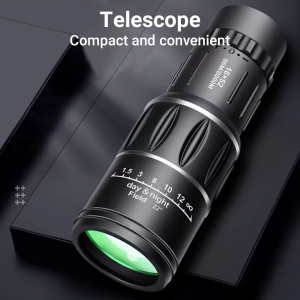
⚡PH deliveryIn stock⚡Monocular Telescope 16X52 High Magnification HD Binoculars Long Range Low Light Night Vision Astronomical Scope【Outdoor Sports Goods】
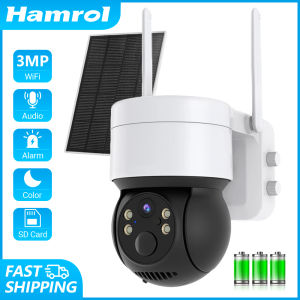
Hamrol 3MP WIFI Solar Panel PTZ IP Camera Rechargeable Battery Human Detection Outdoor Wireless CCTV Security Camera
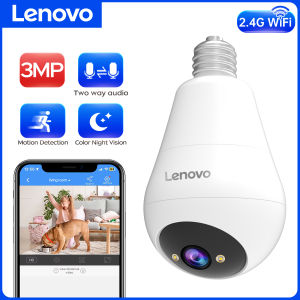
Lenovo Bulb E27 Wifi Surveillance Camera Color Night Wireless Baby Monitor Auto Tracking Indoor Security Monitor Mini IP Camera
【Shipping From Philippines/COD】100% Original 1x40 5 MOA Green Red Dot Sight Reflex Scope Lens Magnifier Red Dot Optical Point Illuminated Scope with 11mm/20 mm Mount

ANRAN 2K Solar Camera Wall Light 2.4G Outdoor WIFI Camera Home Protection Security Camera
PK Lens Mount Adapter Ring for Pentax Phoenix PK Lens to EF Camera
2.4" Touch Screen Kids Instant Print Camera - 12MP Digital Camera with Selfie Video Recording & Print Paper - Perfect Toy for Kids
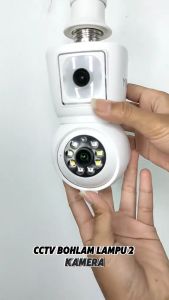
ICSEE R3 4MP Dual lens cctv bulb Bluetooth Remote Dual Screen Auto Tracking Indoor PTZ CCTV Home Security CCTV Camera