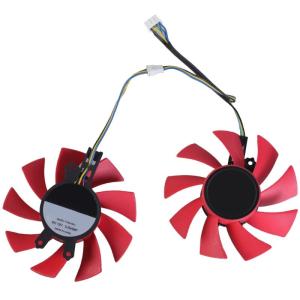
GPU Fan: Efficient Cooling Fan with 4Pin Connection for RTX2060 & GTX1660Ti
GPU Fan: Efficient Cooling Fan with 4Pin Connection for RTX2060 & GTX1660Ti
Introduction to GPU Fan & Quiet Heat Dissipation
A Quiet Heat Dissipation Fan is a specially designed fan that efficiently cools your GPU (Graphics Processing Unit) while maintaining low noise levels. This type of fan works by circulating air over the GPU's heat sink, effectively dissipating heat and preventing your GPU from overheating. The benefits of using a Quiet Heat Dissipation Fan include improved GPU performance, extended hardware lifespan, and reduced noise pollution.
Key Features of GTX1660Ti Compatible Fan
Compatibility with GTX1660Ti
Our GPU Cooling Fan is specifically designed to be compatible with the NVIDIA GTX1660Ti graphics card. It provides efficient cooling capabilities while ensuring optimal performance.
4Pin Connection for Optimal Performance
The fan features a 4-pin connection, which allows for better control over the fan speed and ultimately leads to improved cooling performance. This connection type enables the fan to adjust its speed according to the GPU's temperature, ensuring efficient heat dissipation.
Effective GPU Cooling Capability
Our Quiet Heat Dissipation Fan is equipped with advanced cooling technology, making it an effective solution for managing the heat generated by your GPU. By efficiently dissipating heat, the fan helps maintain stable temperatures, resulting in improved overall performance.
Choosing the Right 4Pin Connection Cooling Fan
Factors to Consider When Selecting a Cooling Fan
When choosing a cooling fan for your GPU, consider factors such as compatibility, noise levels, and cooling performance. Ensure that the fan is compatible with your graphics card, has low noise levels, and provides efficient cooling capabilities.
Comparing Different Cooling Fans
When comparing different cooling fans, evaluate their features, such as fan size, noise levels, and cooling performance. Look for fans that offer a good balance between these factors to ensure optimal GPU performance.
Tips for Installing Your New Cooling Fan
Before installing your new cooling fan, make sure to read the manufacturer's instructions carefully. Proper installation is crucial for ensuring optimal performance and preventing damage to your hardware. Additionally, consider using thermal paste to improve heat transfer between the GPU and the cooling fan.
Conclusion & Final Thoughts
In conclusion, a Quiet Heat Dissipation Fan is an excellent choice for managing the heat generated by your GPU. By providing efficient cooling capabilities and maintaining low noise levels, this type of fan can help maximize GPU performance and extend hardware lifespan. For RTX2060 and GTX1660Ti users, our GTX1660Ti Compatible Fan with 4Pin Connection is an ideal solution for ensuring optimal cooling performance and quiet operation.
Final recommendations for RTX2060 and GTX1660Ti users include selecting a cooling fan that is compatible with their graphics card, has low noise levels, and provides efficient cooling capabilities. Additionally, proper installation and the use of thermal paste can further enhance the cooling performance of the fan, leading to improved overall GPU performance.

Audio Good
Review

You May Also Like

LoviRa HY510 YJ-G190 Grey Thermal Paste for CPU GPU Cooler Cooling Heatsink Paste 25g 10g

13.3" Touch IPS Portable Monitor IPS Panel USB-C 1200P FHD 60Hz Compatible Travelling Display for PC Laptop Xbox Switch
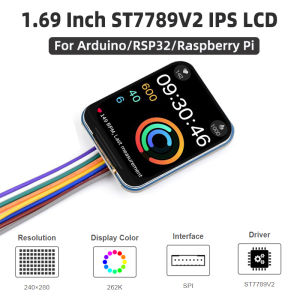
1.69 Inch LCD IPS Screen ST7789V2 SPI Interface 262K Colors 240×280 Display Module for Arduino ESP32 Raspberry Pi 5 4B 3B+ Zero
Circuitrocks DC Diaphragm Pumps 6-12V R385
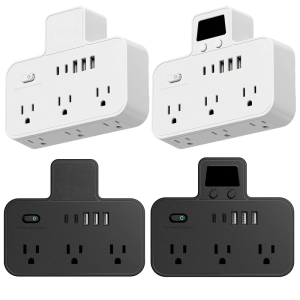
Advanced USB C Power Stations with Quick Charges 3.0 Multiple Outlets Universal 110V Journey Essential for Abroad Use
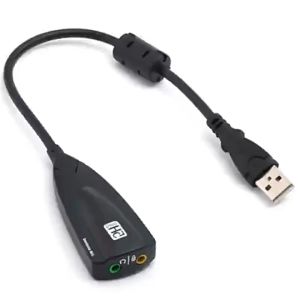
USB External Stereo Sound Adapter 5HV2 Multi-Function USB 2.0 External 3D Virtual 7.1 Channel Sound Card Adapter External USB Sound Card 7.1 Adapter 5HV2 USB to 3.5mm Jack 3D CH Sound Antimagnetic Audio Headset Microphone For Laptop PC PS4
EXPOSE 16.1 inches 144Hz Portable Monitor Touchscreen for Laptop Extension 1080P FHD 103% sRGB IPS Portable Screen Monitor

iCx NINGMEI NL 100P-N50162A LAPTOP
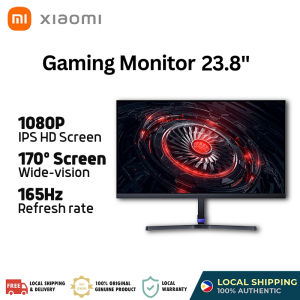
Xiaomi Redmi Gaming Monitor 23.8" 1080P HD 165Hz Desktop 120%sRGB 8 bit Low Blue Light IPS Screen 178 degree Wide Angle Computer Monitor

2/4g MX-4 High Performance Thermal Paste For CPU GPU Optimal Cooling

2025 Laptop Original 14.1 inch Intel Core i7 Windows 11 Operating System 12GB RAM 1TB SSD Office/Design/Gaming Laptos