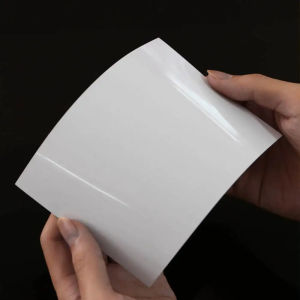
24in x 30m Self Adhesive Waterproof Glossy Inkjet RC Photo Paper Sticker Roll for Pigment Printer
24in x 30m Self Adhesive Waterproof Glossy Inkjet RC Photo Paper Sticker Roll for Pigment Printer
What is Colormaker's Self Adhesive Waterproof Photo Paper?
Colormaker's Self Adhesive Waterproof Glossy Inkjet RC Photo Paper Sticker Roll is a top-grade, double-sided waterproof photo paper designed specifically for pigment printers. This high-quality photo paper features a glossy surface, making it perfect for wedding and other special effects photo outputs. With its unique quick-drying ink technology and ink curing layer, this photo paper ensures long-lasting images and supports high-resolution (up to 9600 dpi) printers.
Key Features of Colormaker's Photo Paper
- High-Density: The photo paper has a high-density, wide color gamut, high clarity, and sharpness, providing very sharp contrast.
- Special Resin Coating: The photo paper undergoes special resin coating processing, ensuring optimal print quality.
- Double-Sided Waterproof: This photo paper is double-sided waterproof, providing excellent protection against water damage.
- Anti-Ultraviolet Function: It has an anti-ultraviolet function, ensuring that the printed images remain vibrant and fade-resistant.
- Unique Quick-Drying Ink Technology: This technology instantly absorbs ink, reducing drying time and improving efficiency.
- Ink Curing Layer: This layer maintains a more lasting image, ensuring that the printed images remain vibrant and clear over time.
Comparison with Other Photo Papers
Compared to other photo papers, Colormaker's Self Adhesive Waterproof Glossy Inkjet RC Photo Paper Sticker Roll stands out due to its high-density, wide color gamut, high clarity, sharpness, and unique quick-drying ink technology. It also features a double-sided waterproof design and anti-ultraviolet function, making it ideal for both indoor and outdoor use.
How to Choose the Right Self Adhesive Waterproof Photo Paper
When selecting a self-adhesive waterproof photo paper, consider the following factors:
- Printing Needs: Determine your printing needs, such as the type of printer you have, the resolution required, and the desired print quality.
- Ink Compatibility: Ensure that the photo paper is compatible with your printer's ink type, whether pigment, dye, or UV ink.
- Surface Treatment: Consider the surface treatment of the photo paper, such as glossy or luster, to achieve the desired print effect.
- Weight: The weight of the photo paper can affect its durability and quality. A heavier weight may provide better results.
Factors to Consider When Selecting a Photo Paper
- Printing Needs: Determine your printing needs, such as the type of printer you have, the resolution required, and the desired print quality.
- Ink Compatibility: Ensure that the photo paper is compatible with your printer's ink type, whether pigment, dye, or UV ink.
- Surface Treatment: Consider the surface treatment of the photo paper, such as glossy or luster, to achieve the desired print effect.
- Weight: The weight of the photo paper can affect its durability and quality. A heavier weight may provide better results.
Using Colormaker's Self Adhesive Waterproof Photo Paper
To achieve optimal printing results with Colormaker's Self Adhesive Waterproof Glossy Inkjet RC Photo Paper Sticker Roll, follow these steps:
- Preparing Your Printer: Before printing, ensure that your printer is properly calibrated and set up for optimal performance.
- Proper Handling Techniques: Handle the photo paper carefully to avoid damage or smudging. Use appropriate handling techniques, such as using gloves or handling the paper by the edges.
Preparing Your Printer for Optimal Printing
To prepare your printer for optimal printing with Colormaker's Self Adhesive Waterproof Glossy Inkjet RC Photo Paper Sticker Roll, follow these steps:
- Calibrate your printer according to the manufacturer's instructions.
- Set the print resolution to the desired level, such as 9600 dpi.
- Ensure that the ink cartridges are properly installed and filled.
- Set the print settings to match the photo paper's specifications, such as glossy or luster surface treatment.
Proper Handling Techniques for Photo Paper
To handle Colormaker's Self Adhesive Waterproof Glossy Inkjet RC Photo Paper Sticker Roll properly, follow these steps:
- Handle the photo paper by the edges to avoid smudging or damage.
- Use gloves to prevent oils from your hands from transferring onto the photo paper.
- Store the photo paper in a cool, dry place to prevent damage or warping.
Maximizing the Quality of Your Prints
To achieve high-quality prints with Colormaker's Self Adhesive Waterproof Glossy Inkjet RC Photo Paper Sticker Roll, follow these best practices:
- Best Practices for Achieving High-Quality Prints
- Calibrate your printer regularly to ensure consistent print quality.
- Set the print resolution to the highest level possible.
- Use high-quality ink cartridges to ensure vibrant colors and sharp images.
- Print test pages to check for any issues before printing the final product.
- Troubleshooting Common Printing Issues
If you encounter any issues while printing with Colormaker's Self Adhesive Waterproof Glossy Inkjet RC Photo Paper Sticker Roll, try the following troubleshooting steps:
- Check the ink cartridges for any blockages or leaks.
- Clean the printer heads according to the manufacturer's instructions.
- Adjust the print settings to improve print quality.
- Contact the manufacturer's customer support for further assistance.

upgvub
Review

You May Also Like
Original Genuine Canon GI-790 ink(with box) Canon Printer G1010/G2010/G3010/G4010/G1000/G2000/G3000
Wireless Label Printer P50 Inkless Bluetooth-compatible Thermal Label Maker Adhesive Label Sticker Machine DIY Pattern Barcode
50 pcs/lot NFC 215 Inkjet printable card for ESPON printer Canon printer
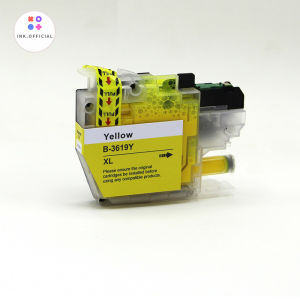
Compatible Brother Ink Cartridges: LC462 & LC3619 for MFC-J Printers
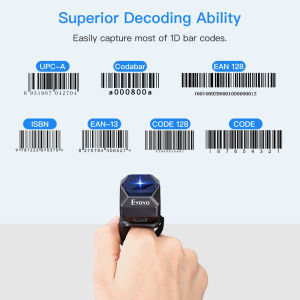
Eyoyo 2D Wearable Ring Barcode Scanner Mini Portable 3-In-1 USB Wired & 2.4G Wireless & Bluetooth Finger Scanner Image 1D QR Bar Code Reader PDF417 Data Matrix Screen Scanning for IPad iPhone Android PC
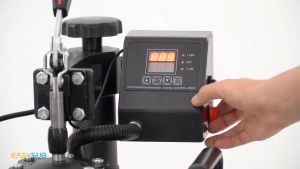
NLIM 6 in1 Multifunction Heat Press Machine: A Versatile Solution for Small Businesses
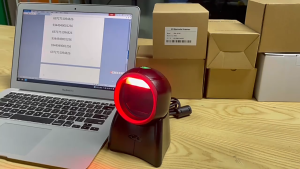
Desktop Barcode Scanner 1D 2D Hands-free Omni-directional Wired Barcode
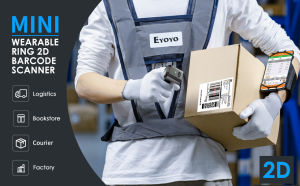
High Performance Eyoyo Mini Finger Wearable 2D Wireless Barcode Scanner
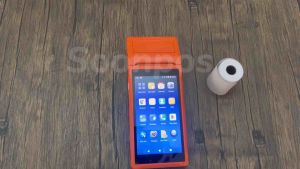
Soonpos Touch Screen Android Handheld POS Terminal With 58mmThermal Receipt Printer 3G 4G WiFi GPS Bluetooth Smart Cashier Mobile POS Machine Compatible With Food Panda Loyverse POS UTAK Salesplay POS System
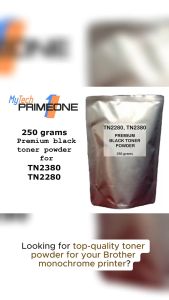
250 grams TN-2380 TN2380 TN-2280 TN2280 premium black toner powder for Brother monochrome printers
G2 Gel-Ink Refills for Retractable Gel Ink Pen 0.5mm/0.7mm Point Blue/Black for Student Teacher Office Worker 10 Pack