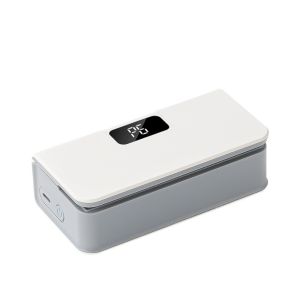
SH USB Rechargeable Plastic Bags Sealer Handheld Bottom Heat Bag Sealing Machine Mini Seal Button Sealing Clip Food Packaging

SH USB Rechargeable Plastic Bags Sealer Handheld Bottom Heat Bag Sealing Machine Mini Seal Button Sealing Clip Food Packaging

What is a USB Rechargeable Plastic Bags Sealer?

A USB rechargeable plastic bags sealer, like the SH USB Rechargeable Plastic Bags Sealer, is a compact and portable device designed for sealing plastic bags efficiently. This handheld bottom heat bag sealing machine is perfect for individuals looking to package food items or other goods quickly and easily. With its mini seal button sealing clip, this device offers a simple and effective solution for food packaging sealing.

Key Features of the SH USB Rechargeable Plastic Bags Sealer

  • Compact and Portable: The device is lightweight and easy to carry, making it ideal for on-the-go use.
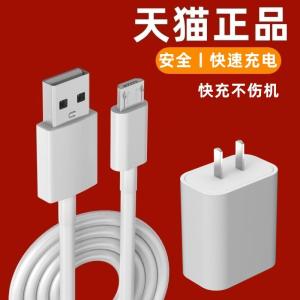
  • USB Rechargeable: The sealer is powered by a rechargeable battery, which can be charged via a USB cable.
  • Handheld Bottom Heat Sealer: This feature allows for precise and efficient sealing of plastic bags.
  • Mini Seal Button Sealing Clip: This compact sealing clip is easy to operate and provides a strong seal for food packaging.

How Does the Sealing Process Work?

To use the SH USB Rechargeable Plastic Bags Sealer, simply place the open end of a plastic bag between the heating element and the sealing clip. Press the mini seal button to activate the heating element, which melts the plastic and creates a strong seal. Once the sealing process is complete, remove the sealed bag and allow it to cool before storing or transporting.

Benefits of Using a USB Rechargeable Plastic Bags Sealer

Time-Saving and Convenience

The SH USB Rechargeable Plastic Bags Sealer offers a quick and convenient solution for sealing plastic bags. With its compact design and easy-to-use features, this device can save time and effort compared to traditional sealing methods.

Versatility in Food Packaging

The SH USB Rechargeable Plastic Bags Sealer is perfect for packaging a wide range of food items, including snacks, leftovers, and meal prep containers. Its compact size and lightweight design make it ideal for use at home, in the office, or on-the-go.

Energy Efficiency and Portability

As a USB rechargeable device, the SH USB Rechargeable Plastic Bags Sealer is energy-efficient and environmentally friendly. Its rechargeable battery can be charged via a USB cable, making it easy to keep the device powered up for continued use.

How to Use a USB Rechargeable Plastic Bags Sealer

Charging and Maintenance

To charge the SH USB Rechargeable Plastic Bags Sealer, simply connect the included USB cable to the charging port on the device and plug it into a power source. Once fully charged, disconnect the cable and store the device in a safe place until needed.

Regular maintenance is essential to ensure the longevity and performance of the device. Clean the heating element and sealing clip after each use to prevent buildup of residue or debris.

Proper Sealing Techniques

To achieve the best results when using the SH USB Rechargeable Plastic Bags Sealer, follow these tips:

  • Ensure the plastic bag is clean and free of debris before sealing.
  • Place the open end of the bag between the heating element and the sealing clip.
  • Press the mini seal button to activate the heating element.
  • Allow the sealed bag to cool before storing or transporting.

Troubleshooting Common Issues

If you experience any issues with the SH USB Rechargeable Plastic Bags Sealer, refer to the troubleshooting guide below:

  • Device not turning on: Ensure the device is fully charged and the USB cable is securely connected.
  • Weak seal: Check that the plastic bag is clean and free of debris before sealing. Also, ensure the heating element and sealing clip are clean and free of residue.
  • Device overheating: Allow the device to cool down before attempting to use it again.

Conclusion

Summary of Key Points

The SH USB Rechargeable Plastic Bags Sealer is a compact and portable device designed for efficient sealing of plastic bags. Its key features include a rechargeable battery, handheld bottom heat sealer, and mini seal button sealing clip. The device offers numerous benefits, including time-saving convenience, versatility in food packaging, and energy efficiency and portability.

Final Thoughts on the USB Rechargeable Plastic Bags Sealer

If you're looking for a reliable and convenient solution for sealing plastic bags, the SH USB Rechargeable Plastic Bags Sealer is a great choice. With its compact design, easy-to-use features, and versatile applications, this device is perfect for anyone who needs to package food items or other goods quickly and easily.

ssssshhhhhhh
ssssshhhhhhh

Seller ratings 96%

Review

Oops
This video has no reviews.

You May Also Like

JJC Camera Lens Bag & Belt: A Comprehensive Guide
00:29

JJC Camera Lens Bag & Belt: A Comprehensive Guide

BOKEWU Wireless Bluetooth 5.0 Receiver Transmitter Adapter: A Comprehensive Guide
00:57

BOKEWU Wireless Bluetooth 5.0 Receiver Transmitter Adapter: A Comprehensive Guide

Adjustable Air-conditioning Wind Deflector Telescopic Anti-Direct Blowing Air Conditioner Wind Baffle
00:33

Adjustable Air-conditioning Wind Deflector Telescopic Anti-Direct Blowing Air Conditioner Wind Baffle

Realme True Me 12/12X/12Pro/12Pro+ Supreme Edition Anti-Fall Protection Case Leather Anti-Explosion Mens And Womens Models Simple Soft Cover
00:21

Realme True Me 12/12X/12Pro/12Pro+ Supreme Edition Anti-Fall Protection Case Leather Anti-Explosion Mens And Womens Models Simple Soft Cover

Adorable 3D Resin Fridge Magnet Christmas Tree Creative Snowman Gingerbread Man Gift Decorative Magnetic Sticker for Home Decor
00:30

Adorable 3D Resin Fridge Magnet Christmas Tree Creative Snowman Gingerbread Man Gift Decorative Magnetic Sticker for Home Decor

XUNDD Beatle Magnetic WITH Stand GEN 2 Shockproof Case VIVO V40 PRO 5G / V40 5G / V30 PRO V30E\\n\\nAre you looking for a reliable and stylish phone case that will protect your VIVO V40 PRO 5G / V40 5G / V30 PRO V30E while keeping it looking modern and premium? Look no further than the XUNDD Beatle Magnetic Case, a comprehensive solution that combines shockproof protection, dirt resistance, and seamless camera usage. In this article, we'll explore the key features of this amazing case, how to use it, and why you should choose XUNDD.\\n\\n Key Features of XUNDD Beatle Magnetic Case\\n\\n Shockproof Protection\\n\\nThe XUNDD Beatle Magnetic Case is designed to provide maximum protection for your device. With its shockproof design, you can rest assured that your phone will be safe from accidental drops and bumps. This is especially important for users who are always on the go and may not have time to be overly cautious with their device.\\n\\n Dirt Resistant Design\\n\\nAnother key feature of the XUNDD Beatle Magnetic Case is its dirt-resistant design. This means that your phone will stay clean and free from dirt and grime, even if you're using it in dusty or dirty environments. This is perfect for users who want to keep their device looking new and pristine, no matter where they take it.\\n\\n Positive & Negative Elevation\\n\\nThe XUNDD Beatle Magnetic Case also features positive and negative elevation, which allows for barrier-free shooting. This means that you can take photos and videos without any interference from the case itself, ensuring that your images and videos are always clear and crisp. Additionally, the case's transparent design ensures that your phone's original look is preserved.\\n\\n How to Use the XUNDD Beatle Magnetic Case\\n\\n Installing the Case\\n\\nInstalling the XUNDD Beatle Magnetic Case is easy and straightforward. Simply slide your phone into the case, making sure that all the buttons and ports are properly aligned. Once installed, your phone will be protected and ready to go.\\n\\n Using the Stand Feature\\n\\nThe XUNDD Beatle Magnetic Case also features a stand feature, which allows you to prop up your phone at various angles. This is perfect for watching videos, taking photos, or simply displaying your phone on a table or desk.\\n\\n Ensuring Seamless Camera Usage\\n\\nAs mentioned earlier, the XUNDD Beatle Magnetic Case features positive and negative elevation, which allows for barrier-free shooting. To ensure seamless camera usage, make sure that the case is properly installed and that there are no obstructions blocking the camera lens.\\n\\n Why Choose XUNDD Beatle Magnetic Case?\\n\\n Reputable Brand\\n\\nXUNDD is a reputable brand known for producing high-quality products that ensure the safety of your gadgets. With a strong reputation and a commitment to excellence, you can trust XUNDD to provide you with the best possible protection for your device.\\n\\n High-Quality Products\\n\\nThe XUNDD Beatle Magnetic Case is made from premium materials that provide maximum protection while maintaining a modern and stylish look. With its shockproof design, dirt-resistant features, and seamless camera usage, this case is the perfect choice for users who want both style and substance.\\n\\n Satisfaction Guarantee\\n\\nAt XUNDD, we stand behind our products and offer a satisfaction guarantee. If you're not satisfied with your purchase, simply return it for a full refund or exchange. We want you to be happy with your XUNDD Beatle Magnetic Case, and we'll do everything we can to make that happen.\\n\\nIn conclusion, the XUNDD Beatle Magnetic Case is the perfect choice for users who want a reliable and stylish phone case that provides maximum protection while maintaining a modern and premium look. With its shockproof design, dirt-resistant features, seamless camera usage, and satisfaction guarantee, this case is the ideal solution for protecting your VIVO V40 PRO 5G / V40 5G / V30 PRO V30E.\n}
00:30

XUNDD Beatle Magnetic WITH Stand GEN 2 Shockproof Case VIVO V40 PRO 5G / V40 5G / V30 PRO V30E\\n\\nAre you looking for a reliable and stylish phone case that will protect your VIVO V40 PRO 5G / V40 5G / V30 PRO V30E while keeping it looking modern and premium? Look no further than the XUNDD Beatle Magnetic Case, a comprehensive solution that combines shockproof protection, dirt resistance, and seamless camera usage. In this article, we'll explore the key features of this amazing case, how to use it, and why you should choose XUNDD.\\n\\n Key Features of XUNDD Beatle Magnetic Case\\n\\n Shockproof Protection\\n\\nThe XUNDD Beatle Magnetic Case is designed to provide maximum protection for your device. With its shockproof design, you can rest assured that your phone will be safe from accidental drops and bumps. This is especially important for users who are always on the go and may not have time to be overly cautious with their device.\\n\\n Dirt Resistant Design\\n\\nAnother key feature of the XUNDD Beatle Magnetic Case is its dirt-resistant design. This means that your phone will stay clean and free from dirt and grime, even if you're using it in dusty or dirty environments. This is perfect for users who want to keep their device looking new and pristine, no matter where they take it.\\n\\n Positive & Negative Elevation\\n\\nThe XUNDD Beatle Magnetic Case also features positive and negative elevation, which allows for barrier-free shooting. This means that you can take photos and videos without any interference from the case itself, ensuring that your images and videos are always clear and crisp. Additionally, the case's transparent design ensures that your phone's original look is preserved.\\n\\n How to Use the XUNDD Beatle Magnetic Case\\n\\n Installing the Case\\n\\nInstalling the XUNDD Beatle Magnetic Case is easy and straightforward. Simply slide your phone into the case, making sure that all the buttons and ports are properly aligned. Once installed, your phone will be protected and ready to go.\\n\\n Using the Stand Feature\\n\\nThe XUNDD Beatle Magnetic Case also features a stand feature, which allows you to prop up your phone at various angles. This is perfect for watching videos, taking photos, or simply displaying your phone on a table or desk.\\n\\n Ensuring Seamless Camera Usage\\n\\nAs mentioned earlier, the XUNDD Beatle Magnetic Case features positive and negative elevation, which allows for barrier-free shooting. To ensure seamless camera usage, make sure that the case is properly installed and that there are no obstructions blocking the camera lens.\\n\\n Why Choose XUNDD Beatle Magnetic Case?\\n\\n Reputable Brand\\n\\nXUNDD is a reputable brand known for producing high-quality products that ensure the safety of your gadgets. With a strong reputation and a commitment to excellence, you can trust XUNDD to provide you with the best possible protection for your device.\\n\\n High-Quality Products\\n\\nThe XUNDD Beatle Magnetic Case is made from premium materials that provide maximum protection while maintaining a modern and stylish look. With its shockproof design, dirt-resistant features, and seamless camera usage, this case is the perfect choice for users who want both style and substance.\\n\\n Satisfaction Guarantee\\n\\nAt XUNDD, we stand behind our products and offer a satisfaction guarantee. If you're not satisfied with your purchase, simply return it for a full refund or exchange. We want you to be happy with your XUNDD Beatle Magnetic Case, and we'll do everything we can to make that happen.\\n\\nIn conclusion, the XUNDD Beatle Magnetic Case is the perfect choice for users who want a reliable and stylish phone case that provides maximum protection while maintaining a modern and premium look. With its shockproof design, dirt-resistant features, seamless camera usage, and satisfaction guarantee, this case is the ideal solution for protecting your VIVO V40 PRO 5G / V40 5G / V30 PRO V30E.\n}

Network Splitter for Ethernet: A Comprehensive Guide\\n\\n Introduction to Network Splitters\\n\\n What is a Network Splitter?\\n\\nA network splitter is a device that allows you to distribute a single Ethernet connection to multiple devices. This is particularly useful if you have limited ports available on your router or switch and want to extend your network coverage. In this comprehensive guide, we will explore the different types of network splitters, how they work, and how to choose the right one for your needs.\\n\\n How Does a Network Splitter Work?\\n\\nNetwork splitters function by taking a single Ethernet connection and splitting it into multiple outputs. This allows you to connect several devices to a single network port, effectively extending your network coverage. There are two main types of network splitters: passive and active. Passive splitters rely solely on the signal strength of the incoming connection, while active splitters amplify the signal to maintain optimal performance across all connected devices.\\n\\n Types of Network Splitters\\n\\nThere are several types of network splitters available, including:\\n\\n- **RJ45 Splitter 1 in 4:** This type of splitter takes a single Ethernet connection and splits it into four outputs, allowing you to connect up to four devices to a single network port.\\n- **Gigabit Ethernet Splitter:** These splitters support speeds up to 1 Gbps, making them ideal for high-speed internet connections and demanding applications such as gaming or video streaming.\\n- **100M 1000M Splitter:** This type of splitter supports both 100 Mbps and 1 Gbps connections, providing flexibility for various network environments.\\n\\n Choosing the Right Network Splitter\\n\\n Key Features to Consider\\n\\nWhen selecting a network splitter, consider the following key features:\\n\\n- **Number of Outputs:** Determine how many devices you want to connect to a single network port.\\n- **Speed:** Choose a splitter that supports the desired speed of your internet connection.\\n- **Compatibility:** Ensure the splitter is compatible with your existing network setup and devices.\\n\\n Differences Between 100M & 1000M Splitter\\n\\nThe main difference between a 100M and a 1000M splitter lies in their supported speeds. A 100M splitter supports connections up to 100 Mbps, while a 1000M splitter supports connections up to 1 Gbps. If you have a high-speed internet connection, a 1000M splitter would be the better choice to ensure optimal performance.\\n\\n Gigabit Ethernet Splitter vs. RJ45 Splitter 1 in 4\\n\\nA Gigabit Ethernet splitter and an RJ45 splitter 1 in 4 differ primarily in their supported speeds and number of outputs. A Gigabit Ethernet splitter supports connections up to 1 Gbps and can have varying numbers of outputs depending on the model. An RJ45 splitter 1 in 4, on the other hand, splits a single Ethernet connection into four outputs and typically supports speeds up to 100 Mbps or 1 Gbps, depending on the model.\\n\\n How to Use a Network Splitter\\n\\n Connecting a Network Splitter to Your PC or Laptop\\n\\nTo connect a network splitter to your PC or laptop, follow these steps:\\n\\n1. Connect one end of an Ethernet cable to the input port of the network splitter.\\n2. Connect the other end of the Ethernet cable to a network port on your router or switch.\\n3. Connect the output ports of the network splitter to your desired devices using Ethernet cables.\\n\\n Setting Up a Network Splitter for Multiple Devices\\n\\nTo set up a network splitter for multiple devices, follow these steps:\\n\\n1. Connect one end of an Ethernet cable to the input port of the network splitter.\\n2. Connect the other end of the Ethernet cable to a network port on your router or switch.\\n3. Connect the output ports of the network splitter to your desired devices using Ethernet cables.\\n\\n Troubleshooting Common Issues with Network Splitters\\n\\nIf you encounter issues with your network splitter, try the following troubleshooting steps:\\n\\n- **Check Connections:** Ensure all Ethernet cables are securely connected to the network splitter and devices.\\n- **Restart Devices:** Restart your router, switch, and connected devices to refresh their network connections.\\n- **Check Network Settings:** Verify that the network settings on your devices are configured correctly.\\n\\n Conclusion\\n\\n Recap of Key Points\\n\\nIn this comprehensive guide, we explored the different types of network splitters, how they work, and how to choose the right one for your needs. We discussed key features to consider when selecting a network splitter, differences between 100M and 1000M splitters, and the distinctions between Gigabit Ethernet splitters and RJ45 splitters 1 in 4. We also provided step-by-step instructions for connecting a network splitter to your PC or laptop, setting up a network splitter for multiple devices, and troubleshooting common issues.\\n\\n Final Thoughts on Network Splitters\\n\\nNetwork splitters are a valuable tool for extending your network coverage and connecting multiple devices to a single network port. By understanding the different types of network splitters and their capabilities, you can choose the right one for your needs and enjoy a seamless networking experience.\n}
00:43

Network Splitter for Ethernet: A Comprehensive Guide\\n\\n Introduction to Network Splitters\\n\\n What is a Network Splitter?\\n\\nA network splitter is a device that allows you to distribute a single Ethernet connection to multiple devices. This is particularly useful if you have limited ports available on your router or switch and want to extend your network coverage. In this comprehensive guide, we will explore the different types of network splitters, how they work, and how to choose the right one for your needs.\\n\\n How Does a Network Splitter Work?\\n\\nNetwork splitters function by taking a single Ethernet connection and splitting it into multiple outputs. This allows you to connect several devices to a single network port, effectively extending your network coverage. There are two main types of network splitters: passive and active. Passive splitters rely solely on the signal strength of the incoming connection, while active splitters amplify the signal to maintain optimal performance across all connected devices.\\n\\n Types of Network Splitters\\n\\nThere are several types of network splitters available, including:\\n\\n- **RJ45 Splitter 1 in 4:** This type of splitter takes a single Ethernet connection and splits it into four outputs, allowing you to connect up to four devices to a single network port.\\n- **Gigabit Ethernet Splitter:** These splitters support speeds up to 1 Gbps, making them ideal for high-speed internet connections and demanding applications such as gaming or video streaming.\\n- **100M 1000M Splitter:** This type of splitter supports both 100 Mbps and 1 Gbps connections, providing flexibility for various network environments.\\n\\n Choosing the Right Network Splitter\\n\\n Key Features to Consider\\n\\nWhen selecting a network splitter, consider the following key features:\\n\\n- **Number of Outputs:** Determine how many devices you want to connect to a single network port.\\n- **Speed:** Choose a splitter that supports the desired speed of your internet connection.\\n- **Compatibility:** Ensure the splitter is compatible with your existing network setup and devices.\\n\\n Differences Between 100M & 1000M Splitter\\n\\nThe main difference between a 100M and a 1000M splitter lies in their supported speeds. A 100M splitter supports connections up to 100 Mbps, while a 1000M splitter supports connections up to 1 Gbps. If you have a high-speed internet connection, a 1000M splitter would be the better choice to ensure optimal performance.\\n\\n Gigabit Ethernet Splitter vs. RJ45 Splitter 1 in 4\\n\\nA Gigabit Ethernet splitter and an RJ45 splitter 1 in 4 differ primarily in their supported speeds and number of outputs. A Gigabit Ethernet splitter supports connections up to 1 Gbps and can have varying numbers of outputs depending on the model. An RJ45 splitter 1 in 4, on the other hand, splits a single Ethernet connection into four outputs and typically supports speeds up to 100 Mbps or 1 Gbps, depending on the model.\\n\\n How to Use a Network Splitter\\n\\n Connecting a Network Splitter to Your PC or Laptop\\n\\nTo connect a network splitter to your PC or laptop, follow these steps:\\n\\n1. Connect one end of an Ethernet cable to the input port of the network splitter.\\n2. Connect the other end of the Ethernet cable to a network port on your router or switch.\\n3. Connect the output ports of the network splitter to your desired devices using Ethernet cables.\\n\\n Setting Up a Network Splitter for Multiple Devices\\n\\nTo set up a network splitter for multiple devices, follow these steps:\\n\\n1. Connect one end of an Ethernet cable to the input port of the network splitter.\\n2. Connect the other end of the Ethernet cable to a network port on your router or switch.\\n3. Connect the output ports of the network splitter to your desired devices using Ethernet cables.\\n\\n Troubleshooting Common Issues with Network Splitters\\n\\nIf you encounter issues with your network splitter, try the following troubleshooting steps:\\n\\n- **Check Connections:** Ensure all Ethernet cables are securely connected to the network splitter and devices.\\n- **Restart Devices:** Restart your router, switch, and connected devices to refresh their network connections.\\n- **Check Network Settings:** Verify that the network settings on your devices are configured correctly.\\n\\n Conclusion\\n\\n Recap of Key Points\\n\\nIn this comprehensive guide, we explored the different types of network splitters, how they work, and how to choose the right one for your needs. We discussed key features to consider when selecting a network splitter, differences between 100M and 1000M splitters, and the distinctions between Gigabit Ethernet splitters and RJ45 splitters 1 in 4. We also provided step-by-step instructions for connecting a network splitter to your PC or laptop, setting up a network splitter for multiple devices, and troubleshooting common issues.\\n\\n Final Thoughts on Network Splitters\\n\\nNetwork splitters are a valuable tool for extending your network coverage and connecting multiple devices to a single network port. By understanding the different types of network splitters and their capabilities, you can choose the right one for your needs and enjoy a seamless networking experience.\n}

Waterproof Clothes Washer Rechargeable Operated Laundry Cup Washing Machine for Baby Clothes Underwear
00:20

Waterproof Clothes Washer Rechargeable Operated Laundry Cup Washing Machine for Baby Clothes Underwear

Baby Soft Cashmeres Yarn Natural Hand Woving Yarn Fiber Yarn Knitting Yarn for Knitting and Crochet Projects
00:20

Baby Soft Cashmeres Yarn Natural Hand Woving Yarn Fiber Yarn Knitting Yarn for Knitting and Crochet Projects

Ultimate Guide to POCO X7 PRO & X3 NFC Premium Tempered Glass Screen Protectors
00:47

Ultimate Guide to POCO X7 PRO & X3 NFC Premium Tempered Glass Screen Protectors

HIGH QUALITY MICROFIBER CLEANING CLOTH FOR EYEGLASSES MOBILE PHONES TABLETS LAPTOPS CAMERA LENS MONITORS SCREENS GADGETS
00:25

HIGH QUALITY MICROFIBER CLEANING CLOTH FOR EYEGLASSES MOBILE PHONES TABLETS LAPTOPS CAMERA LENS MONITORS SCREENS GADGETS

Magic Shield Huawei Mate60/50 Phone Case Pro + Liquid Silicone Case E Skin Feeling Pure Color 5G All-Inclusive Drop-Resistant Soft Case Mate60pro + Fine Hole Lens Protective Case Flocking New Arrival for Men and Women
00:30

Magic Shield Huawei Mate60/50 Phone Case Pro + Liquid Silicone Case E Skin Feeling Pure Color 5G All-Inclusive Drop-Resistant Soft Case Mate60pro + Fine Hole Lens Protective Case Flocking New Arrival for Men and Women