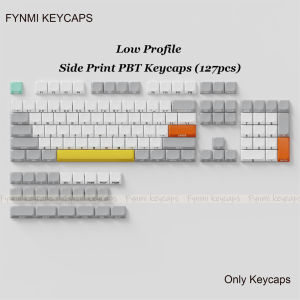
Only Keycaps>>Fynmi Low Profile 127 Keys PBT Dye-Sublimation ANSI Keycaps for Keychron/Nuphy/MX Switch Mechanical Keyboard
Only Keycaps>>Fynmi Low Profile 127 Keys PBT Dye-Sublimation ANSI Keycaps for Keychron/Nuphy/MX Switch Mechanical Keyboard
Overview & Key Features
What Are Fynmi Low Profile Keycaps?
Fynmi Low Profile Keycaps are designed to provide a superior typing experience for users who own Keychron, Nuphy, or MX Switch mechanical keyboards. These keycaps are made from high-quality PBT material and feature dye-sublimation technology, which ensures vibrant colors and durability. With 127 keys and ANSI layout, they offer a wide range of customization options and personalization.
PBT Dye-Sublimation Technology Explained
PBT dye-sublimation technology is a process used to apply vibrant colors to keycaps. Unlike traditional printing methods, dye-sublimation involves heating a special ink and transferring it onto the surface of the keycap. This process results in colors that are resistant to fading, peeling, and wear, making them ideal for long-term use. Additionally, PBT material is known for its durability and resistance to wear and tear, ensuring that your keycaps will remain in excellent condition for years to come.
Compatibility with Keychron, Nuphy & MX Switch Mechanical Keyboards
Fynmi Low Profile Keycaps are compatible with Keychron, Nuphy, and MX Switch mechanical keyboards, making them a versatile choice for users who own any of these popular brands. The ANSI layout ensures that the keycaps will fit seamlessly onto your keyboard, providing a perfect match for your typing needs.
Installation & Setup
How to Install Fynmi Low Profile Keycaps
Installing Fynmi Low Profile Keycaps is a straightforward process. First, remove the existing keycaps from your mechanical keyboard by gently pressing down on the keycap while lifting it up. Next, place the new keycaps onto the switches, ensuring that they fit snugly into place. Finally, double-check that all keycaps are securely attached before using your keyboard.
Configuring Your Mechanical Keyboard for Optimal Performance
To ensure optimal performance, it's essential to configure your mechanical keyboard correctly. This includes adjusting settings such as key rollover, debounce delay, and polling rate. Consult your keyboard's user manual for specific instructions on how to configure these settings for your device.
Troubleshooting Common Issues
If you encounter any issues during installation or use, refer to the troubleshooting guide included with your Fynmi Low Profile Keycaps. Common issues may include loose keycaps, misaligned keys, or difficulty removing existing keycaps. If you're unable to resolve the issue, contact Fynmi customer support for assistance.
Benefits & Advantages
Enhanced Typing Experience
Fynmi Low Profile Keycaps provide an enhanced typing experience thanks to their low profile design, which reduces finger fatigue and improves overall comfort. The ANSI layout ensures that the keycaps are ergonomically positioned, making it easier to type quickly and accurately.
Durability & Longevity
PBT material is known for its durability and resistance to wear and tear, ensuring that your keycaps will remain in excellent condition for years to come. The dye-sublimation technology used to apply colors to the keycaps is also resistant to fading, peeling, and wear, making them ideal for long-term use.
Customization Options & Personalization
With 127 keys and ANSI layout, Fynmi Low Profile Keycaps offer a wide range of customization options and personalization. Choose from a variety of colors and designs to create a unique look that matches your personal style. Additionally, the keycaps can be easily removed and replaced, allowing you to switch up your keyboard's appearance whenever you like.

Fynmi
Review

You May Also Like
3PCS Full Tempered Glass For iPhone 16 11 12 13 14 15 Pro Max 6 6S 7 8 Plus X XR XS Max SE 2020 Screen Protector Flim
Japanese Anime Dora a Dream Protective Case for Apple Airpods pro 2 Gen 1 3 Soft Shell Bluetooth Earphone Cover Female Style
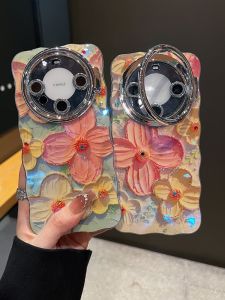
Elegant Advanced Oil Painting Petal Huawei Mate70 pro Full Cover Sparkling Lens Film Stand Protective Case Apple 16 pro Max Compatible
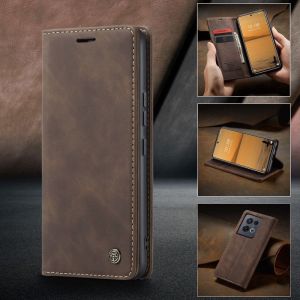
Top Quality Cases for Samsung Galaxy & Xiaomi Smartphones
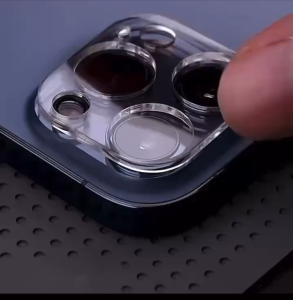
REALME C75 C67 C65 C63 C61 C55 C53 C51 NOTE 50 60 Camera Tempered Glass Protector
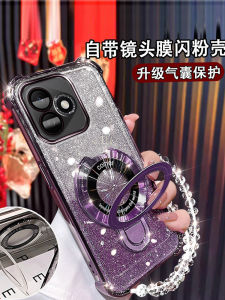
Honor X60i New Model Silicone Phone Case Magnetic Absorption Stand Full Lens Protection Airbag Shockproof Soft Shell Bracelet
Multifunctional Ring Holder Phone Stand for Huawei Oppo Samsung Apple Male Model Acrylic Clip on Universal Stand

Insta360 X3 Expansion Frame & Metal Rabbit Cage Accessories
100Pcs/set Type C USB Charging Dock Connectors Mix 6Pin and 16Pin Use for Phone Digital Product Repair Accessories
Replacement Foam Ear Pads & Cushion Covers for Y40 Y45 Y45BT Headsets
Sunshine Overlap Artistic Phone Case for Apple Oppo Huawei Vivo Taiwan Film Surrounding Anti-Slip Protective Cover Shell