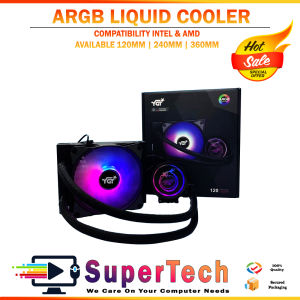
YGT ARGB LIQUID COOLER Deep Frost ARGB LIGHTING SYNC 120mm
YGT ARGB LIQUID COOLER Deep Frost ARGB LIGHTING SYNC 120mm
Introduction to YGT ARGB Liquid Cooler
The YGT ARGB Liquid Cooler is a top-tier solution for gamers and PC enthusiasts seeking deep frost cooling and RGB lighting for gaming. With a TDP of 130W, this 120mm liquid cooler is designed to keep your CPU running at optimal temperatures while providing stunning RGB lighting effects. In this article, we'll explore the key features, installation process, and performance optimization of the YGT ARGB Liquid Cooler.
Key Features & Specifications
- TDP: 130W
- Pump Speed: 2550 RPM + 10%
- Pump Noise Level: 18 dB
- Fan Speed: 900-2200 + 10% RPM
- Fan Noise Level: 9-26 dBA
- Air Flow: 27.2-69.2 CFM
- Radiator Dimensions: 157x120x27mm
- Fan Dimensions: 120x120x25mm
- Pump Dimensions: 84x77x45mm
Compatibility with Major Platforms
The YGT ARGB Liquid Cooler is compatible with both Intel and AMD platforms, including:
- Intel: LGA 2066 / 2011 / 1700 / 1200 / 1156 / 1155 / 1151 / 1150 / 775
- AMD: AM4 / AM3+ / AM3 / AM2+ / AM2 / FM2 / FM1
Additionally, it supports RGB lighting sync with ASUS Aura Sync, Mystic Light Sync, RGB Fusion, and ARGB controllers.
How to Install the YGT ARGB Liquid Cooler
Preparing Your System for Installation
Before installing the YGT ARGB Liquid Cooler, ensure your system is powered off and grounded. Remove any existing CPU cooler and clean the CPU surface.
Step-by-Step Installation Process
- Attach the radiator to the back panel of your case using the included mounting kit.
- Connect the pump to the radiator using the provided tubing.
- Install the CPU mounting bracket and secure the pump to the CPU socket.
- Add the recommended amount of coolant to the system.
- Connect the fan to the radiator using the included screws.
Connecting RGB Lighting & Syncing with Motherboard
To connect the RGB lighting, plug the ARGB header into the appropriate motherboard port. For syncing with motherboard lighting effects, consult your motherboard manual for specific instructions.
Maximizing Performance & Efficiency
Understanding Deep Frost Cooling System
The YGT ARGB Liquid Cooler utilizes a deep frost cooling system to maintain optimal CPU temperatures. This system combines efficient heat transfer through liquid cooling with advanced airflow management to keep your CPU running at peak performance.
Maintaining Optimal Pump Speed & Noise Levels
The YGT ARGB Liquid Cooler features a variable-speed pump that automatically adjusts its speed based on CPU temperature. This ensures optimal cooling performance while minimizing noise levels.
Enhancing Airflow & Fan Performance
To maximize airflow and fan performance, ensure that your case has adequate ventilation and that the fans are properly aligned with the radiator. For best results, consider using a case with a front-to-back airflow design.
Conclusion & Final Thoughts
The YGT ARGB Liquid Cooler offers a perfect blend of high-performance CPU cooling and stunning RGB lighting for gaming. With its compatibility with major platforms and easy installation process, it's a top choice for gamers and PC enthusiasts. As RGB lighting technology continues to evolve, we can expect even more impressive features and effects from future YGT liquid coolers.

Supertech RJPC Store
You May Also Like

ICON 20" All-in-One Gaming PC Core i5/i7 12th Gen Intel 128GB/256GB SSD Windows 10 1080P Monitor with Adjustable Stand & Accessories

Lenovo ThinkPad Yoga 260 & 370: A Comprehensive Guide

830 Breadboard Set Electronic Component Basic Starter Kit with Breadboard Cable Resistor Capacitor LED Potentiometer
Felt Protective Bag for PTK670 PTK470 PTK870 Digital Graphics Drawing Tablets Protective Case Cover
120 240 360 CPU AIO Water Cooler Tubing RGB Soft Luminous Neon Liquid Cooling Tube Cover 5V 3Pin ARGB
DVI Interfaces Expansion Board Without LCD

GUDGA Hard Drives: A Comprehensive Guide to 2.5 SATA3 SSD & HDD
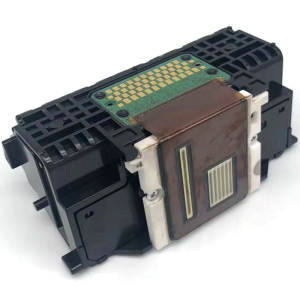
Efficiency QY6 0082 Printer Head For qy60082 MG5480 IP7280 MG6480 MG5580 5680 And Additional Supported Printers Models
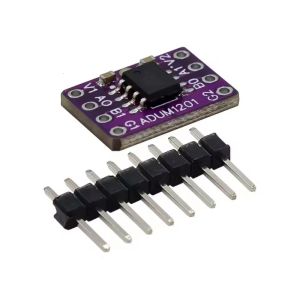
ADUM1201 Low Voltages Digital Isolation Circuit Module Featuring Efficient Optocoupler Replacement Capability
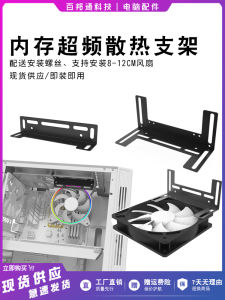
Memory Strip Overclocking Cooling Bracket Desktop Computer Host CPU Graphics Card Multi-Function Cooling Bracket Installation Fan
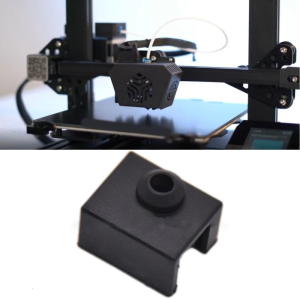
Heater Block Cover Silicone Sock For Ender 3 S1 3D Printer Hotend Extruder Aluminum Block Covers