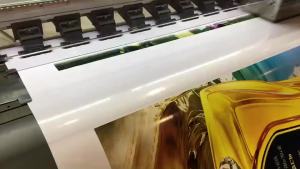
Epson 664 Ink: A Comprehensive Guide for L-Series Printers
Epson 664 Ink: A Comprehensive Guide for L-Series Printers
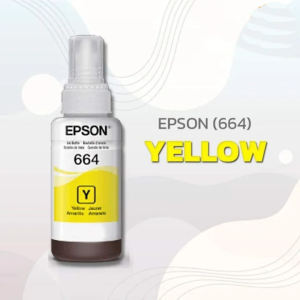
Understanding Original & Compatible Epson 664 Ink Bottles
When it comes to choosing the right ink for your Epson printer, you have two primary options: original and compatible Epson 664 ink bottles. It is essential to understand the differences between these two types before making a decision.
Original Epson T664 Ink:
Original Epson T664 ink bottles are manufactured by Epson themselves, ensuring a high-quality printing experience. They are designed specifically for Epson printers, providing optimal print results and compatibility. Although these ink bottles tend to be more expensive than compatible ones, they offer better print quality and reliability.
Compatible Ink Bottles:
Compatible ink bottles, on the other hand, are manufactured by third-party companies. While they aim to mimic the performance of original Epson T664 ink, there might be slight differences in print quality and reliability. However, they are generally less expensive than original Epson ink bottles, making them an attractive option for budget-conscious consumers.
Epson Printers Using T664 Ink Bottle:
Several Epson printers use the T664 ink bottle, including the L350, L110, L355, L365, L120, L121, L200, L1300, L220, L300, L310, and L565 printers. These printers are part of the Epson L-series, known for their reliability and affordability.
Choosing the Right Epson Ink for Your Printer
Selecting the appropriate ink for your printer is crucial for achieving the desired print results. In this section, we will discuss how to choose between genuine Epson ink for L350 printer and compatible ink for Epson L110, as well as compare costs between original and compatible Epson ink.
Choosing Between Genuine Epson Ink for L350 Printer and Compatible Ink for Epson L110:
When selecting ink for your printer, consider the specific model you own. If you have an Epson L350 printer, it is recommended to use genuine Epson ink, as it is designed specifically for this printer. On the other hand, if you have an Epson L110 printer, you can opt for compatible ink, which is less expensive and still provides satisfactory print results.
Comparing Costs: Original vs Compatible Epson Ink:
Original Epson ink bottles tend to be more expensive than compatible ones. However, the difference in cost may not always justify the potential trade-off in print quality and reliability. If you prioritize high-quality prints and want to ensure your printer performs optimally, investing in original Epson ink may be worth it. Conversely, if you are looking to save money without compromising too much on print quality, compatible ink could be a viable alternative.
Maximizing Your Printer's Performance
To ensure your Epson printer operates at its best, it is essential to install the correct ink bottle and adopt practices that extend the life of your ink. In this section, we will discuss how to install Epson 664 ink bottle in L365 printer and share tips for extending the life of your Epson ink.
How to Install Epson 664 Ink Bottle in L365 Printer:
Installing the Epson 664 ink bottle in your L365 printer is a straightforward process. First, ensure your printer is powered on and connected to a power source. Next, open the ink cartridge access door and remove any empty cartridges. Carefully insert the new Epson 664 ink bottle into its designated slot, ensuring it clicks securely into place. Finally, close the ink cartridge access door and allow the printer to perform its automatic alignment and calibration.
Tips for Extending the Life of Your Epson Ink:
To maximize the life of your Epson ink, consider the following tips:
- Print Regularly: Printing regularly helps prevent ink from drying out and clogging the printhead.
- Store Ink Properly: Store ink bottles in a cool, dry place away from direct sunlight and extreme temperatures.
- Use High-Quality Paper: Using high-quality paper can help reduce ink consumption and improve print quality.
- Clean Printheads Regularly: Periodically clean your printer's printheads to maintain optimal performance.
- Turn Off Printer When Not in Use: Turning off your printer when not in use can help conserve energy and extend the life of your ink.
By following these tips, you can extend the life of your Epson ink and maximize your printer's performance.
In conclusion, understanding the differences between original and compatible Epson 664 ink bottles, choosing the right ink for your printer, and adopting practices that extend the life of your ink are essential steps in optimizing your printing experience. By considering these factors, you can ensure your Epson printer operates at its best, providing high-quality prints and maximizing value for your investment.

Lada good use shop
You May Also Like
Niimbot D11 H D110 M D101 Portable Bluetooth Printer Mini with 1roll STICKER LABEL Thermal Printer 2200mAh Label Maker Machine with Organizer No Ink Needed and Convenient for Office Work Household School Store Business and Messy Medicine - VMI Direct
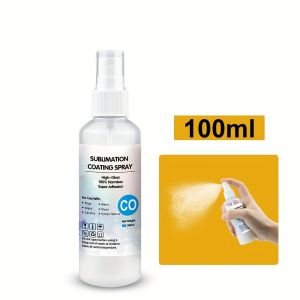
100ml Sublimation Coating Spray Suitable For transfer printing Cotton Materials Such as Clothes All Fabric Quick-drying Spray
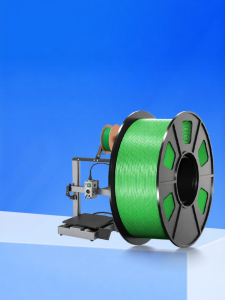
High-Speed 3D Printing Materials Hyper PLA 1.75mm Diameter Line Material Environmentally Friendly High Precision for ChuangXiang Three-Dimensional Printer
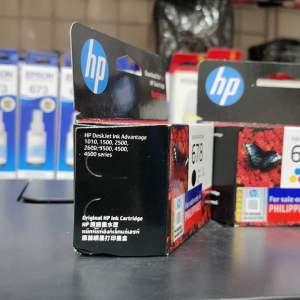
Brand New HP Ink Cartridge 678 Black Colored
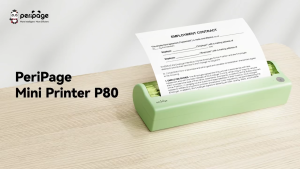
Fantasy E Life PeriPage P80 ink free thermal printing with sharp 300dpi resolution Prints full size A4 documents using thermal paper Connects via Bluetooth or USB Compatible with Android Lightweight with built in rechargeable battery
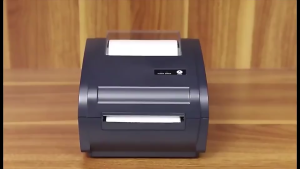
GOOJPRT A6 Bluetooth Thermal Label Printer GP-9210 (BT) Shipping Label Sticker Wireless High Speed Print for PC Windows Mac Smartphone Android and IOS (Printer Only - A6 Sticker sold separately )

Ink Cartridge For Canon IP100B IP100 TR150 Ink Cartridge PGI-35BK Black CLI-36C Color
Maintenance Box MC-G02 for Canon G1020 G2020 G3020 G3060: A Comprehensive Guide
Aluminum Profile Slot Seal Strips Elastic Collision Prevention for Slot 3D Printers 100CM for X Y Z Axes
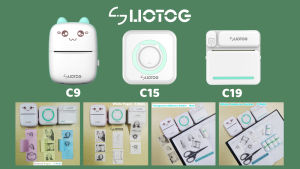
LIOTOG C19 & C9 Smart Portable Bluetooth Thermal Printer: Photo Printer Mini Printer Paper For Mini Printer Sticker For Portable Printer No-Ink-Required
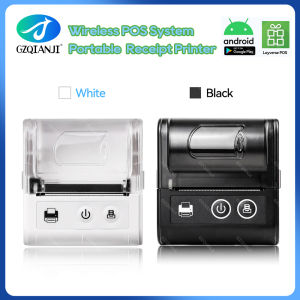
58MM Pocket Printer: A Comprehensive Guide