Maintenance Box MC-G02 for Canon G1020 G2020 G3020 G3060: A Comprehensive Guide
Maintenance Box MC-G02 for Canon G1020 G2020 G3020 G3060: A Comprehensive Guide
Introduction to Canon Printer Maintenance Kit
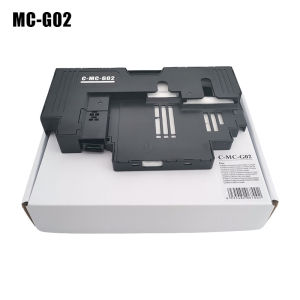
When it comes to maintaining your Canon printer, having the right tools is essential. The Maintenance Box MC-G022 is a must-have accessory for owners of Canon G1020, G2020, G3020, and G3060 printers. This comprehensive guide will walk you through the features, benefits, and usage of the Maintenance Box MC-G022.
Overview of Maintenance Box MC-G022
The Maintenance Box MC-G022 is a specialized kit designed specifically for Canon G1020, G2020, G3020, and G3060 printers. It includes a waste ink tank, which helps keep your printer clean and running smoothly. The kit is compatible with all four printer models, making it a versatile addition to any Canon printer owner's toolkit.
Benefits of Using Canon G1020 Maintenance Box
Using the Maintenance Box MC-G022 offers several benefits for your Canon printer. Firstly, it helps prevent ink buildup and clogs, ensuring optimal print quality. Secondly, it prolongs the life of your printer by reducing wear and tear on the internal components. Lastly, it saves you money by reducing the need for costly repairs or replacements.
How to Replace Waste Ink Tank
Replacing the waste ink tank is a simple process that can be done in just a few minutes. Follow these steps to ensure a successful installation:
Step-by-Step Guide to Replacing G2020 G3020 G3060 Waste Ink Tank
- Turn off your printer and unplug it from the power source.
- Open the printer lid and locate the waste ink tank.
- Remove the old waste ink tank by gently pulling it out.
- Insert the new waste ink tank into the designated slot.
- Close the printer lid and plug it back into the power source.
- Turn on your printer and let it perform its initial setup process.
Tips for Successful Installation
- Always handle the waste ink tank with care to avoid spills or damage.
- Make sure the new waste ink tank is properly seated in the printer before closing the lid.
- Follow the manufacturer's instructions carefully to avoid any issues.
Compatible Ink Tank Replacement Options
When it comes to replacing ink tanks for your Canon G1020, G2020, G3020, or G3060 printer, there are several options available. Here are some tips for identifying compatible tanks and choosing the best replacement ink tank:
Identifying Compatible Tanks for Canon G1020 G2020 G3020
To ensure compatibility, always check the printer model number and consult the manufacturer's website or user manual for a list of compatible ink tanks. Some popular options include the Canon PG-590 and CL-591 ink tanks.
Choosing the Best Replacement Ink Tank
When selecting a replacement ink tank, consider factors such as print quality, cost, and availability. Look for reputable brands and read reviews from other users to ensure you're getting the best value for your money.
Additional Accessories for Canon G1020 G2020 G3020
In addition to the Maintenance Box MC-G022, there are several other accessories available for your Canon printer. Here are some recommendations for optimal printer performance:
Accessory Recommendations for Optimal Printer Performance
- High-quality ink tanks for consistent print quality
- Cleaning solutions for maintaining the printhead
- Protective covers to keep dust out
Where to Purchase Canon G1020 G2020 G3020 Accessories
Canon accessories can be purchased directly from the manufacturer's website or authorized retailers. Be sure to check for authenticity and warranty information before making a purchase.
Conclusion & Final Thoughts
In conclusion, the Maintenance Box MC-G022 is an essential accessory for Canon G1020, G2020, G3020, and G3060 printer owners. By following the steps outlined in this guide, you can ensure optimal print quality and prolong the life of your printer. Remember to always handle ink tanks with care and consult the manufacturer's website for compatibility information.
Recap of Maintenance Box MC-G022 Features & Benefits
- Waste ink tank helps prevent ink buildup and clogs
- Prolongs the life of your printer by reducing wear and tear
- Saves money by reducing the need for costly repairs or replacements
Final Recommendations for Maintaining Your Canon Printer
Regular maintenance is key to keeping your Canon printer running smoothly. Follow the manufacturer's guidelines for cleaning and replacing ink tanks, and consider investing in high-quality accessories for optimal performance.

Summit Store
You May Also Like
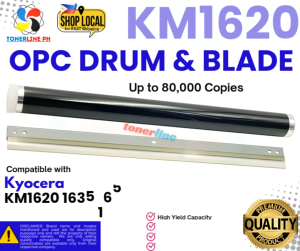
Cleaning Blade+ OPC Drum for Use and Compatible With KM1620 KM1650 KM1635 KM2020 KM2035 KM2050
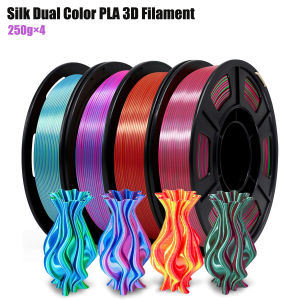
Silk Dual Color Coextrusion PLA 3D Filament - 1.75mm (±0.03mm) Compatible with Most 3D Printers 250g×4 Color Pack
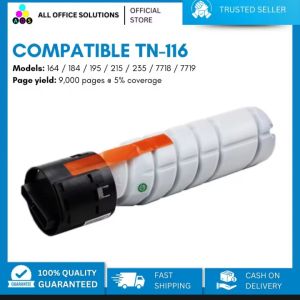
AOS Compatible TN116 TN 116 TN-116 for Bizhub MFP
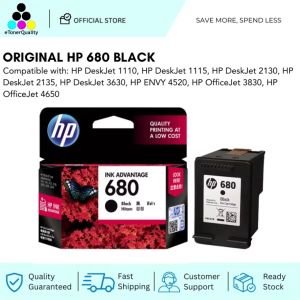
HP 680 Black Original Ink Advantage Cartridge
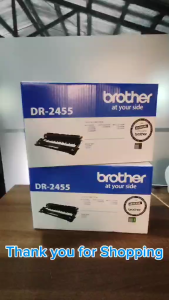
BrotherR DR 2455 Original Drum Unit (DR 2455)
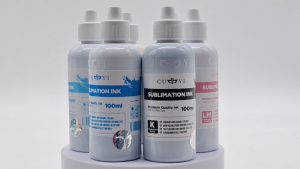
iPrint - 100ml CUYI Sublimation Ink | Korea Sublimation Ink (6 colors)
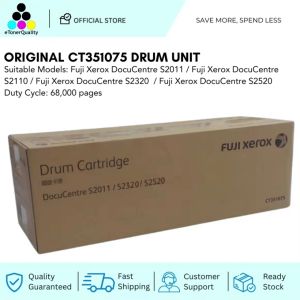
Original CT351075 Drum Unit Fuji Xerox DocuCentre S2011 S2110 S2320 S2520
High Temperature Filament Rack For Lab 3D Printers Made From Durability ABS+PC For Long Time Use
NIIMBOT B21Pro Red Black Thermal Label Printer Portable Bluetooth Inkless Label Maker Supermarket Home Commercial Smart Label Machine for Android/IOS Phone Included Label Paper

JYA Store's Mini Tattoo Transfer Machine Copier USB 2000mAh Wireless Label Printer Stencil Machine With 30 Paper
KGS Brilliant DTF Textile Ink: A Comprehensive Guide