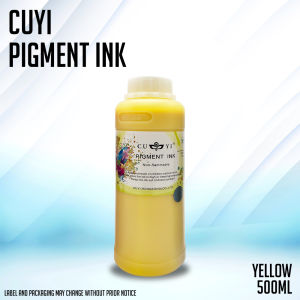
RF Printing Supplies - 500ml Pigment Ink CUYI for Inkjet Printer
RF Printing Supplies - 500ml Pigment Ink CUYI for Inkjet Printer
Introduction to High-Quality Inkjet Ink
When it comes to printing, using high-quality inkjet ink is essential to achieving professional results. RF Printing Supplies offers a range of premium ink products, including the 500ml pigment ink CUYI, which is specifically designed for inkjet printers.
What is CUYI Ink?
CUYI ink is a high-quality pigment-based ink developed by RF Printing Supplies. It is known for its excellent color reproduction, fade resistance, and durability. This ink is perfect for both personal and commercial use, making it a popular choice among photographers, graphic designers, and other professionals who require top-notch print quality.
Advantages of Using 500ml Pigment Ink
There are numerous advantages to using the 500ml pigment ink CUYI from RF Printing Supplies. Here are some of the key benefits:
- Excellent Color Reproduction: CUYI ink provides vibrant and accurate colors, ensuring that your prints look just as you intended.
- Fade Resistance: Unlike dye-based inks, pigment-based inks like CUYI offer superior fade resistance, making them ideal for long-term storage or display.
- Durability: CUYI ink is water-resistant and smudge-proof, ensuring that your prints remain in pristine condition even under harsh conditions.
- Cost-Effective: With a large 500ml capacity, this ink provides exceptional value for money, reducing the frequency of refills and saving you time and money in the long run.
How to Choose the Right Inkjet Printer Ink
Selecting the right inkjet printer ink can be challenging, given the wide range of options available on the market. Here are some factors to consider when choosing ink:
Factors to Consider When Selecting Ink
- Compatibility: Ensure that the ink you choose is compatible with your specific printer model.
- Quality: Look for high-quality ink that offers excellent color reproduction, fade resistance, and durability.
- Price: Compare prices and value for money across different brands and products.
- Reviews: Read reviews from other users to get an idea of the performance and reliability of the ink.
Comparing Different Ink Brands
When comparing different ink brands, it's essential to consider the factors mentioned above. Some popular ink brands include HP, Canon, Epson, and RF Printing Supplies. Each brand has its strengths and weaknesses, so it's crucial to do your research and choose the one that best suits your needs.
How to Install & Use 500ml Pigment Ink CUYI
Installing and using the 500ml pigment ink CUYI from RF Printing Supplies is a straightforward process. Follow these steps to ensure optimal print quality:
Step-by-Step Guide to Installing Ink
- Turn off your printer and unplug it from the power source.
- Open the ink cartridge access door and remove the empty ink cartridge.
- Carefully open the new CUYI ink cartridge and insert it into the designated slot.
- Close the ink cartridge access door and turn on your printer.
Tips for Maximizing Print Quality
To achieve the best possible print quality with the 500ml pigment ink CUYI, follow these tips:
- Always use high-quality paper that is compatible with your printer and ink type.
- Clean your print head regularly to prevent clogging and ensure consistent ink flow.
- Adjust your printer settings to optimize color accuracy and contrast.
Maintaining Your Inkjet Printer
Regular maintenance is crucial to keeping your inkjet printer running smoothly and ensuring optimal print quality. Here are some tips for cleaning and maintaining your printer:
Cleaning & Maintenance Techniques
- Clean the print head regularly using the built-in cleaning function or by manually wiping it with a lint-free cloth.
- Remove any dust or debris from the printer's exterior and interior components.
- Replace the ink cartridges when they run low to avoid clogging and other issues.
Troubleshooting Common Issues
If you encounter any problems with your inkjet printer, here are some common issues and their solutions:
- Clogged Print Head: Clean the print head using the built-in cleaning function or by manually wiping it with a lint-free cloth.
- Low Ink Levels: Replace the ink cartridges when they run low to avoid clogging and other issues.
- Poor Print Quality: Adjust your printer settings to optimize color accuracy and contrast, and clean the print head if necessary.

RF Printing Supplies
Review

You May Also Like

Epson WF C869R C878R Maintenance box
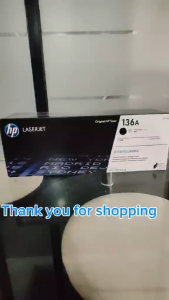
HP 136A (W1360A) Black Original Toner Cartridge

Portable Label Maker Machine P10Pro - Numeric Keypad Label Printer No Bluetooth Needed Tape Included Easy to Use for Office and Home USB Rechargeable
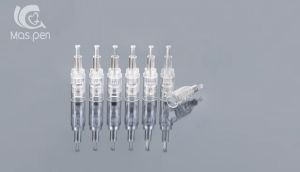
10Pcs M5/M7/N2/MYM/E30 Replacement Cartridges Nano Bayonet Slot
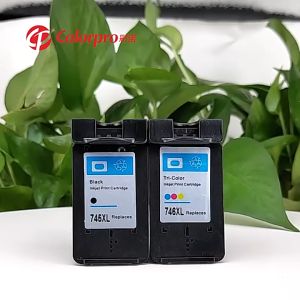
PG745 746 Suitable for Canon ink cartridges MG2470/MG2570/MG2570S/MG2970/ MG3070 /MG3070S /MG3077/IP2870/IP2870 /IP2870S /MX497 / TS207 /MG2570S /TR4570S /TS307
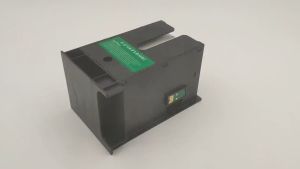
Epson SC23MB & S2101 Maintenance Tank: A Comprehensive Guide
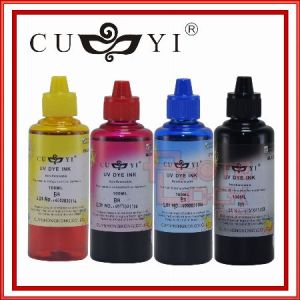
SET OF 4 Cuyi UV Dye Ink Hong Kong Inks 100ml- CMYK Universal Inks For Epson Canon HP Brother Printers

Brother TZE-261 Black on White Tape for P-Touch Labelers
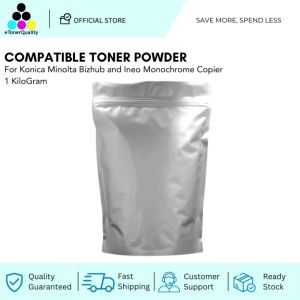
ETQ Toner Powder for Konica Minolta Bizhub and Ineo Monochrome Copier 1kg
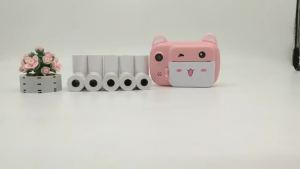
Kids Instant Print Camera Paper Refill: 10 Rolls for Popular Kids Cameras

BrotherR TN 263 (TN263) YELLOW ORIGINAL TONER CARTRIDGE