



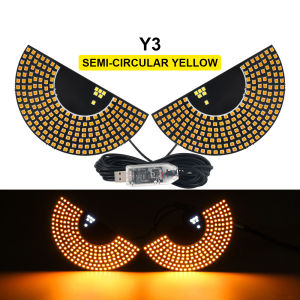
New Dynamic Devils Eye Car Sticker LED Display Truck Front & Rear Windshield Glass Light Warning Light Decorative Light USB 5V
New Dynamic Devils Eye Car Sticker LED Display Truck Front & Rear Windshield Glass Light Warning Light Decorative Light USB 5V
Introduction
What is the Dynamic Devils Eye Car Sticker?
The Dynamic Devils Eye Car Sticker is a revolutionary LED display designed specifically for trucks, allowing you to customize your vehicle's appearance with eye-catching lights. This innovative product attaches to the front and rear windshields of your truck, transforming them into a stunning visual display. It features a USB 5V warning light, making it both functional and decorative.
Why Choose This LED Display for Your Vehicle?
By choosing the Dynamic Devils Eye Car Sticker, you'll enhance your truck's visibility, safety, and overall aesthetic appeal. The USB 5V warning light ensures that you remain visible to other drivers, while the customizable display settings allow you to personalize your vehicle's appearance. Additionally, the low-power consumption of the LED display ensures that you can enjoy its benefits without worrying about draining your battery.
Installation Guide
Tools Required for Installation
Before installing the Dynamic Devils Eye Car Sticker, ensure you have the following tools:
- Scissors
- Adhesive tape
- Cleaning cloth
Step-by-Step Installation Process
Follow these steps to install the Dynamic Devils Eye Car Sticker on your truck:
- Clean the front and rear windshields thoroughly using a cleaning cloth.
- Cut the adhesive tape to the appropriate size for your windshield.
- Attach the adhesive tape to the sticker, then carefully peel off the backing paper.
- Position the sticker on the windshield, ensuring it is centered and straight.
- Press down firmly on the sticker to ensure a secure bond.
- Connect the USB 5V warning light to your vehicle's power source.
Usage Tips & Tricks
How to Maximize Battery Life
To extend the battery life of your Dynamic Devils Eye Car Sticker, consider the following tips:
- Turn off the display when not in use.
- Adjust the brightness settings to a lower level.
- Use the power-saving mode if available.
Customizing Your Display Settings
Personalize your Dynamic Devils Eye Car Sticker by adjusting the display settings according to your preferences:
- Change the color scheme to match your truck's color.
- Select different patterns and animations to make your display unique.
- Adjust the brightness to suit your driving conditions.
Maintenance & Troubleshooting
Cleaning and Care Instructions
To maintain the appearance and functionality of your Dynamic Devils Eye Car Sticker, follow these cleaning and care instructions:
- Clean the sticker regularly using a soft cloth.
- Avoid using abrasive materials or harsh chemicals.
- Store the sticker in a cool, dry place when not in use.
Common Issues and Solutions
If you encounter any issues with your Dynamic Devils Eye Car Sticker, refer to the following solutions:
- If the sticker becomes loose, reapply adhesive tape or use a stronger adhesive.
- If the USB 5V warning light stops working, check the connection and ensure it is securely attached to the power source.
- If the display settings are not functioning correctly, consult the user manual or contact customer support for assistance.

GlobalLifestyle
You May Also Like
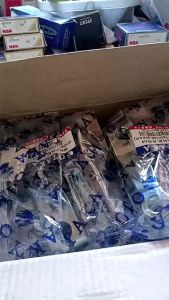
Motorcycle Brake Arm With Brake Cam Set FOR XRM/TMX/CT100
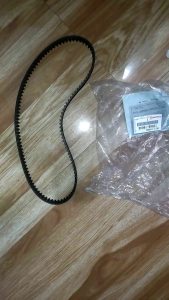
Timing Belt Replacement for Toyota Corolla Big Body GLI 1.6 4AFE 16 Valve
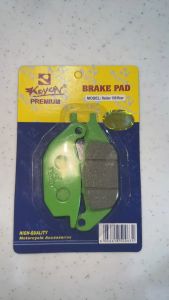
KRYON BRAKE PADS RAIDER150
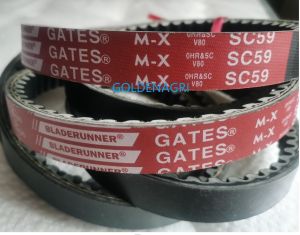
SC59 Kubota Harvester Parts & GATES BELT V 688Q: A Comprehensive Guide
Car Accessories Sun Visor Seat Back Tissue Holder Car Interior Hanging Tissue Rack Car Tissue Clip
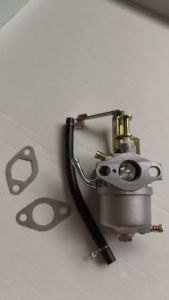
JING HUA Carburetor Carb Fit For 154F 156F 1KW 1.5KW ET1500 AST1200 Horizontal Small Engine Generator Parts Replacement
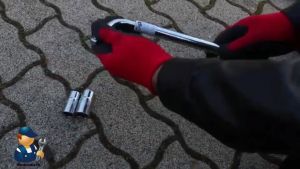
Telescoping Wheel Lug Nut Wrench Kit: A Comprehensive Guide
BEAT FI SIGNAL LIGHT SWITCH W/ HAZARD: A Comprehensive Guide
MIO SOUL 115 CARB ALLOY POWDER COATED FOOTBOARD MATTING / SOUL MATTING / SOUL CARB
Detachable Motorbike Foot Footrest Rear Footrest Powerful Substance Global Agreement Strengthened Safety
![[COD] Donglon 2pcs Electric Vehicle Disc Brake Pump Accessories Clamp Spring Automatic](https://img.lazcdn.com/g/p/d8ce8ac40013397bc436c611eda3ed83.jpg_300x300q80.jpg)
[COD] Donglon 2pcs Electric Vehicle Disc Brake Pump Accessories Clamp Spring Automatic
![[UEB AUTO]BT12 CSR8635 Bluetooth-compatible V4.0+EDR Headset for Motorcycle Helmet](https://img.lazcdn.com/g/ff/kf/S4a2c53833aab4d33bc3275772affb9c1O.jpg_300x300q80.jpg)

















