Matter WiFi Smart Light Switch 100-240V: A Comprehensive Guide
Matter WiFi Smart Light Switch 100-240V: A Comprehensive Guide
What is a Matter WiFi Smart Light Switch?
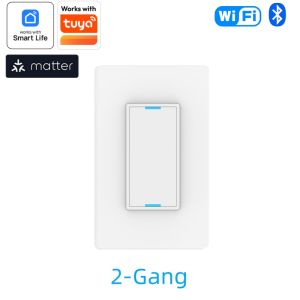
A Matter WiFi Smart Light Switch is a smart home device designed to control your lights remotely using Wi-Fi connectivity. This particular switch is compatible with both Alexa and Google Home, making it easy to integrate into your existing smart home ecosystem. Additionally, it works seamlessly with the Smart Life App and Tuya App, providing you with multiple options for controlling your lights.
Key Features
- Compatibility: Works with Alexa and Google Home, as well as Smart Life App and Tuya App.
- Voltage Range: Supports 100-240V, making it suitable for use in most countries.
- Neutral Wire: Requires a neutral wire for installation.
- Gang Options: Available in 1/2/3 gang configurations.
Benefits of Using a Matter WiFi Smart Light Switch
By using a Matter WiFi Smart Light Switch, you can enjoy several benefits, including:
- Energy Efficiency: Automate your lights to turn off when not needed, saving energy and reducing your electricity bill.
- Convenience: Control your lights from anywhere using your smartphone or voice commands.
- Safety: Set up schedules to simulate occupancy, deterring potential burglars.
- Integration: Seamlessly integrate with other smart home devices for a more connected home experience.
Installation Guide
Installing a Matter WiFi Smart Light Switch is relatively straightforward, but it does require some basic electrical knowledge. Make sure to turn off the power at the circuit breaker before beginning the installation process.
Tools Needed
- Screwdriver
- Wire strippers
- Voltage tester
Step-by-Step Installation Process
- Remove Existing Switch: Turn off the power at the circuit breaker, then remove the existing light switch using a screwdriver.
- Strip Wires: Strip the wires using wire strippers, exposing about 1/2 inch of copper wire.
- Connect Wires: Connect the wires to the corresponding terminals on the Matter WiFi Smart Light Switch. Be sure to connect the neutral wire to the designated terminal.
- Secure Switch: Secure the Matter WiFi Smart Light Switch to the wall using screws.
- Test Installation: Turn the power back on at the circuit breaker and test the installation by turning the light switch on and off.
How to Control Your Matter WiFi Smart Light Switch
Once installed, you can control your Matter WiFi Smart Light Switch using the Smart Life App, Tuya App, Alexa, or Google Home.
Using the Smart Life App
To control your Matter WiFi Smart Light Switch using the Smart Life App:
- Download and install the Smart Life App from the App Store or Google Play.
- Create an account and log in.
- Add your Matter WiFi Smart Light Switch by following the prompts in the app.
- Control your lights by tapping the switch icon in the app.
Using Alexa and Google Home
To control your Matter WiFi Smart Light Switch using Alexa or Google Home:
- Download and install the Alexa App or Google Home App from the App Store or Google Play.
- Create an account and log in.
- Add your Matter WiFi Smart Light Switch by following the prompts in the app.
- Control your lights by giving voice commands to your Alexa or Google Home device.
Troubleshooting Common Issues
If you encounter any issues with your Matter WiFi Smart Light Switch, try the following troubleshooting steps:
Connectivity Problems
- Ensure that your Wi-Fi network is functioning properly.
- Restart your router and try reconnecting the Matter WiFi Smart Light Switch.
- Reset the Matter WiFi Smart Light Switch by pressing and holding the reset button for 10 seconds.
Compatibility Issues
- Check that your device is compatible with Alexa and Google Home.
- Update your device firmware to the latest version.
- Try connecting to a different Wi-Fi network.
Power Supply Issues
- Ensure that the neutral wire is properly connected to the Matter WiFi Smart Light Switch.
- Check that the voltage range of your Matter WiFi Smart Light Switch matches the voltage range of your home's electrical system.
- Verify that the circuit breaker is turned on and that there are no other issues with your home's electrical system.

GlobalLifestyle
You May Also Like

Mibro GS Active Smart Sports Watch 1.32” AMOLED 60Hz GPS VO₂ Max Health Tracking 20 Days Battery
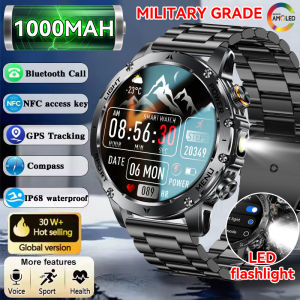
New Military Grade 1000mAh Battery Smartwatch GPS 3ATM Waterproof NFC Voice Bluetooth Call Men 1.7-inch AMOLED Sport Smart Watch
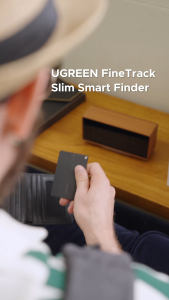
UGREEN iOS Smart Finder Tracker FMN Anti-lost Device Card-type Lithium Battery Rechargeable FMN certified for Apple 12 Months Battery Life Black
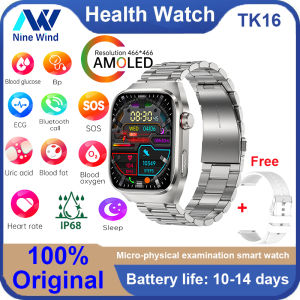
NineWind TK16 smart watch micro physical examination ECG blood sugar blood pressure uric acid blood lipid monitoring Bluetooth call AMOLED screen SOS 650mAh battery for Android IOS multi-sport business watch for men and women - Lazada
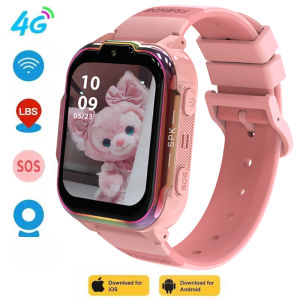
2026 NEW GPS Childrens Smart Watch 4G Track Video Call Camera SOS Waterproof Display Location LBS Tracker SmartWatch
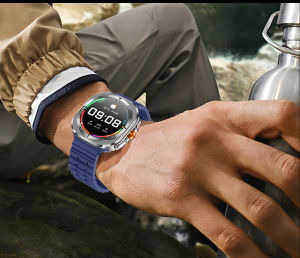
Z7 Ultra Smart Watch RDFIT app IP68 Waterproof Real Heart rate double straps AAC 300mah Battery Smartwatch
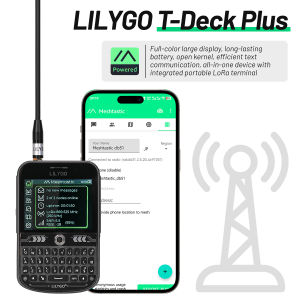
LILYGO T-Deck Plus Lora Mesh Radio with ESP32-S3 GPS LoRaWAN for Meshtastic Pocket Tracker Node with External Antenna
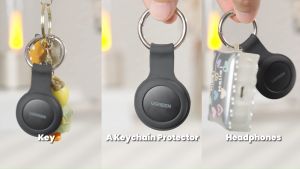
UGREEN Smart Tag Air Tag Finder Security Smart Track Link Smart Bluetooth Finder with Apple Find My Key Bluetooth Tracker For Earbuds Luggage MFi Phone Finder IOS

Z79 Max IP68 Bluetooth Call 2.1" IPS NFC Metal Body Watch AI Voice Men Women Sport Compass Outdoor Activities With Steel Strap 2 Straps
HD 1080P Dog Tracker Collar No WiFi Needed Dog Cat Pet Camera Collar Wireless Collar Camera Video Records with 32G Card
Haylou Solar Pro LS18 Fitness Tracker Bluetooth 5.3 SOS + AI Assistant Military-Grade Design