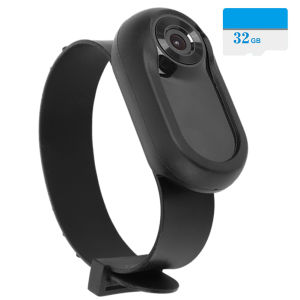
HD 1080P Dog Tracker Collar No WiFi Needed Dog Cat Pet Camera Collar Wireless Collar Camera Video Records with 32G Card
HD 1080P Dog Tracker Collar No WiFi Needed Dog Cat Pet Camera Collar Wireless Collar Camera Video Records with 32G Card
Are you looking for a reliable way to keep an eye on your furry friends? Look no further than the HD 1080P Dog Tracker Collar. This innovative device combines the convenience of a wireless pet camera with the benefits of a 32G SD card compatible storage solution. In this comprehensive guide, we'll explore the features, benefits, and usage of the HD Dog Tracker Collar, as well as provide tips for maximizing storage space and setting up a wireless pet camera.
What is a No WiFi Needed Camera for Pets?
A no WiFi needed camera for pets, like the HD Dog Tracker Collar, is a device that allows pet owners to monitor their animals without relying on an internet connection. These cameras are typically equipped with features such as motion detection, remote viewing, and two-way audio communication, making them ideal for keeping tabs on your furry friends while you're away.
Key Features of No WiFi Needed Camera
- HD Video Recording: Capture crystal-clear footage of your pet's adventures with 1080P video recording capabilities.
- Motion Detection: Automatically start recording when movement is detected, ensuring you never miss a moment.
- Remote Viewing: Access live feeds and recorded videos from your smartphone or tablet, even when you're miles away.
- Two-Way Audio Communication: Hear and speak to your pet, providing reassurance and guidance when needed.
How to Choose the Right No WiFi Needed Camera
When selecting a no WiFi needed camera for your pet, consider the following factors:
- Battery Life: Opt for a device with a long-lasting battery to ensure continuous monitoring.
- Storage Capacity: Look for cameras with ample storage space, such as the 32G SD card compatible HD Dog Tracker Collar.
- Ease of Use: Choose a camera with an intuitive interface and straightforward setup process.
HD Dog Tracker Collar: A Comprehensive Guide
The HD Dog Tracker Collar is a versatile device that offers numerous benefits for pet owners. Let's dive into how to use this device and explore its advantages.
How to Use the HD Dog Tracker Collar
Using the HD Dog Tracker Collar is simple. Follow these steps to get started:
- Attach the camera to the silicone collar and secure it around your pet's neck.
- Insert a 32G SD card into the camera's memory slot.
- Connect the charging line to the camera and plug it into a power source to charge the device.
- Download the companion app on your smartphone or tablet and connect to the camera via Bluetooth.
- Access live feeds, recorded videos, and two-way audio communication through the app.
Benefits of Using the HD Dog Tracker Collar
- Peace of Mind: Monitor your pet's activities and surroundings from anywhere, providing peace of mind while you're away.
- Training Tool: Use the camera to observe your pet's behavior and identify areas for improvement during training sessions.
- Health Monitoring: Keep an eye on your pet's health by observing their movements and interactions with their environment.
32G SD Card Compatible: Recording High-Quality Videos
The HD Dog Tracker Collar supports 32G SD cards, allowing you to capture high-quality videos of your pet's adventures. Here's how to make the most of this feature.
How to Install a 32G SD Card in Your Pet Camera
Inserting a 32G SD card into the HD Dog Tracker Collar is easy:
- Turn off the camera.
- Locate the memory slot on the side of the device.
- Insert the 32G SD card into the slot.
- Turn the camera back on.
Tips for Maximizing Storage Space
To make the most of your 32G SD card, consider these tips:
- Delete Unnecessary Files: Regularly delete old videos and images that you no longer need to free up space.
- Adjust Recording Settings: Lower the video resolution or frame rate to save storage space.
Wireless Pet Camera: Keeping an Eye on Your Pet
A wireless pet camera, like the HD Dog Tracker Collar, allows you to monitor your furry friends without relying on an internet connection. Here's how to set up and benefit from a wireless pet camera.
How to Set Up a Wireless Pet Camera
Setting up a wireless pet camera is straightforward:
- Attach the camera to the silicone collar and secure it around your pet's neck.
- Connect the charging line to the camera and plug it into a power source to charge the device.
- Download the companion app on your smartphone or tablet and connect to the camera via Bluetooth.
Benefits of Using a Wireless Pet Camera
- Remote Viewing: Access live feeds and recorded videos from your smartphone or tablet, even when you're miles away.
- Two-Way Audio Communication: Hear and speak to your pet, providing reassurance and guidance when needed.
- Motion Detection: Automatically start recording when movement is detected, ensuring you never miss a moment.

Computer Enthusiast
Review

You May Also Like
Outdoor Sports Smart Watch 2.01 inch HD Screen LED Flashlight Bluetooth Talking Smart Watch for Men Women Holiday Gifts 2025 New
INKBIRD IBS-M2 Wi-Fi Gateway: Smart App Control & Large LCD Screen

Samsung 2025 Original GT4 Pro Smart Watch Original Touch Screen Bluetooth Call IP68 Sports Smart Mod

【For iOS & Android 】HOCO E101 Smart Mini Tag Locator Intelligent Anti-Lost Reminder Device Google Find My Device Network GPS Tracker Lost Reminder For Key&Pets& Wallet Bag&Car

Veterinary Mastitis Detectors With 4 Compartment 35ML Capacity Stable Plastic Construction For Dairy Cow

Handheld Metal Scanner: A High-Sensitivity Treasure Hunter
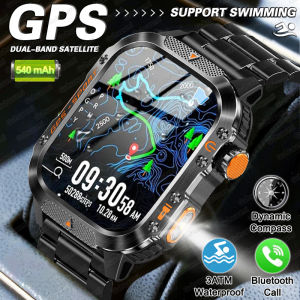
2025 New GPS Military Outdoor Sports Smart Watch Men 2.01-inch AMOLED 3ATM IP69K Waterproof Compass Call Swim Fitness Smartwatch
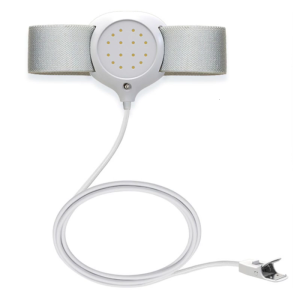
Children Bedwetting Alert Device with Sound and Light Notification Plastic Texture Suitable for Improved Night Awareness
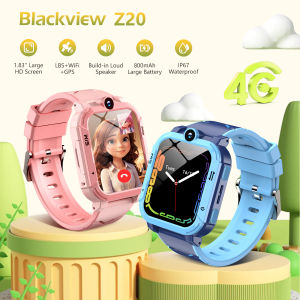
Blackview Childrens Smartwatch Z20 SOS Call GPS Positioning Mobile Phone Tracker 4G WIFI Video Call Smart Watch for Kids Gifts
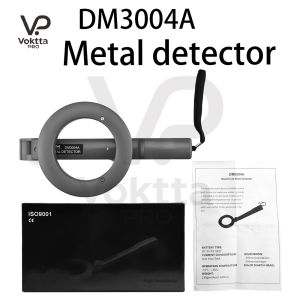
DM3004A Handheld Metal Detector Water-Proof Search Pinpointing Finder Probe 360° Search High Accuracy Treasure Bounty Hunting
Y13 Smart Watch with Call Function Fitness Tracker Heart Rate Monitor Alarm Clock for Outdoor Sports Monitoring Smart Bracelet