Industrial TYPE-C Android Endoscope: A Comprehensive Guide
Industrial TYPE-C Android Endoscope: A Comprehensive Guide
What is an Industrial Android Endoscope?
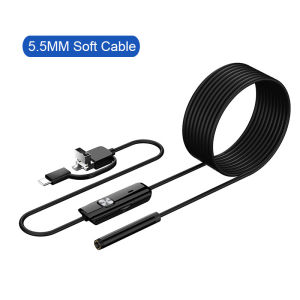
An industrial Android endoscope is a versatile tool designed for non-invasive inspections in various industries. This device allows users to examine hard-to-reach areas, such as engines, pipes, and machinery, by inserting a camera through small openings. In this guide, we'll focus on the Industrial TYPE-C Android Endoscope featuring a 7MM/5.5MM Micro USB camera, which is compatible with Android phones and PCs.
Key Features & Benefits
- Micro USB Camera: The endoscope features a 7MM/5.5MM Micro USB camera, ideal for capturing high-resolution images and videos during inspections.
- Compatibility: The device is compatible with Android phones and PCs, allowing users to easily connect and view inspection results.
- Waterproof LED Borescope: The endoscope is equipped with waterproof LED lighting, making it suitable for inspections in diverse environments.
Applications & Use Cases
Industrial Android endoscopes are widely used in various industries, including automotive, manufacturing, and construction. They help professionals inspect engines, pipes, and machinery, ensuring optimal performance and identifying potential issues before they become major problems.
How to Choose the Right Endoscope
When selecting an industrial Android endoscope, consider the following factors:
Selecting the Correct Camera Size (7MM/5.5MM)
Choosing the right camera size depends on the inspection area's dimensions. A 7MM camera is suitable for larger openings, while a 5.5MM camera is better for smaller spaces.
Ensuring Compatibility with Your Device (Android Phone & PC)
Make sure the endoscope is compatible with your Android phone or PC. Check the device's specifications to ensure seamless integration and easy operation.
Using Your Endoscope for Inspections
Once you've chosen the right endoscope, it's time to start using it for inspections. Follow these steps to set up and perform inspections with your Micro USB camera.
Setting Up Your Endoscope
- Connect the endoscope to your Android phone or PC using the provided Micro USB cable.
- Install the required software or app to view the camera feed.
- Power on the endoscope and adjust the LED lighting to your desired brightness level.
Performing Inspections with the Micro USB Camera
- Insert the camera into the inspection area, ensuring it's properly positioned.
- Use the software or app to view the camera feed and capture images or videos as needed.
- Analyze the results to identify any potential issues or areas requiring further attention.
Troubleshooting Common Issues
If you encounter any problems during inspections, refer to the endoscope's user manual for troubleshooting tips. Some common issues include poor image quality, connectivity problems, and battery drain.
Enhancing Your Inspection Experience
To improve your inspection experience, consider the following enhancements:
Adding LED Lighting for Better Visibility
LED lighting can significantly improve visibility during inspections, especially in dark or poorly lit environments. Adjust the brightness level to suit your needs and enhance the overall inspection process.
Ensuring Water Resistance for Diverse Environments
Waterproof LED borescopes are ideal for inspections in wet or humid environments. Ensure the endoscope is properly sealed before use to prevent water damage and maintain optimal performance.
Conclusion
Industrial TYPE-C Android endoscopes featuring a 7MM/5.5MM Micro USB camera offer a versatile solution for non-invasive inspections in various industries. By understanding the key features, benefits, and applications, you can choose the right endoscope for your needs and enhance your inspection experience with LED lighting and waterproof capabilities.

GlobalLifestyle
Review

You May Also Like
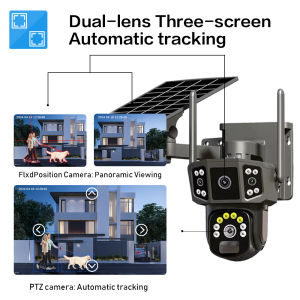
LLSEE V380 Pro 4G Solar CCTV Camera Outdoor CCTV Waterproof Dual lens WIFI Wireless CCTV Camera 360 ° HD 1080P IP Camera
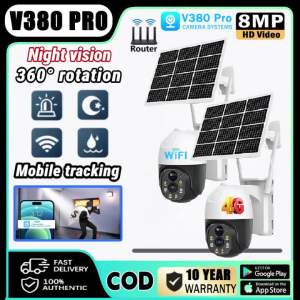
V380 PRO Solar CCTV Camera BUY1TAKE1 Outdoor Wireless With Wifi Connect 360 Connect Cellphone Waterproof 4G Surveillance Color Night Vision Two-Way Audio Auto Tracking IP Security Cameras
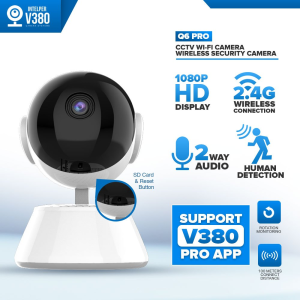
V380 Pro 5G 8MP Smart CCTV Camera: A Comprehensive Guide
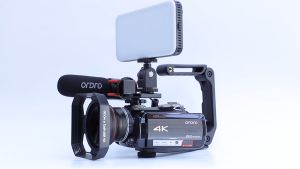
ORDRO HDR-AC5 4K Optical Zoom Camcorder: A Comprehensive Guide
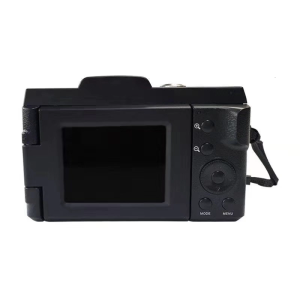
Digital Video Camera 1080P 16MP Recorder with Wide Angle Lens Digital Video Camera Vlogging Photography Accessories
Endura BNC Jack with Terminal Block: A Comprehensive Guide
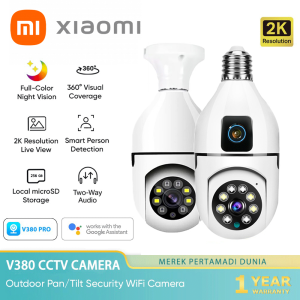
Xiaomi Dual Lens CCTV Camera Connect Cellphone With Audio and Speaker Mini IP Security Camera CCTV Light Bulb Connect to CP Outdoor HD Wireless CCTV Camera Baby Monitor Surveillance

Dahua HD 2MP/5MP IR Eyeball CCTV With Audio Camera Wired Weatherproof Night Vision Security Camera
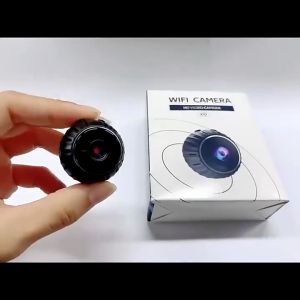
1Kimp X10 Mini Camera: A Comprehensive Guide
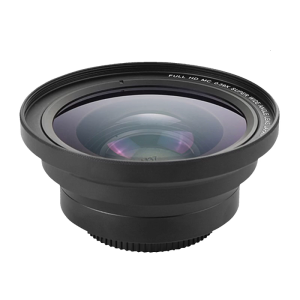
75mm 0.39X Wide Angle Lens for Cameras Camcorders with 75mm Thread High Speed Autofocus Wide Angle Macro Lens
Mini Sports Camera Rotatable 270 ° travel record waterproof bicycle motorcycle diving 4K high-definition camera go pro camera vlogging 360