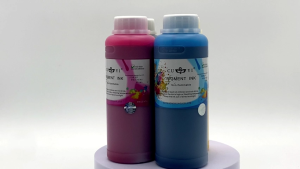
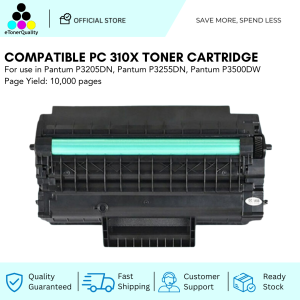
ETQ Compatible PC310X Black Toner Cartridge: A Comprehensive Guide
ETQ Compatible PC310X Black Toner Cartridge: A Comprehensive Guide
Introduction to ETQ Compatible Toner Cartridges
What Are ETQ Compatible Toner Cartridges?
ETQ compatible toner cartridges, like the PC310X Black Toner Cartridge, are third-party alternatives designed to work seamlessly with specific printer models. They provide high-quality printing results while offering cost savings compared to original equipment manufacturer (OEM) cartridges.
Benefits of Using ETQ Compatible Toner Cartridges
Using ETQ compatible toner cartridges comes with numerous advantages, including:
- Cost-effective: Compatible toners offer significant savings over OEM options.
- High-quality printing: ETQ compatible toners deliver excellent print quality, rivaling OEM cartridges.
- Environmentally friendly: By using compatible toners, you reduce waste and extend the life of your printer.
Choosing the Right High-Quality Toner Cartridge
Key Features to Look For
When selecting a high-quality toner cartridge, consider the following features:
- Page yield: A higher page yield ensures more prints per cartridge, reducing costs over time.
- Compatibility: Verify the cartridge is compatible with your specific printer model.
- Brand reputation: Research reputable brands known for producing reliable, high-quality toner cartridges.
Comparing PC310X Black Toner Cartridges
To help you make an informed decision, compare different PC310X Black Toner Cartridges based on the following factors:
- Price: Compare prices from various retailers to find the best deal.
- Page yield: Higher page yields offer better value for money.
- Brand reputation: Choose a reputable brand known for producing high-quality toner cartridges.
How to Install ETQ Compatible PC310X Black Toner Cartridge
Step-by-Step Installation Guide
Follow these steps to install your new ETQ compatible PC310X Black Toner Cartridge:
- Turn off your printer and unplug it from the power source.
- Open the printer's access door and remove the empty cartridge.
- Carefully remove the new cartridge from its packaging and remove any protective seals or tabs.
- Align the cartridge with the printer's slots and gently insert it until it clicks into place.
- Close the printer's access door and reconnect the power source.
Troubleshooting Common Issues
If you encounter issues during installation or printing, try these troubleshooting tips:
- Check compatibility: Ensure the cartridge is compatible with your printer model.
- Follow installation steps: Double-check that you've followed the installation guide correctly.
- Contact customer support: Reach out to the manufacturer's customer support for further assistance.
Maximizing the Performance of Your ETQ Compatible PC310X Black Toner Cartridge
Tips for Optimal Printing Quality
To achieve the best printing results with your ETQ compatible PC310X Black Toner Cartridge, follow these tips:
- Print settings: Adjust print settings to match your desired output quality.
- Regular maintenance: Clean your printer regularly to prevent clogs and ensure optimal performance.
- Store cartridges properly: Keep cartridges in a cool, dry place to maintain their quality.
Maintaining Your Printer and Toner Cartridge
Proper maintenance is crucial for extending the life of your printer and toner cartridge. Follow these maintenance tips:
- Clean the printer: Regularly clean the printer's exterior and interior components.
- Replace worn parts: Replace worn-out components, such as rollers or belts, to ensure smooth operation.
- Monitor ink levels: Keep track of ink levels and replace cartridges before they run out.
Conclusion: Why Choose ETQ Compatible PC310X Black Toner Cartridge?
ETQ compatible PC310X Black Toner Cartridges offer a cost-effective, high-quality alternative to OEM cartridges. By choosing a reputable brand, following installation and maintenance guidelines, and troubleshooting common issues, you can maximize the performance of your printer and achieve excellent print quality. Remember to compare different brands and retailers to find the best deal on your next toner cartridge purchase.

eTonerQuality Reference Number: 250919-16162227
Review

You May Also Like
Compatible Konica Minolta TN414 TN-414 TN 414 A202030 Bizhub 363 423 Toner Cartridge
How to Reset Epson Printer Chips: A Comprehensive Guide

Ribbon ERC 38 & ERC 39 Spool: A Comprehensive Guide

Beginner 3D Printer Kit With Silent Mode (<60dB) - Easy Assembly For Kids/Education Portable ABS Printing Machine & STEM Gift
Canon 325 Cartridge For Canon Monochrome Laser Printers
Rotating Fountain Pen Ink Converter 2.6mm OR 3.4mm Bore Diameter Easy to Refill Fountain Pen Ink Piston Filled Converter
Original Fuji Xerox Drum Cartridge CT351007 S180 S2010 S2011 S2110 S2220 S2320 S2420 S2520
Epson 003 Ink Bottle – Your Reliable Printing Solution for Home or Office
Pantum CTL - 2000H BCYM Toner Pantum CP22xx/CM22xx Series

MP2501 Photo Conductor Unit PCU Compatible with Mp1813 1913 2013 2001 2501
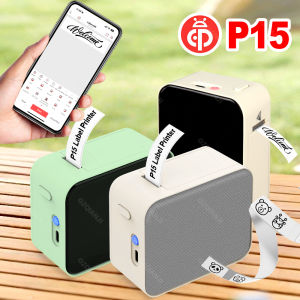
Mini Smart Thermal Label Printer P15 D110 Bluetooth Inkless Sticker Maker Printer To Gift/Diy Creative/Marking For School Office