



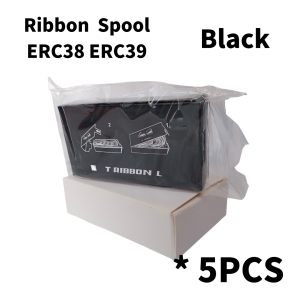
Ribbon ERC 38 & ERC 39 Spool: A Comprehensive Guide
Ribbon ERC 38 & ERC 39 Spool: A Comprehensive Guide
Introduction to POS Ribbons
POS ribbons, or point-of-sale ribbons, are essential components used in cash registers, receipt printers, and barcode scanners. They are responsible for printing receipts, invoices, and other transactional documents. ERC 38 and ERC 39 spools are two popular types of POS ribbons, known for their durability and compatibility with various cash registers.
What Are POS Ribbons?
POS ribbons are thin, flexible strips made from polyester or other synthetic materials, coated with ink or wax-based substances. They are wound onto spools, which are then inserted into the printer mechanism. As the paper passes through the printer, the ribbon transfers the ink onto the paper, creating a printed document.
Understanding ERC 38 & ERC 39 Spools
ERC 38 and ERC 39 spools are designed specifically for thermal printers, which use heat to transfer ink onto the paper. These ribbons come in different colors, including purple-black, which is commonly used for printing receipts and invoices. ERC 38 and ERC 39 spools are compatible with a wide range of cash registers, making them a popular choice among businesses.
High-Quality POS Tape: Key Features & Benefits
High-quality POS tape, such as ERC 38 and ERC 39 spools, offers several advantages over lower-quality alternatives. These benefits include durability, cost-effectiveness, and compatibility with various cash registers.
Durability & Longevity
ERC 38 and ERC 39 spools are known for their durability and long-lasting performance. They are made from high-quality materials that resist wear and tear, ensuring consistent print quality over time. This makes them ideal for businesses that rely on frequent printing of receipts and invoices.
Cost-Effectiveness & Efficiency
Using high-quality POS tape can lead to significant cost savings in the long run. ERC 38 and ERC 39 spools offer excellent print quality and longevity, reducing the need for frequent replacements. Additionally, they are compatible with a wide range of cash registers, eliminating the need to stock multiple types of ribbons.
Compatibility with Various Cash Registers
One of the key advantages of ERC 38 and ERC 39 spools is their compatibility with various cash registers. They are designed to work seamlessly with popular models, such as those manufactured by Epson, Star Micronics, and others. This compatibility ensures that businesses can easily switch between different cash register systems without worrying about ribbon compatibility issues.
How to Choose the Right POS Ribbon
Selecting the right POS ribbon can be a daunting task, especially with so many options available on the market. However, by considering certain factors and evaluating the purple-black ribbons, businesses can make an informed decision.
Factors to Consider
When choosing a POS ribbon, consider the following factors:
- Print Quality: Look for ribbons that offer high-resolution printing, ensuring clear and legible text and images.
- Durability: Choose ribbons made from high-quality materials that can withstand frequent use and resist wear and tear.
- Compatibility: Ensure that the ribbon is compatible with your cash register system to avoid compatibility issues.
- Cost: Consider the cost-effectiveness of the ribbon, taking into account its longevity and the frequency of replacements.
Evaluating Purple Black Ribbons
Purple-black ribbons are a popular choice among businesses due to their high visibility and contrast. When evaluating purple-black ribbons, consider the following:
- Ink Quality: Look for ribbons that offer high-quality ink, which ensures consistent print quality and longevity.
- Color Consistency: Check for ribbons that produce consistent color output, ensuring uniformity in printed documents.
- Compatibility: Ensure that the purple-black ribbon is compatible with your cash register system.
Finding High-Quality POS Tape
To find high-quality POS tape, consider the following tips:
- Research: Conduct thorough research on reputable manufacturers and suppliers of POS ribbons.
- Read Reviews: Read customer reviews and ratings to gain insights into the performance and reliability of different POS ribbons.
- Consult Experts: Seek advice from industry experts or professionals who can provide valuable insights and recommendations.
Tips for Using & Maintaining POS Ribbons
Proper installation techniques, cleaning, and storage best practices are crucial for maximizing the lifespan and performance of POS ribbons. Additionally, troubleshooting common issues can help businesses maintain optimal printing quality.
Proper Installation Techniques
To install POS ribbons correctly, follow these steps:
- Turn off the cash register or receipt printer.
- Open the ribbon compartment and remove any existing ribbons.
- Insert the new POS ribbon spool into the compartment, ensuring that it is properly aligned.
- Close the ribbon compartment and turn on the cash register or receipt printer.
Cleaning & Storage Best Practices
To maintain optimal performance and longevity of POS ribbons, follow these cleaning and storage tips:
- Keep the printer clean: Regularly clean the printer mechanism to remove dust and debris that can affect print quality.
- Store ribbons properly: Store unused ribbons in a cool, dry place away from direct sunlight and moisture.
- Handle ribbons carefully: Handle ribbons with care to avoid damaging the spool or ribbon itself.
Troubleshooting Common Issues
Common issues that may arise when using POS ribbons include:
- Print Quality: If the print quality is poor, check the ribbon alignment and ensure that the ink is not depleted.
- Jamming: If the ribbon jams, turn off the printer and gently remove the ribbon spool. Reinsert the spool and turn on the printer.
- Compatibility: If the ribbon is not compatible with the cash register system, consult the manufacturer's documentation or seek advice from industry experts.
Conclusion & Next Steps
In conclusion, ERC 38 and ERC 39 spools are high-quality POS ribbons that offer excellent print quality, durability, and compatibility with various cash registers. By considering factors such as print quality, durability, and cost-effectiveness, businesses can choose the right POS ribbon for their needs. Proper installation techniques, cleaning, and storage best practices are crucial for maximizing the lifespan and performance of POS ribbons. For further resources and support, consult the manufacturer's documentation or seek advice from industry experts.

Mesa Center
Review

You May Also Like
Canon 790 Refill Ink Dye Ink For Printer Pixma E3370 IP2770 MG2500 MG2570S PG810 G1010 G2010
Soonpos Wired USB 2.4G Wireless Bluetooth 1D 2D Barcode Scanners Inventory Portable QR Code Scanner CMOS Sensor Bar Code Reader With Stand Support Self-sensing
eTONER Compatible Toner Cartridge TN-2025: A Reliable Replacement Option
Ink Pad Epson L3150/L3210/L5190/L5290/L1110/L3110 Waste Sponge Tank Mini Printer
Genuine Original Brother Ink LC3617 Black or Colored
Low Temperature Drawing 3D Printer Pen Toys DIY Graffiti Arts Crafts USB Powered PCL Filament Educational Toy for Boys & Girls
Heat Resistant 3D Printer Cavity Camera Live Streaming for Plus Printing Systems Easy Installation

Rotary Encoder - WETON EI100H40-1024-BR30Y1 1024 P/R
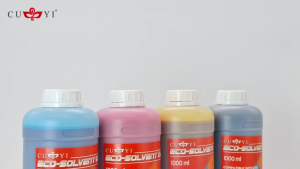
SaleZone - CUYI Eco-Solvent Ink for DX5/DX7/DX11 Printer head (1000ml)
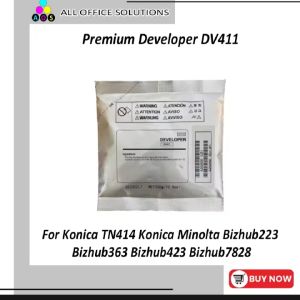
AOS Premium Developer DV411 For Konica TN414 Konica Minolta Bizhub223 Bizhub363 Bizhub423 Bizhub7828
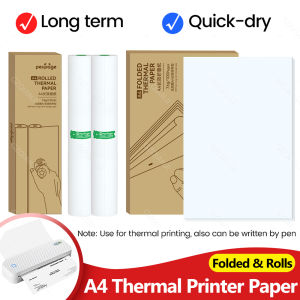
PeriPage 100 Pages Folded A4 Thermal Printer Paper Rolls: The Ultimate Guide



















