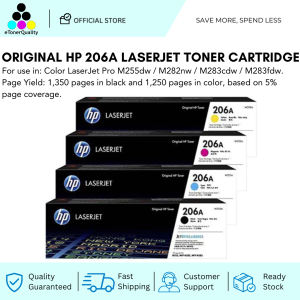
HP 206A CMYK Original LaserJet Toner Cartridge: A Reliable Laser Printer Supply
HP 206A CMYK Original LaserJet Toner Cartridge: A Reliable Laser Printer Supply
Laser printers have become a staple in both home and office environments, providing fast, high-quality printing at an affordable cost. One of the most critical components of a laser printer is the toner cartridge, which delivers the ink necessary for printing. This article will focus on the HP 206A CMYK Original LaserJet Toner Cartridge, discussing its features, benefits, and how to choose the right toner cartridge for your printer.
What is the HP 206A CMYK Toner Cartridge?
The HP 206A CMYK Original LaserJet Toner Cartridge is a high-quality toner cartridge designed specifically for use with select HP LaserJet printers. The CMYK designation refers to the four primary colors used in color printing: Cyan, Magenta, Yellow, and Black. These cartridges are engineered to produce sharp, vibrant prints while maintaining consistent quality throughout their lifespan.
How Does It Compare to Compatible Printer Toner?
When comparing original toner cartridges like the HP 206A CMYK to compatible alternatives, it's important to consider factors such as print quality, reliability, and cost-effectiveness. Original toner cartridges are designed and manufactured by the printer manufacturer, ensuring compatibility and optimal performance. Compatible toner cartridges, on the other hand, may offer lower prices but can sometimes result in inconsistent print quality or even damage to your printer.
Where Can I Find High-Quality Toner Cartridges?
To ensure you're getting high-quality toner cartridges, it's essential to purchase from reputable sources. HP offers a wide range of genuine toner cartridges through their official website and authorized dealers. Additionally, many online retailers and office supply stores carry both original and compatible toner cartridges. Always verify the authenticity of the toner cartridge before purchasing to avoid potential issues with print quality or printer damage.
How to Choose the Right Toner Cartridge for Your Printer
Selecting the appropriate toner cartridge for your HP LaserJet printer is crucial for maintaining optimal performance and print quality. Consider the following factors when choosing a toner cartridge:
- Compatibility: Ensure the toner cartridge is compatible with your specific printer model. HP provides a comprehensive list of compatible toner cartridges for each printer on their website.
- Page Yield: The page yield refers to the estimated number of pages a toner cartridge can produce before needing replacement. Higher page yields often result in lower costs per page, making them a more cost-effective option.
- Print Quality: Original toner cartridges typically provide superior print quality compared to compatible alternatives. Consider the importance of print quality for your specific printing needs when selecting a toner cartridge.
Tips for Maintaining Your Printer with Original LaserJet Toner
Proper maintenance is essential for extending the lifespan of your HP LaserJet printer and ensuring consistent print quality. Follow these tips to maintain your printer while using original LaserJet toner:
- Regular Cleaning: Clean your printer regularly to remove dust and debris that may affect print quality. Refer to your printer's user manual for specific cleaning instructions.
- Proper Storage: Store toner cartridges in a cool, dry place away from direct sunlight to prevent degradation.
- Regular Maintenance: Perform regular maintenance tasks recommended by HP, such as replacing worn-out parts and checking for any signs of wear or damage.
Maximizing Your Investment in Original LaserJet Toner
Investing in original LaserJet toner cartridges is a wise decision for maintaining optimal print quality and printer performance. However, there are ways to save money while using these high-quality toner cartridges:
- Buy in Bulk: Purchasing toner cartridges in bulk can result in significant cost savings, especially if you have a high-volume printing environment.
- Recycling Programs: Many manufacturers offer recycling programs for used toner cartridges. Participating in these programs can help offset the cost of purchasing new toner cartridges.
Extending the Life of Your Toner Cartridge
To get the most out of your original LaserJet toner cartridge, follow these tips to extend its lifespan:
- Use High-Quality Paper: Using high-quality paper can help reduce the amount of toner used per page, extending the life of your toner cartridge.
- Adjust Print Settings: Adjusting print settings, such as print resolution and density, can help conserve toner and prolong the life of your toner cartridge.
Troubleshooting Common Issues with HP 206A CMYK Toner Cartridge
Even with proper maintenance and care, issues may arise with your HP 206A CMYK toner cartridge. Here are some common problems and their solutions:
- Printer Malfunctions: If your printer is experiencing malfunctions, check for any error messages displayed on the screen. Refer to your printer's user manual for troubleshooting steps specific to your model.
- Best Practices for Replacing Your Toner Cartridge: When replacing your toner cartridge, ensure the printer is turned off and unplugged. Follow the manufacturer's instructions carefully to avoid damaging the printer or toner cartridge.
In conclusion, the HP 206A CMYK Original LaserJet Toner Cartridge is a reliable laser printer supply that delivers consistent print quality and performance. By following the tips and guidelines outlined in this article, you can maximize the value of your investment in original LaserJet toner and ensure optimal printer performance." }

eTonerQuality Reference Number: 250919-16162227
You May Also Like
ORIGINAL EPSON T664 664 BLACK CYAN MAGENTA YELLOW Series for Printer L220 / L210 /L120/L130//L310/L360/L485/L555/L1300
Compuprint Premium Inkjet Dye Ink Universal Ink Continuous ink CISS and DIY Refill 100ml MAGENTA Non squeeze - gravity full cap for EcoTank printer 4 Bottle per set
High Capacity Compatible with HP 31 32XL Ink Refill Bottles Set for All-in-One Ink-Tank Printers
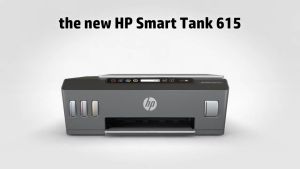
HP Smart Tank 615 Wireless Printer: The Perfect Choice for Students & Home Users
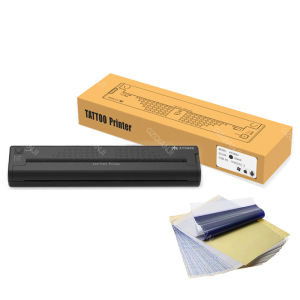
Wireless Tattoo Stencil Printer Machine ATS886 Tattoo Printer Transfer Paper Portable Thermal Stencil Maker Line Photo Drawing Printing Copier for Bluetooth USB Windows Mobile Android iOS Printing
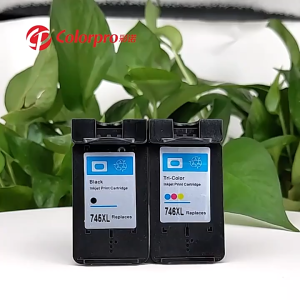
For Canon MG2470 MG2570 MG2570S MG2970 MG3070 MG3070S MG3077 IP2870 IP2870 IP2870S MX497 TS207 MG2570S TR4570S TS307 for PG 745 CL 746 ink PG745XL CL746XL refillable ink cartridge PRELOVED
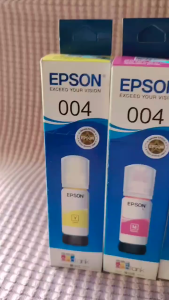
004 INK WITH BOX COMPATIBLE TO PRINTERS ● L1110 ● L1210 ● L3100 L3101 L3106 L3108 ● L3110 L3115 L3116 L3118 L3119 ● L3150 L3151 L3156 L3158 ● L3160 ●
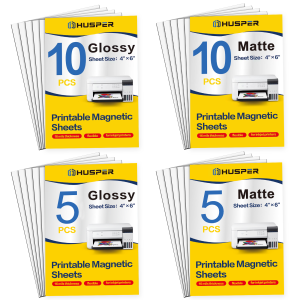
5/10 Sheets 4x6inch Magnetic Photo Paper Matte/Glossy Finish Flexible Inkjet Printable Sheets for Home & Office Use
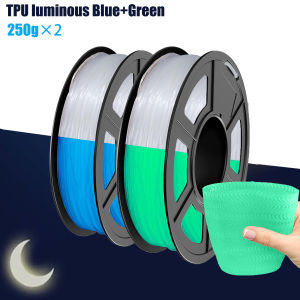
TPU High Speed Filament 1.75mm Flexible Roll 95A Soft 3D Printer Filament 250g/500g/1000g Spool Fit Most FDM Printer
![[COD] SHGMYD 20PCS A4 Sheets Heat Toner Transfer Paper For DIY PCB Electronic Prototype Mak](https://img.lazcdn.com/g/p/641add4f00b4780ca660e5a93885130e.jpg_300x300q80.jpg)
[COD] SHGMYD 20PCS A4 Sheets Heat Toner Transfer Paper For DIY PCB Electronic Prototype Mak
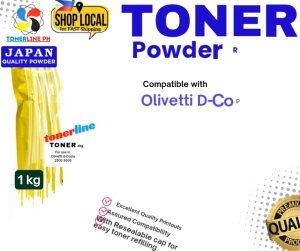
Japan Toner Powder Compatible with Olivetti D-Copia 2500 3000 and other monochrome Machine