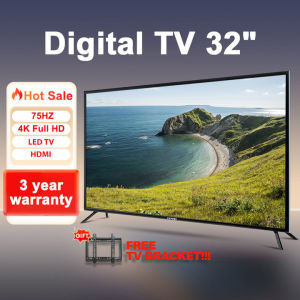
EXPOSE Bluetooth Smart TV 32 inch 4K TV flat screen smart tv Smart TV 43 inch android TV 50 inch Google TV Digital televisions
EXPOSE Bluetooth Smart TV 32 inch 4K TV flat screen smart tv Smart TV 43 inch android TV 50 inch Google TV Digital televisions
Introduction to Bluetooth Smart TV & Digital Televisions
Overview of Bluetooth Smart TV & Digital Televisions
In today's world, digital televisions have become an essential part of our daily lives. One of the most popular types of digital televisions is the Bluetooth Smart TV, which combines the convenience of Bluetooth connectivity with the power of Android TV and Google TV. In this article, we will explore the features and benefits of Bluetooth Smart TVs, focusing on the 32 inch 4K TV flat screen and the 50 inch Android TV models.
Features of Bluetooth Smart TV & Digital Televisions
Bluetooth Smart TVs offer a wide range of features that enhance your viewing experience. Some of the key features include:
- 4K resolution: Experience stunning picture quality with four times the clarity of Full HD.
- Android TV: Enjoy access to millions of apps and games through the Google Play Store.
- Google Assistant: Control your TV with voice commands using the built-in Google Assistant.
- Bluetooth connectivity: Easily connect your smartphone, tablet, or other devices to stream music, videos, and more.
- Free bracket: Included in the package for easy wall mounting.
Setting Up Your New Smart TV
Unboxing & Assembly
Unboxing your new Bluetooth Smart TV is an exciting experience. Inside the box, you will find:
- ⭕TV*1
- ⭦TV STAND
- ⭦USER MANUAL*1
- ⭦REMOTE CONTROL*1
- ⭦FREE BRACKET*1
Follow the instructions in the user manual to assemble the TV stand and mount the TV on the wall using the free bracket.
Connecting Your TV to the Internet
To access all the features of your Bluetooth Smart TV, you will need to connect it to the internet. Follow these steps:
- Connect your TV to a power source.
- Turn on your TV and select the Wi-Fi network from the settings menu.
- Enter the password for your Wi-Fi network.
- Wait for the connection to establish.
Pairing Your TV with Other Devices
Pairing your Bluetooth Smart TV with other devices is easy. Simply turn on the Bluetooth feature on your device and select your TV from the list of available devices. Once paired, you can stream music, videos, and more directly to your TV.
Enhancing Your Viewing Experience
Exploring Apps & Channels
With your Bluetooth Smart TV connected to the internet, you can explore a wide range of apps and channels. Some popular options include:
- Netflix
- Hulu
- YouTube
- Amazon Prime Video
Customizing Your Interface
Personalize your viewing experience by customizing the interface of your Bluetooth Smart TV. You can change the theme, add widgets, and rearrange the layout to suit your preferences.
Improving Picture Quality
Maximize the picture quality of your Bluetooth Smart TV by adjusting the settings in the settings menu. Some options include:
- Picture mode: Choose from different picture modes, such as standard, cinema, and game.
- Color temperature: Adjust the color temperature to match your preference.
- Contrast: Increase or decrease the contrast to enhance the picture clarity.
Troubleshooting Common Issues
Connectivity Problems
If you are experiencing connectivity issues with your Bluetooth Smart TV, try the following steps:
- Restart your TV and router.
- Check the Wi-Fi signal strength.
- Reset the network settings in the TV's settings menu.
App & Channel Issues
If you are experiencing issues with apps or channels on your Bluetooth Smart TV, try the following steps:
- Update the app or channel to the latest version.
- Clear the cache and data for the app or channel.
- Uninstall and reinstall the app or channel.
Picture Quality Concerns
If you are experiencing picture quality issues with your Bluetooth Smart TV, try the following steps:
- Adjust the picture settings in the TV's settings menu.
- Check the HDMI cable for damage or loose connections.
- Reset the TV to factory settings.
Conclusion & Next Steps
In conclusion, Bluetooth Smart TVs offer a wide range of features that enhance your viewing experience. With 4K resolution, Android TV, Google Assistant, and Bluetooth connectivity, these TVs provide a seamless entertainment experience. To get the most out of your new Bluetooth Smart TV, follow the setup and troubleshooting tips provided in this article.
Recap of Key Points
- Bluetooth Smart TVs combine the convenience of Bluetooth connectivity with the power of Android TV and Google TV.
- Key features include 4K resolution, Android TV, Google Assistant, and Bluetooth connectivity.
- Follow the setup and troubleshooting tips provided in this article to get the most out of your new TV.
Additional Resources
For more information on Bluetooth Smart TVs, visit the manufacturer's website or contact customer support.
Future Updates & Improvements
Stay tuned for future updates and improvements to Bluetooth Smart TVs, including new features and enhancements to existing features.

Buwan
Review
You May Also Like
Hot Mini Smart Projector HD 1080P Videos WIFI LED Lamp Wireless Mobile Phone Home Theater Outdoor Portable Mini Projectors
VEVSHAO A15 Smart Projector Portable Free 180°Android 13.0 WiFi Auto Keystone Focus Pocket Beamer for Home Meeting Video Cinema
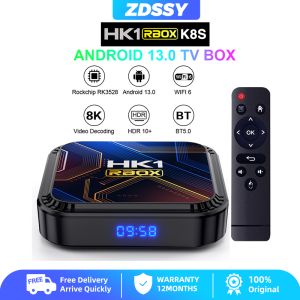
ZDSSY HK1 RBOX K8S RK3528 Android 13 Quad Core Rockchip 8K HD 4K Dual Wifi 2.4G 5G BT 4GB 32GB 64GB Smart TV Box Google Voice Media Player Set Top Box
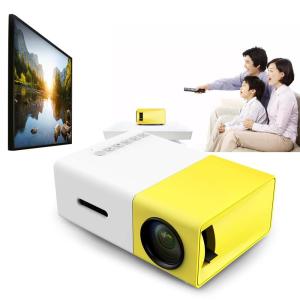
Mini Portable Projector 1080P Full HD: A Comprehensive Guide
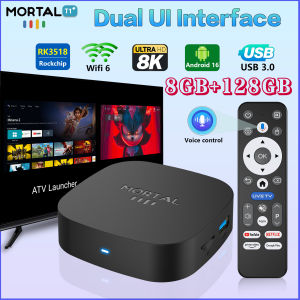
T1+ Android 16.0 TV Box 2.4G/5.8G WIFI 8K HDR 3D 8GB 128GB Rockchip RK3518 Quad Core Global Media Player Support Google BT5.4 Q7
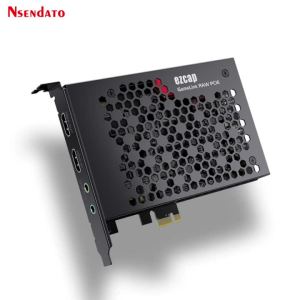
Ezcap380 GameLink RAW 4K 30fps 1080p120 HDMI PCIE Video Capture Card PCI-E HDMI Audio Video Grabber Recorder with Line in Out
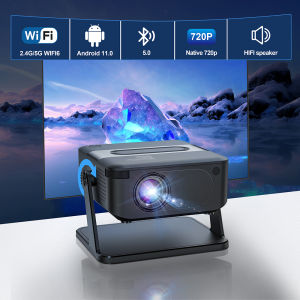
Salange HA109 Mini Projector Android11.0 HD Smart TV WiFi 6 & BT 5.0 Support 4D Keystone & Wireless Casting For home / outdoorstheaters
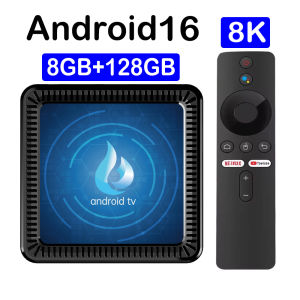
2025 New Q17 Smart TV Box Android 14 Allwinner H313 5G Wifi 64GB 128GB Rom Android14 Google Assistant Media Player Set Top Box
Wanbo Vali 1 Gimbal Projector Free 200° Angle 1080P Full HD 900ANSI Android TV 11.0 ASA 3.0 Fully Automatic Cast Android Smart Portable WiFi Bluetooth LED Projector Auto Focus Keystone Home Office Classroom Projector VMI
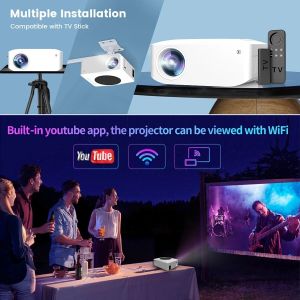
Fintex Y2 Mini Projector: A 5000 Lumens Home & Church Projector
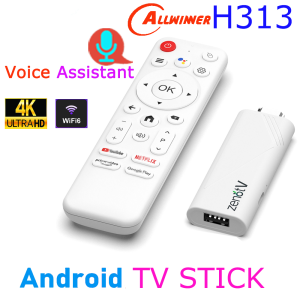
ZENOTV Allwinner H313 Quad Core Android TV Stick 4K HDR Wifi6 Voice Assistant Media Player Smart TV Box