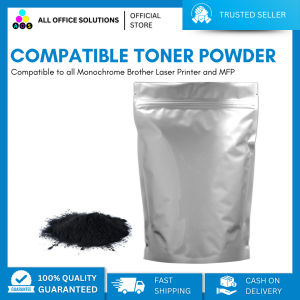
AOS Compatible Toner Powder Refill 1Kg for Use in Brother Printer
AOS Compatible Toner Powder Refill 1Kg for Use in Brother Printer
What is AOS Compatible Toner Powder?
AOS Compatible Toner Powder is a high-quality alternative to original Brother toner cartridges, designed specifically for Brother printers. This 1kg pouch of toner powder offers a cost-effective solution for printing needs while maintaining excellent print quality.
How Does It Compare to Other Toner Refills?
Compared to other toner refills, AOS Compatible Toner Powder stands out due to its high-quality composition, resulting in sharp and clear prints. Additionally, the 1kg pouch provides more value for money, as it can produce a larger number of pages than standard toner refills.
Where Can You Purchase AOS Compatible Toner Powder?
AOS Compatible Toner Powder is widely available through various online retailers and authorized resellers. You can find it on popular e-commerce platforms like Amazon, eBay, and Walmart, as well as through specialty office supply stores.
How to Use AOS Compatible Toner Powder in Brother Printer
Using AOS Compatible Toner Powder in your Brother printer is a straightforward process. Follow these steps to ensure a smooth toner refill experience.
Preparing the Printer for Toner Refill
Before starting the toner refill process, make sure to:
- Turn off and unplug your Brother printer
- Remove the original toner cartridge from the printer
- Clean the cartridge thoroughly, removing any residual toner
Steps to Refill the Toner Cartridge
To refill the toner cartridge with AOS Compatible Toner Powder, follow these steps:
- Open the toner cartridge and pour the desired amount of AOS Compatible Toner Powder inside
- Close the toner cartridge securely
- Insert the refilled toner cartridge back into the printer
- Power on the printer and allow it to perform its initialization routine
Tips for Maintaining Printer Performance
To keep your Brother printer running smoothly, consider the following tips:
- Regularly clean the printer's internal components, such as the drum unit and fuser
- Follow the manufacturer's guidelines for toner cartridge maintenance
- Monitor your printer's performance and address any issues promptly
Benefits of Using AOS Compatible Toner Powder
Using AOS Compatible Toner Powder offers numerous benefits for Brother printer owners.
Cost Savings Compared to Original Toner Cartridges
By opting for AOS Compatible Toner Powder, you can significantly reduce your printing costs. The 1kg pouch provides more value for money, allowing you to print more pages at a lower cost per page compared to original Brother toner cartridges.
Environmental Impact of Using Compatible Toner Powder
Switching to AOS Compatible Toner Powder helps reduce waste and supports environmental sustainability. By using a refillable toner cartridge, you minimize the number of empty cartridges sent to landfills, reducing your carbon footprint.
Longevity of Brother Printer with AOS Compatible Toner Powder
Using AOS Compatible Toner Powder can extend the lifespan of your Brother printer. By maintaining proper printer maintenance and using high-quality toner powder, you can ensure your printer continues to operate efficiently for years to come.
Troubleshooting Common Issues
If you encounter issues after refilling your Brother printer's toner cartridge, refer to these troubleshooting tips.
Low Print Quality After Refilling Toner Cartridge
If your print quality is lower than expected, try:
- Ensuring the toner cartridge is properly seated in the printer
- Cleaning the printer's internal components
- Adjusting the printer's settings for optimal print quality
Printer Malfunction Due to Incorrect Toner Refill
If your printer malfunctions after refilling the toner cartridge, check:
- That the toner cartridge was refilled correctly
- If there are any residual toner particles causing blockages
- Whether the printer requires a reset or initialization routine
Contacting Brother Support for Further Assistance
If you continue to experience issues after troubleshooting, contact Brother's customer support team for further assistance. They can help diagnose and resolve any printer-related problems, ensuring your printing needs are met.

AllOfficeSolutions Reference Number: 250923-161608
Review

You May Also Like
100ml Universal Dye Ink: Black or Colored
DRPDA T361U 80mm Thermal Receipt Printer Label Sticker Priting POS System Auto Cutter Restaurant Kitchen Cafe Usb Lan Network Bluetooth Wifi Lan Network
【PH Ready Stock】L&C TN2380 TN2360 TN660 2380 Premium Toner Cartridge for BROTHER DCP L2540dw PRINTER
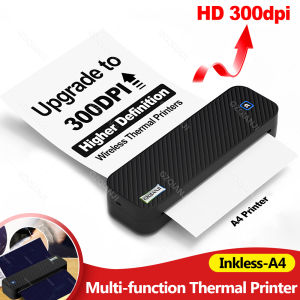
Wireless Mini A4 Thermal Printer Inkless Portable Bluetooth Mobile A40 Tattoo Paper Photo Document Printing for iOS Android
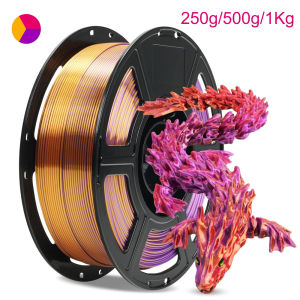
Triple Color PLA Silk three Color gold purple red 3D Printer Filament 250g 500g 1Kg 1.75mm Gold red purple 3D Printing Material

Canon imageCLASS MF641Cw Printer
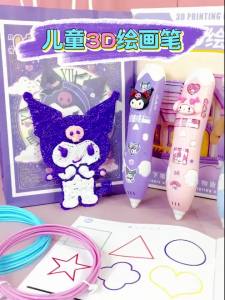
Kuromi 3D Printing Pen Set DIY Low-Temperature Brush Toy Multi-Functional Painting Pen Gifts Toy
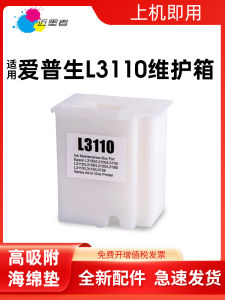
Comprehensive Guide: Epson L3110 Maintenance Box & Compatible Ink Cartridges
Premium Amano Bx1500 & Yokatta DX-5 Bundy Clock Ink Cartridge Guide

GZISCAN02 USB Handheld WiFi Portable Scanner Mobile HD LCD Display Document Scanner A4 Size 1050DPI Support JPEG or PDF TF card
FANTASY Peripage P90 Wireless Tattoo Stencil Printer with Transfer Paper Options Choose 5pcs or 100pcs Thermal Stencil Sheets Bluetooth and USB Connectivity Inkless Monochrome Printing Compatible with Android iOS and PC for Artists on the Move