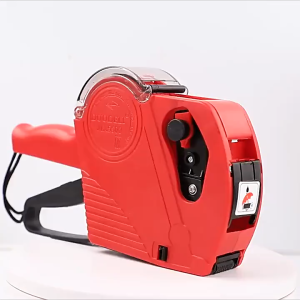
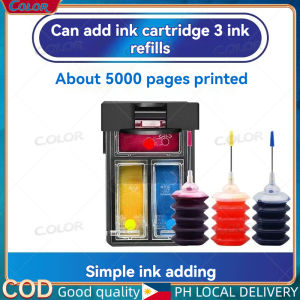
PG 445/446 ink PG445S/CL446S refillable ink cartridge for Canon PIXMA MX494 MG2440 MG2540 MG2940 MG2942 MG2944 IP2840 printer
PG 445/446 ink PG445S/CL446S refillable ink cartridge for Canon PIXMA MX494 MG2440 MG2540 MG2940 MG2942 MG2944 IP2840 printer
Introduction to Compatible & Refillable Ink Cartridges
When it comes to printing, one of the most significant expenses is ink cartridges. However, there is a solution that can help reduce costs: compatible and refillable ink cartridges. In this article, we will focus on the Canon CL446S compatible ink and provide a step-by-step guide on how to refill Canon MG2940 ink cartridges.
What Are Canon CL446S Compatible Inks?
Canon CL446S compatible inks are third-party alternatives designed to work with specific Canon printers, such as the PIXMA MX494, MG2440, MG2540, MG2940, MG2942, MG2944, and IP2840 models. These compatible inks offer a cost-effective solution to printing, providing high-quality prints at a fraction of the cost of original Canon ink cartridges.
How Do Canon PIXMA MX494 Ink Refills Work?
Canon PIXMA MX494 ink refills work by injecting new ink into the empty ink cartridge. This process involves removing the old cartridge, filling it with fresh ink, and then reinstalling it into the printer. By doing this, you can save money on printing costs while still enjoying high-quality prints.
Benefits of Using Canon IP2840 Compatible Inks
Using Canon IP2840 compatible inks offers several benefits:
- Cost-effective: Compatible inks are significantly cheaper than original Canon ink cartridges.
- High-quality prints: Many compatible inks offer comparable print quality to original Canon inks.
- Environmentally friendly: Refilling ink cartridges reduces waste and helps preserve natural resources.
Step-by-Step Guide: How to Refill Canon MG2940 Ink Cartridges
Refilling Canon MG2940 ink cartridges is a straightforward process. Follow these steps to refill your ink cartridges:
Preparing Your Refill Kit
Before you begin, make sure you have all the necessary tools and materials:
- Refill kit (including ink bottles, syringes, and needles)
- Clean, dry workspace
- Empty Canon MG2940 ink cartridge
Removing the Old Ink Cartridge
- Turn off your printer and unplug it from the power source.
- Open the printer lid and locate the ink cartridge compartment.
- Gently remove the old ink cartridge by pressing the release button and lifting it out of the slot.
Filling the New Ink Cartridge
- Identify the correct ink bottle for the cartridge you are refilling (black, cyan, magenta, or yellow).
- Attach the syringe to the needle and fill it with the appropriate ink color.
- Insert the needle into the refill port on the ink cartridge and slowly inject the ink until the cartridge is full.
- Remove the needle and wipe any excess ink from the cartridge.
Installing the Refilled Ink Cartridge
- Place the refilled ink cartridge back into its slot in the printer.
- Close the printer lid and turn the printer back on.
- Follow the printer's prompts to calibrate the new ink cartridge.
Troubleshooting Common Issues
While refilling ink cartridges is generally a straightforward process, there may be some issues that arise. Here are some common problems and their solutions:
Low Ink Warning After Refill
If your printer displays a low ink warning after refilling, try the following steps:
- Check that the ink cartridge is properly installed.
- Run a cleaning cycle on the printer.
- If the problem persists, try refilling the cartridge again.
Printer Not Recognizing Refilled Cartridge
If your printer does not recognize the refilled cartridge, try the following steps:
- Check that the cartridge is properly installed.
- Run a cleaning cycle on the printer.
- If the problem persists, try refilling the cartridge again.
Streaky Prints From Refilled Cartridges
If your prints appear streaky after refilling the ink cartridge, try the following steps:
- Run a cleaning cycle on the printer.
- Check that the ink cartridge is properly installed.
- If the problem persists, try refilling the cartridge again.
Conclusion & Final Thoughts
Refilling Canon MG2940 ink cartridges is a cost-effective solution to printing, offering high-quality prints at a fraction of the cost of original Canon ink cartridges. By following the step-by-step guide outlined above, you can easily refill your ink cartridges and enjoy significant savings on your printing costs. Remember to troubleshoot any issues that may arise and always refer to your printer's manual for specific instructions.

C.olor
You May Also Like
Soonpos High Resolution Auto Sensing Desktop Barcode Scanner 1D/2D QR Omnidirectional and Hands-Free with USB Interface for Retail Sarisari Supermarket
eTONER Compatible Drum Unit DR2355 DR 2355 DR-2355 for use in Brother Printer
12V 24V 40W Heating Rod Ceramic Heating Cartridge High Durability Enhances 3D Printing

Bnew Bh7/Ch7 Ink Cartridge for G1000 G1010 G2000 G2010 G3000 G3010 G4000 abd G4010
AOS Canon Toner Cartridge NPG 32 Compatible IR1018 1022IF 1023IF 1024
Tatrix For Brtoher LC663 Refillable Ink Cartridge For Brother MFC-J2320 MFC-J2720 Printer
Brandnew LX310 Printer: A Comprehensive Guide
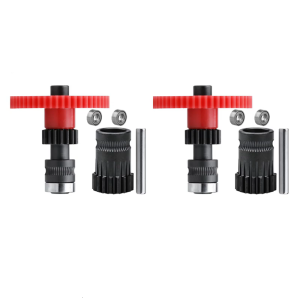
2Set Precisions Engineered Gears for DDG Voron Cw1 Cw2 3D Printer Extruders with Integrated Shaft
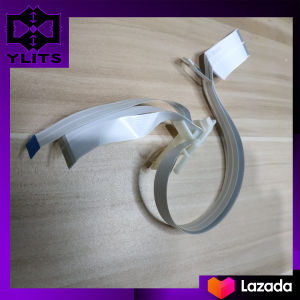
Head Carrier Flex for Epson L Series Printers

HP 151A BLACK ORIGINAL LASERJET TONER CATRIDGE (W1510A)
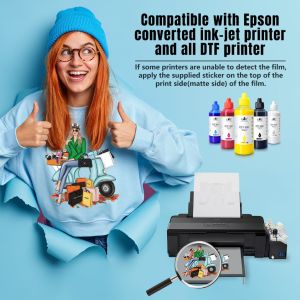
L&C 100ml Dtf Direct To Film Textile DTF Inks Pigment Ink C M Y Bk And White Compatible For EPSON L1800/R1390 DTF Printer Pigment Ink PREMIUM Quality