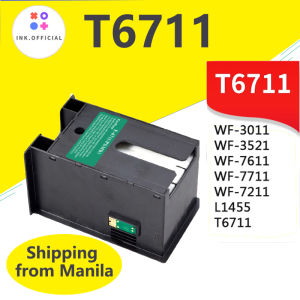
Epson T6711 L1455 Ink Maintenance Box: A Comprehensive Guide
Epson T6711 L1455 Ink Maintenance Box: A Comprehensive Guide
Introduction to Epson WF Series Printer Parts
The Epson WF series printers have gained immense popularity due to their high performance and cost-effective solutions. Among the various components of these printers, the Epson T6711 and L1455 ink maintenance boxes play a vital role in maintaining the printer's optimal functioning. In this comprehensive guide, we will explore the key features, benefits, installation process, and maintenance tips related to the Epson T6711 and L1455 ink maintenance boxes.
Understanding the Epson T6711 & L1455 Ink Maintenance Box
The Epson T6711 and L1455 ink maintenance boxes are designed specifically for Epson WF series printers, including models such as the WF 7610, 7710, 7110, 7210, 7510, 7615, 7715, 3010, 3520, 3530, 3540, 3620, and 3640. These maintenance boxes ensure that the printer's ink system remains clean, preventing clogs and maintaining print quality.
Key Features & Benefits of Using the Epson T6711 & L1455 Ink Maintenance Box
Enhanced Print Quality
The Epson T6711 and L1455 ink maintenance boxes help maintain the printer's nozzle cleanliness, resulting in consistent and high-quality prints.
Extended Printer Lifespan
Regular use of the ink maintenance box helps prolong the life of your printer by preventing clogs and maintaining optimal performance.
Cost-effective Solution
Using the ink maintenance box can save you money in the long run by reducing the need for expensive repairs or replacements.
How to Install the Epson T6711 & L1455 Ink Maintenance Box
Preparing Your Printer for Installation
Before installing the ink maintenance box, ensure that your printer is turned off and unplugged from the power source. Also, make sure that the ink cartridges are properly installed and aligned.
Step-by-Step Installation Process
- Open the front cover of your printer and locate the ink cartridge slots.
- Remove the old ink maintenance box (if installed).
- Carefully insert the new Epson T6711 or L1455 ink maintenance box into the designated slot.
- Close the front cover of the printer and turn it back on.
Troubleshooting Common Issues During Installation
If you encounter any issues during installation, consult the printer's user manual or contact Epson customer support for assistance.
Maintaining Your Epson WF Series Printer
Regular Maintenance Tips for Optimal Performance
- Clean the printer's exterior regularly to prevent dust buildup.
- Use genuine Epson ink cartridges and maintenance boxes for optimal performance.
- Perform regular print head cleaning to maintain nozzle cleanliness.
Identifying & Addressing Common Printer Issues
Some common issues faced by Epson WF series printers include clogged print heads, low ink levels, and paper jams. Refer to the printer's user manual or contact Epson customer support for troubleshooting tips.
Extending the Lifespan of Your Epson WF Series Printer
To extend the lifespan of your printer, follow the manufacturer's recommended maintenance schedule, use genuine Epson products, and avoid exposing the printer to extreme temperatures or humidity.
Conclusion & Next Steps
In conclusion, the Epson T6711 and L1455 ink maintenance boxes play a crucial role in maintaining the optimal performance of your Epson WF series printer. By following the installation process and regular maintenance tips outlined in this guide, you can ensure that your printer remains in top condition for years to come.
For further learning, refer to the Epson WF series printer user manual or visit the official Epson website for additional resources.

ink.print
You May Also Like

005 ink bottled with box compatible to printers: Monochrome M1100 Monochrome M1120
MX-H813 Universal Price Tag Labeller Supermarket Price Tag Sticker Labelling Machine
Compatible Toner Cartridge for Xerox Phaser 3655 xerox WC3655
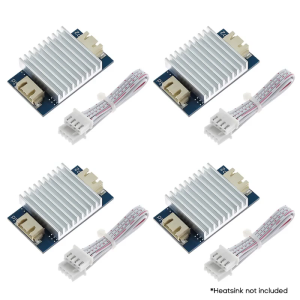
4Pcs TL Smoother Addon Modules 3D Printer Part for Pattern Elimination Motor Clipping 3D Pinter Accessory

Eyoyo Wearable Glove QR Code Scanner 1D 2D Finger Ring Bluetooth Barcode Scanner Left&Right Hand Wearable Portable Wireless Book Inventory Bar Code Reader Compatible with iPhone iPad Android Tablet
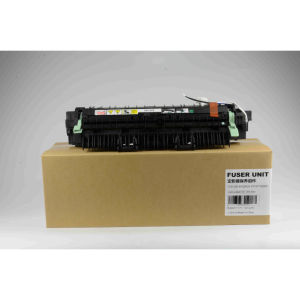
1pcs New S2011 2011 Fuser Unit Assy For Xerox DocuCentre S2011/2110/2320/2520 Fuser Assembly
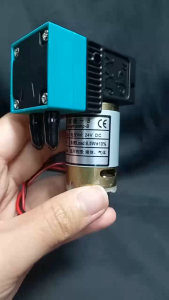
PPS 24V 3W Ink Pump Motor – Small and 24V 6.5W Ink Pump Motor – Big (Large Format Printer)
Upper Fuser Film Sleeves for HL L5100DN L5210DN MFC L5900DW L5915DW L6900DW DocuPrint M375: A Comprehensive Guide
Tatrix 976 976Y Remanufactured Ink Cartridge for HP Pagewide pro 552dw/dn/577dw/zPageWide Managed P55250dw/P57750dw Printer
Phomemo M02Pro 304DPI Bluetooth Thermal Label Printer Portable Mini Photo Printer Inkless Handheld Sticker Maker Machine Great For Picture/Notes/DIY Sticker/Barcode/Logo Labels

Phomemo M02 PRO: A High-Resolution Mini Photo Printer for Your Phone