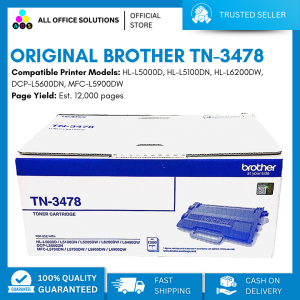
BROTHER TN-3478 Toner Cartridge for use in Brother HL-L5000D, HL-L5100DN, HL-L6200DW, DCP-L5600DN, MFC-L5900DW Printers
BROTHER TN-3478 Toner Cartridge for use in Brother HL-L5000D, HL-L5100DN, HL-L6200DW, DCP-L5600DN, MFC-L5900DW Printers
What is the BROTHER TN-3478 Toner Cartridge?
The BROTHER TN-3478 Toner Cartridge is a high-quality toner cartridge compatible with Brother HL-L5000D, HL-L5100DN, HL-L6200DW, DCP-L5600DN, and MFC-L5900DW printers. This toner cartridge offers excellent-quality printing and has a page yield of up to 12,000 pages.
Key Features
- Compatible with Brother HL-L5000D, HL-L5100DN, HL-L6200DW, DCP-L5600DN, and MFC-L5900DW printers
- High page yield of up to 12,000 pages
- Excellent-quality printing
- Stable printing capacity that saves ink and minimizes printing costs
Compatibility with Brother HL-L5000D, HL-L5100DN, HL-L6200DW, DCP-L5600DN, MFC-L5900DW Printers
The BROTHER TN-3478 Toner Cartridge is compatible with the following Brother printers:
- Brother HL-L5000D
- Brother HL-L5100DN
- Brother HL-L6200DW
- Brother DCP-L5600DN
- Brother MFC-L5900DW
Page Yield and Quality
The BROTHER TN-3478 Toner Cartridge offers a high page yield of up to 12,000 pages, ensuring that you can print more documents without needing to replace the toner cartridge frequently. Additionally, this toner cartridge provides excellent-quality printing, making it ideal for both personal and professional use.
How to Use the BROTHER TN-3478 Toner Cartridge
Using the BROTHER TN-3478 Toner Cartridge is simple and straightforward.
Installing the Toner Cartridge
Follow these steps to install the BROTHER TN-3478 Toner Cartridge:
- Turn off the printer and open the printer cover.
- Remove the old toner cartridge from the printer.
- Carefully remove the new toner cartridge from its packaging.
- Insert the new toner cartridge into the printer, making sure it is properly seated.
- Close the printer cover and turn on the printer.
Maintaining Printer Performance
To maintain optimal printer performance, follow these tips:
- Regularly clean the printer to prevent dust buildup.
- Replace the toner cartridge when necessary to avoid low page yield.
- Keep the printer software updated to ensure compatibility with the toner cartridge.
Extending Toner Life
To extend the life of your BROTHER TN-3478 Toner Cartridge, follow these tips:
- Print only when necessary to minimize ink usage.
- Use draft mode for non-critical documents to save ink.
- Print in black-and-white instead of color to conserve ink.
Benefits of Using the BROTHER TN-3478 Toner Cartridge
Using the BROTHER TN-3478 Toner Cartridge offers several benefits.
Cost Savings
The BROTHER TN-3478 Toner Cartridge offers a high page yield, minimizing the frequency of toner cartridge replacements. This helps save money on printing costs over time.
Environmental Impact
By using the BROTHER TN-3478 Toner Cartridge, you can reduce the number of toner cartridges you use, minimizing waste and contributing to a more sustainable environment.
Enhanced Printing Experience
The BROTHER TN-3478 Toner Cartridge provides excellent-quality printing, ensuring that your documents look professional and polished.
Troubleshooting Common Issues
If you encounter any issues while using the BROTHER TN-3478 Toner Cartridge, refer to the following troubleshooting tips.
Low Page Yield
If you experience low page yield, make sure you are using the correct toner cartridge for your printer model. Additionally, avoid printing unnecessary documents to conserve ink.
Print Quality Concerns
If you notice poor print quality, check the toner cartridge for any signs of damage or wear. Also, ensure that the printer software is up-to-date and that the printer is clean.
Printer Compatibility Problems
If you encounter compatibility issues with your printer, double-check that the BROTHER TN-3478 Toner Cartridge is compatible with your printer model. Refer to the printer manual or contact Brother customer support for further assistance.

AllOfficeSolutions Reference Number: 250923-161608
Review

You May Also Like
ETQ Compatible Upper Fuser Roller Brother DCP-L2540dw
DTF Film Special Ink: A Comprehensive Guide

Cleaning Blade MP2000 1900 1500 2001 AF1015 series
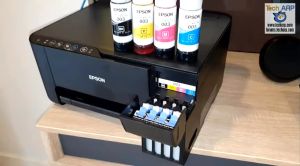
Epson 003 Original Ink Bottle C13T00V for Epson L3110 / L3150 Cyan | Yellow | Black Ink Bottle | Consumable | EPSON INK BOTTLE | Epson Ink - Epson Original Ink | Epson Ink Bottle
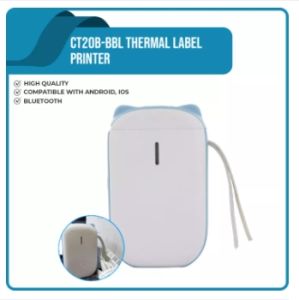
Thermal Label Printer Bluetooth CT20B-BBL with GIFT 1Roll Sticker 12x40mm x 170pcs Chiteng Brand
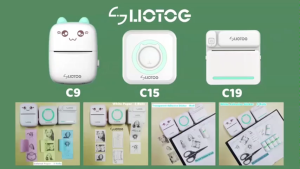
LIOTOG C9 Portable Smart Bluetooth Thermal Printer Original Label Printer Photo Printer No-Ink-Required App Control Mini Printer
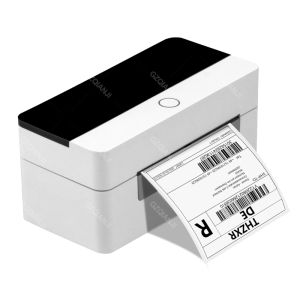
4x6 Shipping Label Printer: A Comprehensive Guide
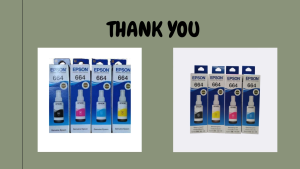
EPSON T664 BLACK/CYAN/MAGENTA/YELLOW
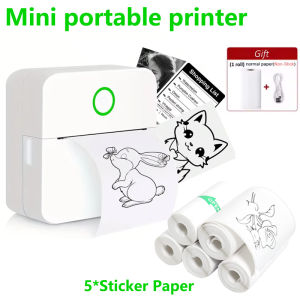
Wireless Bluetooth Protable Label Thermal Printer with Sticker Paper for Student note inkless printing Photo Journal Notes Memo
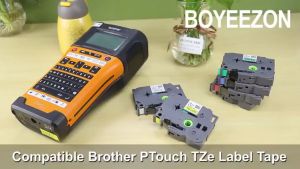
BYZ TAPE TZe231 TZe131 TZe431 TZe631 TZe831 6mm 9mm 12mm 18mm 24mm Laminated White Label Tape Replacement for TZe-231 tze231 TZe221 TZe241 Tze251 Tape Compatible for Brother P-Touch PTD210 PTH110 PTD600 PTD400 PT1280 Label Maker

Rotary Encoder - EL-AIA25-7NLB/1024-JRE