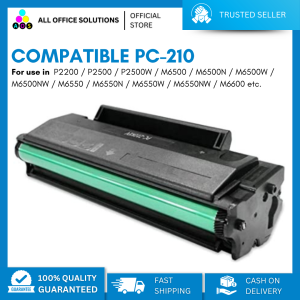
AOS Compatible For Pantum PC-210 PC210 Black Laser Toner Cartridge with Chip for use in Pantum P2500W M6550NW M6600NW
AOS Compatible For Pantum PC-210 PC210 Black Laser Toner Cartridge with Chip for use in Pantum P2500W M6550NW M6600NW
What is the AOS Compatible Pantum PC210 Toner Cartridge?
The AOS Compatible Pantum PC210 Toner Cartridge is a high-quality black laser toner cartridge designed to work seamlessly with Pantum printers, such as the P2500W, M6550NW, and M6600NW. This toner cartridge is compatible with the Pantum PC-210 printer series, making it a reliable choice for businesses and individuals who require consistent and high-quality printing.
Key Features & Benefits
- High-Quality Output: The AOS Compatible Pantum PC210 Toner Cartridge produces sharp and clear text and images, ensuring your documents look professional and polished.
- Long-Lasting Performance: This toner cartridge is designed to last, providing a high page yield that reduces the frequency of replacements and saves you money in the long run.
- Compatibility: Compatible with Pantum printers, including the P2500W, M6550NW, and M6600NW, ensuring reliable and consistent printing.
- Ease of Installation: The toner cartridge is easy to install, allowing you to get back to work quickly.
How to Install the Toner Cartridge
- Turn off your printer and unplug it from the power source.
- Open the printer cover and locate the toner cartridge compartment.
- Remove the old toner cartridge carefully, being cautious not to touch the drum unit.
- Insert the new AOS Compatible Pantum PC210 Toner Cartridge into the compartment, ensuring it is securely in place.
- Close the printer cover and plug the power cord back in.
- Turn on your printer and allow it to initialize before printing.
High-Quality Black Laser Toner for Pantum P2500W M6550NW M6600NW
The AOS Compatible Pantum PC210 Toner Cartridge is specifically designed to work with Pantum printers, including the P2500W, M6550NW, and M6600NW. This toner cartridge provides high-quality black laser toner that produces sharp and clear text and images, making it ideal for businesses and individuals who require consistent and professional printing.
Long-Term Printer Performance
- High Page Yield: The AOS Compatible Pantum PC210 Toner Cartridge has a high page yield, providing reliable and consistent printing over an extended period.
- Long-Lasting Quality: This toner cartridge maintains its quality throughout its lifespan, ensuring that your documents remain professional and polished.
Ensuring Optimal Printing Quality
- Regular Maintenance: Regularly clean and maintain your printer to ensure optimal printing quality.
- Replace Toner Cartridge: Replace the toner cartridge when necessary to maintain consistent printing quality.
Choosing the Right Toner Cartridge for Your Printer
Selecting the right toner cartridge for your Pantum printer is crucial to achieving optimal printing performance and quality. Consider the following factors when choosing a toner cartridge:
Factors to Consider When Selecting a Toner Cartridge
- Compatibility: Ensure the toner cartridge is compatible with your specific Pantum printer model.
- Page Yield: Choose a toner cartridge with a high page yield to reduce the frequency of replacements and save money.
- Quality: Look for a toner cartridge that produces high-quality output, with sharp and clear text and images.
Compatibility with Pantum Printers
The AOS Compatible Pantum PC210 Toner Cartridge is specifically designed to work with Pantum printers, including the P2500W, M6550NW, and M6600NW. This ensures reliable and consistent printing performance, making it a great choice for businesses and individuals who rely on their printers for daily tasks.
Maintaining Your Printer and Toner Cartridge
Regular maintenance is crucial to maintaining the performance and quality of your printer and toner cartridge. Follow these tips to keep your printer running smoothly:
Regular Maintenance Tips
- Clean the Printer: Regularly clean the printer to remove dust and debris that can affect printing quality.
- Replace the Toner Cartridge: Replace the toner cartridge when necessary to maintain consistent printing quality.
- Check for Software Updates: Check for software updates for your printer to ensure optimal performance.
Troubleshooting Common Issues
If you experience issues with your printer or toner cartridge, try the following troubleshooting tips:
- Check the Toner Level: Ensure the toner cartridge has enough toner to produce high-quality prints.
- Clean the Drum Unit: Clean the drum unit to remove any debris or buildup that may affect printing quality.
- Reset the Printer: Reset the printer to clear any errors or issues that may be affecting performance.

AllOfficeSolutions Reference Number: 250923-161608
You May Also Like
ESUN LCD UV 405Nm Resin PLA Pro LCD Resin for Photon UV Curing LCD 3D Printer
Portable iScan Document Scanner: A Comprehensive Guide
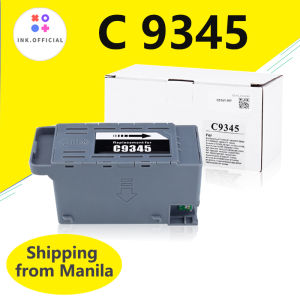
Epson C9345 Maintenance Tank Box: A Comprehensive Guide
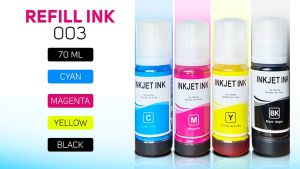
PaperCornerPh - Refill Ink 003 for L3110 L3210 L1110 L1210 L1250 L3116 L3216 L3150 L3250 L3156 L5190 L5290
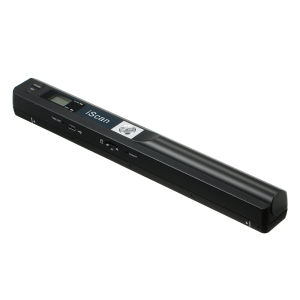
iScan Portable Scanner: Mini Handheld Document Scanner A4 Book Scanner JPG and PDF Format 300/600/900 DPI

LIOTOG C23 Mini Printer Bluetooth Thermal Printer Photo Waybill Printer Sticker Paper Portable Rechargeable Printer with LED Light for Study Work Storage Table

GZQIANJI Omnidirectional Hands-Free Platform 1D 2D Desktop Barcode Scanner with Automatic Sensing Screen Scanning QR Bar Code Scan Reader for POS PC Supermarket Bookstore Retail Mall
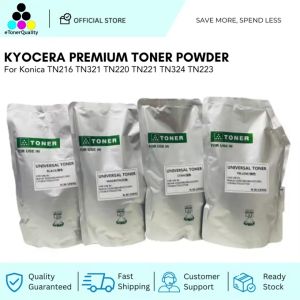
ETQ Kyocera Premium Toner Powder for Konica TN216 TN321 TN220 TN221 TN324 TN223
Epson L1300 Eco Solvent Wiper: A Comprehensive Guide

LIOTOG M1 Mini Laber Thermal Printer for Student 1200mAh Rechargeable Bluetooth Receipt Printer with Free 1 Rolls Thermal Paper
Brother laser Toner Cartridge TN 2460 2480 TN2460 TN2480 Toner Cartridge Brother HL L2375DW DCP L2550DW MFCL2715DW MFC L2750DW MFC-L2715DW For MFC-L2750DW HL-2375DW Printer