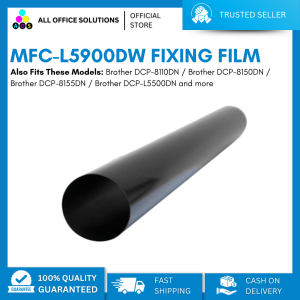
AOS Compatible Brother L5900 MFC-L5900DW Fixing Film Replacement Sleeve With Grease
AOS Compatible Brother L5900 MFC-L5900DW Fixing Film Replacement Sleeve With Grease
What Are L5900 Series Printer Parts?
The L5900 series printer parts are essential components designed specifically for Brother printers that belong to this particular model range. These parts ensure optimal performance and longevity of the printer. In this article, we will focus on the compatible Brother printer accessories, particularly the MFC-L5900DW replacement sleeve and fixing film.
Compatible Brother Printer Accessories Explained
Compatible Brother printer accessories include various components designed to work seamlessly with Brother printers. These accessories include toner cartridges, drums, fixing films, and replacement sleeves. By using compatible accessories, users can save money while maintaining the quality and performance of their Brother printer.
MFC-L5900DW Replacement Sleeve & Fixing Film
The MFC-L5900DW replacement sleeve and fixing film are essential components for maintaining the optimal performance of Brother printers. The replacement sleeve ensures smooth paper feeding, while the fixing film helps in transferring toner onto the paper. Both components are crucial for producing high-quality prints.
How to Install the Fixing Film & Grease?
Installing the fixing film and grease is a straightforward process that can be completed by following the steps below:
Preparing for Installation
Before installing the fixing film and grease, make sure to have the following items ready:
- MFC-L5900DW replacement sleeve and fixing film
- A clean, flat surface
- Gloves (optional)
Installing the Fixing Film & Grease
- Power off the printer and unplug it from the power source.
- Open the front cover of the printer and locate the fixing unit.
- Remove the old fixing film by carefully pulling it out of the fixing unit.
- Insert the new fixing film into the fixing unit, making sure it is properly aligned.
- Apply a small amount of grease to the replacement sleeve.
- Insert the replacement sleeve into the printer, ensuring it is properly seated.
- Close the front cover of the printer and plug it back into the power source.
- Power on the printer and test print a page to ensure everything is working correctly.
Compatible Models for L5900 Series Printer Parts
The MFC-L5900DW replacement sleeve and fixing film are compatible with the following Brother printers:
- Brother DCP-8110DN
- Brother DCP-8150DN
- Brother DCP-8155DN
- Brother DCP-L5500DN
- Brother DCP-L5600DN
- Brother DCP-L5650DN
- Brother HL-5440D
- Brother HL-5450DN
- Brother HL-5470DW
- Brother HL-5470DWT
- Brother HL-6180DW
- Brother HL-6180DWT
- Brother HL-L5000D
- Brother HL-L5100DN
- Brother HL-L5200DW
- Brother MFC-8510DN
- Brother MFC-8710DW
- Brother MFC-8810DW
- Brother MFC-8910DW
- Brother MFC-8950DW
- Brother MFC-8950DWT
- Brother MFC-L5700DW
- Brother MFC-L5800DW
- Brother MFC-L5850DW
Important Notes on Toner/Drum Code Selection
When selecting toner/drum codes for your machine, please double-check to ensure compatibility. If you have any concerns, feel free to message us for assistance.
Guaranteed Brand New & Not Remanufactured/Not Refurbished
Our AOS compatible Brother L5900 MFC-L5900DW fixing film replacement sleeve with grease is guaranteed brand new and not remanufactured or refurbished. We take pride in providing high-quality products that meet our customers' expectations.
Quality Assurance
We have stringent quality control measures in place to ensure that our products meet the highest standards. Our team of experts carefully inspects each product before it leaves our facility, ensuring that it meets our customers' needs.
Customer Support & Concerns
If you have any concerns or questions about our products, please don't hesitate to contact us. Our customer support team is available to assist you with any issues you may encounter. We strive to provide exceptional service and ensure that our customers are satisfied with their purchases.

AllOfficeSolutions Reference Number: 250923-161608
You May Also Like
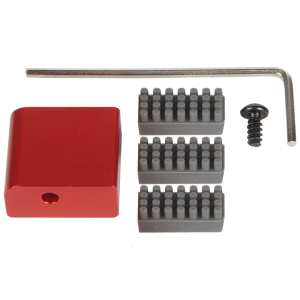
Aluminum Alloy 3D Printing Nozzle Wiping Set for Easy Maintenance in Home Studios School and Industrial Environment
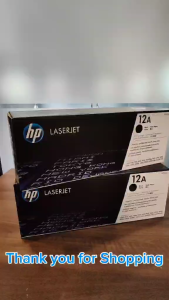
HPee 12A (Q2612A) Laser Jet Black Original Toner Cartridge
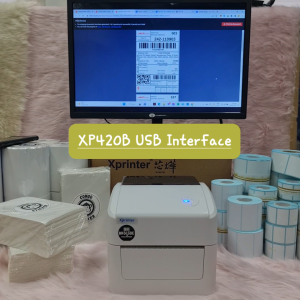
GPRINTER WAYBILL PRINTER XPRINTER THERMAL WAYBILL PRINTER USB AIRWAYBILL PRINTER ONLINE SELLING WAYBILL PRINTER
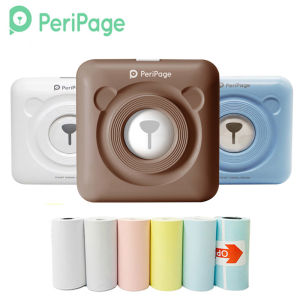
203dpi A6 Peripage Pocket Mini Printer: A Comprehensive Guide
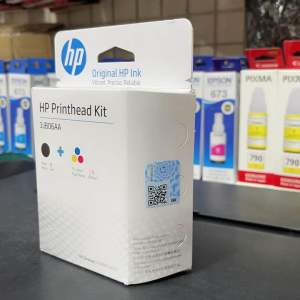
Brandnew Ink Cartridge for GT5810/GT5820/310/315/410/415
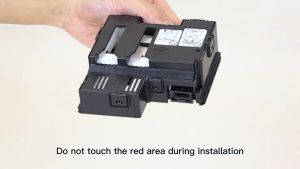
Genuine Canon MC-G04 Maintenance Cartridge: Essential Printer Supplies
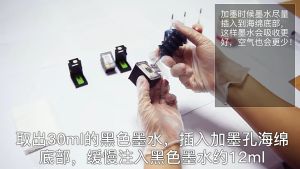
Ink Suction Tool Cartridge Cleaning Solution Suction Tools Kit For Canon / HP
CUYI DTF Ink Textile Pigment Ink 1000ML Very Convenient for DTF Printers
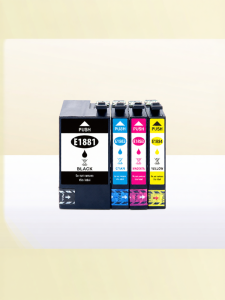
Compatible 4-color Epson Ink Cartridges T1881

Phomemo Carry Bag for M110/D30/P12/Q30S Label Maker and M02/M02S/M02 Pro/T02Photo Pocket Printer Stores Wireless Thermal Printer and Self-Adhesive Paper. Waterproof and Fashion
Compatible Toner Cartridge Type 1230D For Gestetner 1610D MP1500 MP1610 2015 2018 1810 2020 MP2000 MP2011 MP1911 MP1811 MP2012 MP1812