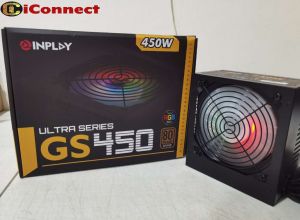
INPLAY GS450 ULTRA SERIES POWER SUPPLY 80PLUS BRONZE
INPLAY GS450 ULTRA SERIES POWER SUPPLY 80PLUS BRONZE
What is the INPLAY GS450 Power Supply?
The INPLAY GS450 power supply is a high-performance power adapter designed for modern computers. It is part of the ultra series power supply lineup, featuring advanced technology and efficient power delivery.
High-performance power adapter overview
The INPLAY GS450 power supply is a reliable and efficient solution for powering your computer system. It provides stable and consistent power output, ensuring optimal performance and reliability.
Efficient power supply unit features
Some notable features of the INPLAY GS450 power supply include:
- 80PLUS Bronze certification, indicating high energy efficiency
- Active PFC technology for improved power factor correction
- Low noise operation with a 120mm PWM fan
- Overload, overvoltage, and short-circuit protection
Ultra series power supply highlights
As part of the ultra series power supply lineup, the INPLAY GS450 offers the following advantages:
- Advanced cooling technology for better heat dissipation
- Compact design for easy installation in various computer cases
- Modular cable management for reduced clutter and improved airflow
How to Choose the Right Power Supply
Selecting the right power supply for your computer system is crucial for ensuring optimal performance and reliability. Here are some factors to consider when choosing a power supply:
- Power output: Ensure the power supply can provide enough wattage to meet the demands of your computer components.
- Efficiency rating: Look for power supplies with high energy efficiency ratings, such as 80PLUS Bronze certification.
- Compatibility: Verify that the power supply is compatible with your computer case and motherboard.
- Brand reputation: Choose a reputable brand known for producing reliable and high-quality power supplies.
Benefits of 80PLUS Bronze certification
Power supplies with 80PLUS Bronze certification offer several benefits, including:
- High energy efficiency: These power supplies convert electrical energy into usable power with minimal waste, resulting in lower electricity bills and reduced environmental impact.
- Improved reliability: High-efficiency power supplies tend to run cooler and quieter, reducing the risk of overheating and extending the lifespan of your computer components.
- Peace of mind: Choosing a power supply with 80PLUS Bronze certification ensures that you are investing in a reliable and efficient solution for your computer system.
Comparing INPLAY GS450 with other power supplies
When comparing the INPLAY GS450 power supply with other options on the market, consider the following factors:
- Price: The INPLAY GS450 offers excellent value for its features and performance, making it a cost-effective choice for many computer builders.
- Features: The INPLAY GS450 boasts advanced technology and efficient power delivery, setting it apart from less sophisticated power supplies.
- Brand reputation: INPLAY is known for producing reliable and high-quality power supplies, giving you peace of mind when choosing this product.
How to Install the INPLAY GS450 Power Supply
Installing the INPLAY GS450 power supply is a straightforward process that can be completed in just a few steps. Follow these instructions to ensure a successful installation:
- Prepare your workspace: Gather all necessary tools and components, and ensure your workspace is clean and well-lit.
- Disconnect power: Unplug your computer from the power source to avoid electrical hazards.
- Remove old power supply: Carefully disconnect all cables from the old power supply and remove it from the computer case.
- Install new power supply: Position the INPLAY GS450 power supply in the designated space within the computer case, and secure it using the provided screws.
- Connect cables: Connect the power cables to the motherboard, graphics card, and other components as needed.
- Reconnect power: Plug your computer back into the power source and turn it on to test the new power supply.
Troubleshooting common issues
If you encounter any problems during the installation process or after turning on your computer, refer to the following troubleshooting tips:
- Check connections: Verify that all power cables are securely connected to the appropriate components.
- Check power source: Ensure that your computer is plugged into a working power outlet.
- Check power supply: If the problem persists, try using a different power supply to determine if the issue is with the INPLAY GS450 or another component.
Tips for optimal performance
To ensure the best possible performance from your INPLAY GS450 power supply, consider the following tips:
- Maintain a clean workspace: Keep your computer case and components free of dust and debris to improve airflow and reduce the risk of overheating.
- Monitor power usage: Regularly check the power consumption of your computer components to ensure they are within safe limits.
- Update firmware: Check for firmware updates for your motherboard and other components to ensure optimal compatibility with the INPLAY GS450 power supply.

iConnect Tagum
Review

You May Also Like

TBK F001 Smoking Fan UV Curing Smoke Exhaust Liginting Lamp Cooling Fan for Phone/electronic Motherboard Parts Repair Tool
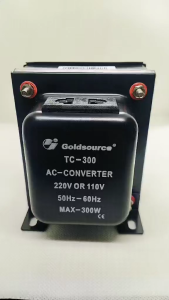
Goldsource Transformer 110V to 220V AC Converter Step-up/Step-down Auto-Switch 50W to 750W

Alphacool XT45 Copper Radiator: A Comprehensive Guide
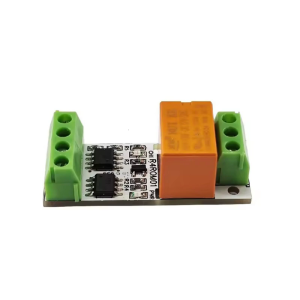
R4ROM01 Single Channel Small RS485 Relays Board with Low Noise for Modbus RTU Protocol and Various Voltages Inputs
Seagate 1TB SATA III Laptop Hard Drive Disk 1000GB 2.5" III 128M Cache 7mm 5400RPM for PS4 Notebook Laptop ST1000LM035
Dell E7450 E7470 E7490: A Comprehensive Guide to 14-Inch Intel Core i5 i7 Laptops
MVP DMA Board Basic Version: A Comprehensive Guide
Durability 6Pin Shielded Extension Cable For Lab X1C/X1/P1S/P1P Stable Connection In X1C/X1/P1S/P1P 3D Printers
Lenovo Intel Core i7 6560U Gaming Laptop 15.6 Inch RAM12/16GB SSD256GB/512GB/1TB Support Fingerprint Unlocking 2 Year Warranty Fast Shipping
Koorfly Upgraded KF02 Live Sound Card For PC Cellphone Youtube HIFI Mixer Voice Change Bluetooth Record Singing equipment Set
Jungle Leopard Prism 4 RS RGB CPU Fan: A Comprehensive Guide