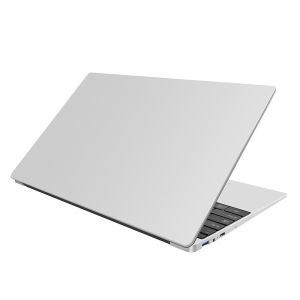
Lenovo Intel Core i7 6560U Gaming Laptop 15.6 Inch RAM12/16GB SSD256GB/512GB/1TB Support Fingerprint Unlocking 2 Year Warranty Fast Shipping
Lenovo Intel Core i7 6560U Gaming Laptop 15.6 Inch RAM12/16GB SSD256GB/512GB/1TB Support Fingerprint Unlocking 2 Year Warranty Fast Shipping
Overview of Lenovo Gaming Laptop
The Lenovo Intel Core i7 6560U Gaming Laptop is a powerful and versatile device designed for gaming enthusiasts and professionals alike. This 15.6 inch gaming laptop offers impressive performance with its Intel Core i7 6560U processor, which ensures smooth gameplay and fast multitasking. It comes with 12GB or 16GB RAM options, making it perfect for handling demanding games and applications.
In addition to its impressive processing power, the Lenovo Gaming Laptop boasts a range of storage options, including 256GB, 512GB, and 1TB SSDs. These storage capacities ensure that users have ample space for their games, applications, and files.
What Makes This Gaming Laptop Stand Out
One of the standout features of the Lenovo Gaming Laptop is its fingerprint unlocking system, which provides users with a secure and convenient way to access their device. This feature ensures that only authorized users can access the laptop, keeping sensitive data safe from prying eyes.
Another notable feature is the included accessories, which include a keyboard protective film, computer bag, high-grade computer cooler, mouse, mouse pad, power plug, and user manual. These accessories provide users with everything they need to get started with their new gaming laptop.
Key Features & Specifications
- Intel Core i7 6560U processor
- 12GB or 16GB RAM options
- 256GB, 512GB, or 1TB SSD storage options
- 15.6 inch display
- Fingerprint unlocking system
- Included accessories: keyboard protective film, computer bag, high-grade computer cooler, mouse, mouse pad, power plug, and user manual
Performance & Capabilities
The Lenovo Gaming Laptop is designed to deliver exceptional performance, making it ideal for gaming and other demanding tasks. With its Intel Core i7 6560U processor and 12GB or 16GB RAM options, users can expect smooth gameplay and fast multitasking.
To maximize gaming performance, users can take advantage of the laptop's built-in system settings, which allow them to optimize their device for specific tasks. For example, users can adjust the graphics settings to achieve the best balance between performance and visual quality.
How to Maximize Gaming Performance
To get the most out of your Lenovo Gaming Laptop, it's important to understand how to optimize your system settings for better performance. Here are some tips to help you achieve this:
- Adjust graphics settings: Lowering the resolution and disabling unnecessary effects can help improve performance.
- Update drivers: Keeping your drivers up-to-date ensures that your hardware is running at its best.
- Disable unnecessary programs: Closing any programs that aren't needed during gameplay can free up resources and improve performance.
- Overclock the CPU: If you're comfortable with advanced settings, overclocking the CPU can provide a noticeable performance boost.
Optimizing System Settings for Better Performance
The Lenovo Gaming Laptop offers a range of system settings that can be adjusted to improve performance. Some of these settings include:
- Graphics settings: Adjusting the resolution, frame rate, and visual effects can help improve performance.
- Power settings: Choosing the appropriate power plan can help balance performance and battery life.
- Startup programs: Disabling unnecessary startup programs can free up resources and improve performance.
- Overclocking: If you're comfortable with advanced settings, overclocking the CPU can provide a noticeable performance boost.
Additional Features & Accessories
In addition to its impressive performance capabilities, the Lenovo Gaming Laptop comes with a range of accessories that enhance the user experience. One of these accessories is the fingerprint unlocking system, which provides users with a secure and convenient way to access their device.
Another notable accessory is the included computer bag, which provides users with a convenient way to transport their laptop. The high-grade computer cooler helps keep the laptop cool during extended gaming sessions, while the mouse and mouse pad provide a comfortable way to control the cursor.
How to Use Fingerprint Unlocking
Using the fingerprint unlocking system on the Lenovo Gaming Laptop is simple and straightforward. To set up fingerprint unlocking, follow these steps:
- Open the Settings app.
- Click on the "Accounts" tab.
- Click on "Sign-in options."
- Click on "Add" under the "Fingerprint" section.
- Follow the on-screen instructions to scan your fingerprint.
Once you've set up fingerprint unlocking, you can use it to quickly and securely access your device.
Benefits of Included Accessories
The Lenovo Gaming Laptop comes with a range of accessories that enhance the user experience. Some of these accessories include:
- Keyboard protective film: Protects the keyboard from dust and spills.
- Computer bag: Provides a convenient way to transport the laptop.
- High-grade computer cooler: Helps keep the laptop cool during extended gaming sessions.
- Mouse: Provides a comfortable way to control the cursor.
- Mouse pad: Enhances the mouse's performance and provides a stable surface for the mouse.
Warranty & Support
The Lenovo Gaming Laptop comes with a 2-year warranty, which covers any defects in materials or workmanship. This warranty provides users with peace of mind, knowing that they're covered in case something goes wrong with their device.
If you need assistance with your Lenovo Gaming Laptop, you can contact Lenovo's support team for help. They offer a range of support options, including phone, email, and live chat, making it easy to get the help you need.
Understanding the 2-Year Warranty
The Lenovo Gaming Laptop comes with a 2-year warranty that covers any defects in materials or workmanship. This warranty provides users with peace of mind, knowing that they're covered in case something goes wrong with their device.
Some common issues that may be covered by the warranty include:
- Hardware failures
- Software issues
- Defective components
It's important to note that the warranty doesn't cover damage caused by misuse or accidents, so it's important to handle your device with care.
How to Get Support for Your Lenovo Gaming Laptop
If you need assistance with your Lenovo Gaming Laptop, you can contact Lenovo's support team for help. They offer a range of support options, including phone, email, and live chat, making it easy to get the help you need.
To contact Lenovo's support team, visit their website and click on the "Support" tab. From there, you can choose the support option that works best for you. Whether you need help with a hardware issue or a software problem, Lenovo's support team is here to help."

Kiana Digital
You May Also Like
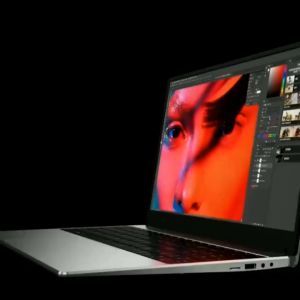
2024 Lenovo Factory Laptop Original HD Gaming Office Laptop Intel Celeron N5095 DDR4 16G RAM 128GB/256GB/512GB SSD HDMI Port Complete Computer Set15.6-inch Gaming Laptop

Mean Well DIN Rail LED Driver HDR-15 Series meanwell 5v/12v/15v/24v/48v LED Transformer LED Power Supply Adapter

Laptop LCD Screen 14.0 Inch 30 Pins Thin Bezel Top And Bottom Full HD 1920 x 1080 NT140FHM-N44 V8.1
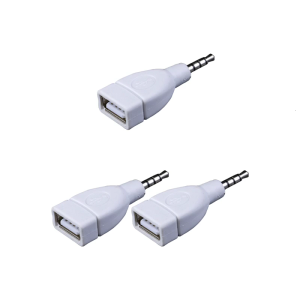
Sound Converters Adapter USB 2.0 Female to 3.5mm Male AUXs Sound Car Plug Jacks White
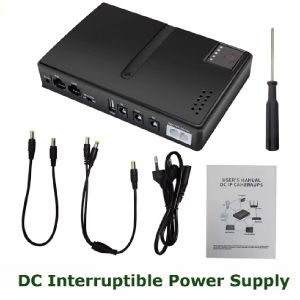
Mini DC UPS & Replaceable Battery Backup: A Comprehensive Guide
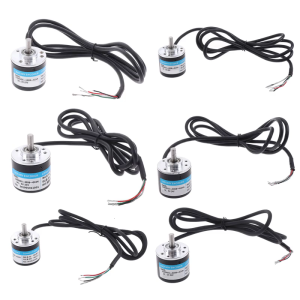
Wide Voltages Rotary Encoders With High Signal For DIY Projects And Consumer Electronics Upgrades Long Lasting

Koorfly KF02 Live Sound Card: Ultimate Guide for Live Broadcast Equipment
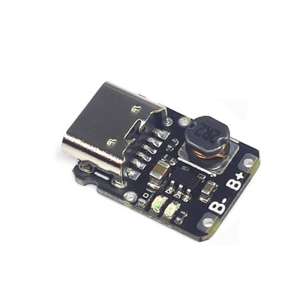
Type C USB 5V 1A TP4057 Cell Charging Module for 18650 Batteries with Double Protections Charging Board
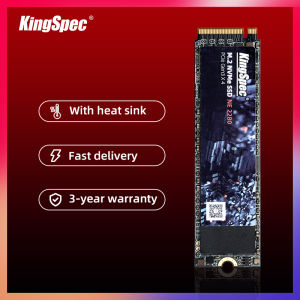
Kingspec capacity 512GB NVMe 2280 SSD with Up to 2500MB/s Read & 1800MB/s Write Speed and 3 Years Warranty

HikVision C100 480GB SATA 2.5

Semiconductor Heat Sink Cooling Fan With Light Adsorption Low Noise Cooling System Heatsink