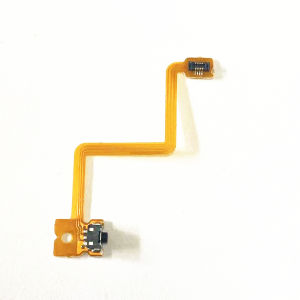
3DS LR Shoulder Button Cable 3DSLL Key Row Cable NEW 3DS/3DXLL Left Right Cable ZL ZR Switch Cable DS/3DS Dedicated Accessories
3DS LR Shoulder Button Cable 3DSLL Key Row Cable NEW 3DS/3DXLL Left Right Cable ZL ZR Switch Cable DS/3DS Dedicated Accessories
Introduction to 3DS LR Shoulder Button Cable & 3DSLL Key Row Cable
The Nintendo 3DS series offers a unique gaming experience with its dual screens and 3D technology. However, over time, the built-in shoulder buttons and key row cables may wear out or malfunction. This is where the 3DS LR Shoulder Button Cable and 3DSLL Key Row Cable come into play. These replacement cables ensure your Nintendo 3DS/3DXLL functions smoothly and extends its lifespan.
What is a 3DS LR Shoulder Button Cable?
A 3DS LR Shoulder Button Cable is a crucial component that connects the left and right shoulder buttons (L and R) to the console's motherboard. It allows users to control their games using these buttons, providing a seamless gaming experience. As the original cables wear out, the LR Shoulder Button Cable ensures that the L and R buttons continue to function optimally.
What is a 3DSLL Key Row Cable?
The 3DSLL Key Row Cable is another essential part of the Nintendo 3DS/3DXLL system. It connects the ZL, ZR, and other buttons on the top row of the console to the motherboard. These buttons enhance gameplay and accessibility, allowing users to perform various actions within their games. The Key Row Cable ensures that these buttons continue to function correctly even after prolonged use.
How to Install 3DS LR Shoulder Button Cable & 3DSLL Key Row Cable
Installing the 3DS LR Shoulder Button Cable and 3DSLL Key Row Cable is a straightforward process that requires minimal technical knowledge. Here are the steps to follow:
Installation Steps for 3DS LR Shoulder Button Cable
- Power off your Nintendo 3DS/3DXLL console.
- Remove the back cover of the console.
- Locate the L and R button connectors on the motherboard.
- Disconnect the original LR Shoulder Button Cable from the motherboard.
- Connect the new 3DS LR Shoulder Button Cable to the L and R button connectors.
- Reassemble the console and power it on.
Installation Steps for 3DSLL Key Row Cable
- Power off your Nintendo 3DS/3DXLL console.
- Remove the back cover of the console.
- Locate the ZL, ZR, and other button connectors on the motherboard.
- Disconnect the original 3DSLL Key Row Cable from the motherboard.
- Connect the new 3DSLL Key Row Cable to the ZL, ZR, and other button connectors.
- Reassemble the console and power it on.
Benefits of Using 3DS LR Shoulder Button Cable & 3DSLL Key Row Cable
Replacing the original LR Shoulder Button Cable and 3DSLL Key Row Cable offers numerous benefits for your Nintendo 3DS/3DXLL gaming experience.
Enhanced Gaming Experience
By installing the new cables, you ensure that your L, R, ZL, and ZR buttons function optimally, providing a seamless gaming experience. This eliminates any lag or delay caused by worn-out cables and enhances overall gameplay performance.
Durability & Reliability
The new LR Shoulder Button Cable and 3DSLL Key Row Cable are designed to withstand prolonged use, ensuring your Nintendo 3DS/3DXLL remains in excellent condition for years to come. They are built to last, providing reliability and durability that surpasses the original cables.
Compatibility with DS/3DS Dedicated Accessories
Both the 3DS LR Shoulder Button Cable and 3DSLL Key Row Cable are compatible with DS/3DS dedicated accessories, ensuring that your gaming experience remains consistent regardless of the accessories you use. This compatibility guarantees that your Nintendo 3DS/3DXLL functions flawlessly with a wide range of accessories.
Troubleshooting Common Issues
Even with the new cables installed, some issues may arise. Here are some common problems and their solutions:
Connection Problems
If you encounter connection problems after installing the new cables, double-check that they are securely connected to the motherboard. Ensure that the connectors are properly seated and not loose. If the problem persists, try disconnecting and reconnecting the cables.
Compatibility Issues
Compatibility issues may arise if you are using third-party accessories with your Nintendo 3DS/3DXLL. To resolve this, ensure that you are using DS/3DS dedicated accessories that are compatible with the new cables.
Maintenance Tips
Regular maintenance is essential to keep your Nintendo 3DS/3DXLL in top condition. Here are some maintenance tips:
- Keep the console clean by wiping it down with a soft cloth.
- Store the console in a cool, dry place away from direct sunlight.
- Avoid exposing the console to extreme temperatures or humidity.
- Regularly update the console's software to ensure optimal performance.
- Be cautious when handling the console to avoid dropping or damaging it.

TB supermarket store
Review

You May Also Like
M8 30000+Games 4K Video Game Console 2.4G Wireless Controller Portable TV Game Stick Retro Handheld Game Player For Xmas Gift

VR Glasses 3D 3D Cinema Virtual Reality ar Smart Glasses Case VR Game Controller Boy Black Technology
Super Mini Classic Game Anniversary Edition Entertainment System with 400 Built-in Classic Games Mini Retro Game

Gel Laxative and Laxative Soft Candy Chinese Herbal Medicine Health Philosophy Safe and Gentle
New Replacement GBC IPS Laminated Screen LCD Kits for Gameboy Color IPS Highlight Backlight Display Screen for GBC IPS Laminated Gaming Screen
Global Battle ConnectableGame Console J36Ultra Open Source Handheld Arcade Fighting Game
Cat Claw Cap Switch pro Handle Trigger Caps for Xbox Ps5 Controller NS Button Caps Accessories for Nintendo Switch Game
Wireless Video Game Console 4K HD 10000 Classic Games Game stick 4K TV Video Game Console 2.4G Wireless Controller Family Games With Gamepad Built in 10000 Classic Games Playstation 2 4 For PS1/GBA/MD
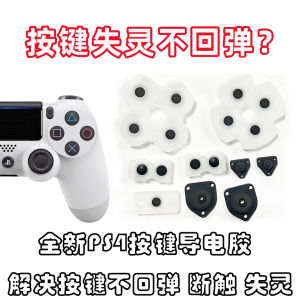
Silicone Keycaps for PS4 And PS5 Controller Directional Keys ABXY Elastic Return Force Conductive Adhesive Repair Parts
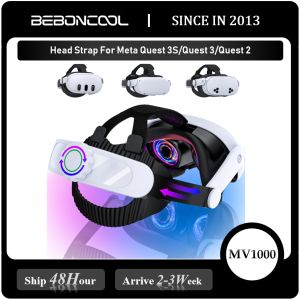
BEBONCOOL 8000mAh MV1000 Head Strap For Meta Quest 3S/Quest 3/Quest 2 Battery Head Strap Compatible for Oculus Head Strap
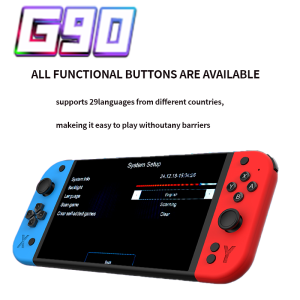
G90 7 inch 64GB 4000mAh high definition arcade handheld game console for PSP/PS1 nostalgic retro TV game controller