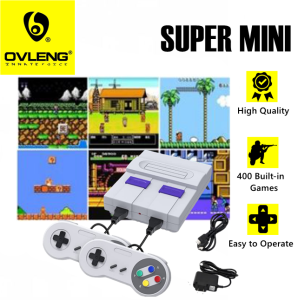
Super Mini Classic Game Anniversary Edition Entertainment System with 400 Built-in Classic Games Mini Retro Game
Super Mini Classic Game Anniversary Edition Entertainment System with 400 Built-in Classic Games Mini Retro Game
What is the Super Mini Classic Game Anniversary Edition?
The Super Mini Classic Game Anniversary Edition is a compact retro entertainment system that features 400 built-in classic games, perfect for nostalgia lovers and gaming enthusiasts alike. This mini game console comes with two gamepads, an AV cable for TV connection, an AC/DC power adapter, a user manual, and a list of all the games included.
Key Features
-
Compact Design: The Super Mini Classic Game System is designed to fit comfortably on any tabletop or shelf, making it easy to store and transport.
-
400 Built-in Classic Games: With a wide variety of classic games, there's something for everyone to enjoy, including popular titles from the 8-bit and 16-bit eras.
-
Retro Entertainment: Relive the golden age of gaming with pixel-perfect graphics and authentic sound effects, bringing back memories of simpler times.
-
User-Friendly Interface: The Super Mini Classic Game System is easy to set up and use, with intuitive controls and a simple menu system.
Comparison with Other Retro Game Systems
Compared to other retro game systems on the market, the Super Mini Classic Game Anniversary Edition stands out for its compact size, extensive library of classic games, and user-friendly interface. While some systems may offer more games or better graphics, the Super Mini Classic Game System strikes the perfect balance between nostalgia and modern convenience.
How to Set Up the Super Mini Classic Game System
Setting up the Super Mini Classic Game System is quick and easy. Follow these steps to get started:
Unboxing & Components
Unbox the Super Mini Classic Game System and familiarize yourself with the components, which include the game console, two gamepads, an AV cable for TV connection, an AC/DC power adapter, a user manual, and a list of all the games included.
Connecting to TV & Power Supply
Connect the AV cable to the back of the game console and plug it into your TV. Then, connect the AC/DC power adapter to the game console and plug it into a nearby outlet.
Pairing Gamepads
To pair the gamepads, press and hold the "Sync" button on the front of the game console until the LED light turns green. Then, press and hold the "Sync" button on the gamepad until the LED light turns green. Repeat this process for the second gamepad if desired.
How to Play Games on the Super Mini Classic Game System
Playing games on the Super Mini Classic Game System is simple and intuitive. Follow these steps to get started:
Selecting a Game
Use the directional pad on the gamepad to navigate through the list of games and select the one you want to play. Press the "A" button to confirm your selection.
Controlling the Game
Once you've selected a game, use the directional pad and buttons on the gamepad to control the game. Refer to the user manual for specific controls for each game.
Saving Progress
The Super Mini Classic Game System does not support saving progress in the middle of a game. However, some games may allow you to save your progress at certain checkpoints.
How to Customize the Super Mini Classic Game System
Customizing the Super Mini Classic Game System is easy and can enhance your gaming experience. Follow these steps to get started:
Customizing Game Settings
Access the game settings menu by pressing the "Start" button on the gamepad during gameplay. From here, you can adjust settings such as difficulty level, sound effects, and music.
Personalizing the Interface
Personalize the interface by selecting your preferred language and adjusting the display settings to suit your preferences.
Managing Game Lists
Manage your game lists by sorting them alphabetically or by genre. You can also hide games you don't want to play by selecting the "Hide" option.
Frequently Asked Questions About the Super Mini Classic Game System
Here are some frequently asked questions about the Super Mini Classic Game System:
Troubleshooting Tips
If you're experiencing issues with the Super Mini Classic Game System, refer to the user manual for troubleshooting tips. Common issues include poor audio quality, incorrect game settings, and connectivity problems.
Maintenance & Upkeep
To keep the Super Mini Classic Game System in good condition, clean the game console and gamepads regularly with a soft, dry cloth. Avoid using harsh chemicals or abrasive materials, as they may damage the components.
Additional Resources
For more information about the Super Mini Classic Game System, visit the official website or contact customer support. Additionally, join online communities and forums dedicated to retro gaming to connect with other enthusiasts and share tips and tricks.

Ovleng Philippines
You May Also Like
2Pcs Steering Wheel Controller Game Racing Wheel Replacement Racing Wheel Grip for NS2 Gaming Accessory
New 4K TV Game Stick M15 Video Game Console 64G Built in 3/40000 Games Wireless Controller Gamepad Retro Handheld Game Console
Jet Warrior 3 Nintendo Switch Lite Special Button Sticker SPRA Cross Silicone Protective Cover
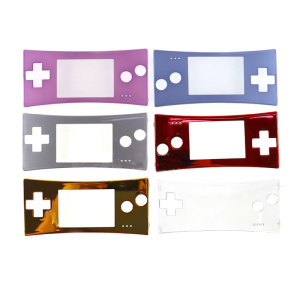
Front Faceplate Housing for Shell for Case Cover Replacement Part for Game Boy Micro for GBM Spare Accessory

Nintendo Switch Sonic Racing: CrossWorlds
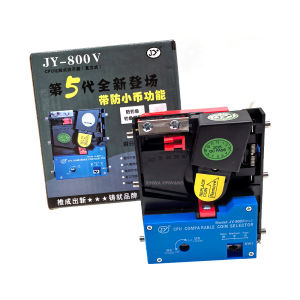
JY-800 Upright Coin Acceptor Tokens Selector Comparison Intelligent Wallet Mechanism For American Arcade Cabinet Game Machine
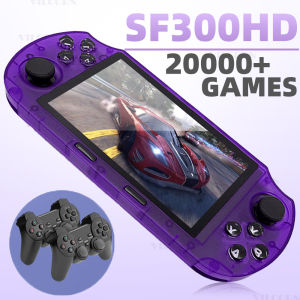
NEW SF3000HD Handheld Game Console For Mame SFC GBA Retro Game Player Support TV Output&/E-books/MP3 Christmas gift
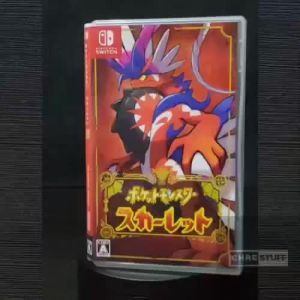
Nintendo Switch Pokemon Scarlet
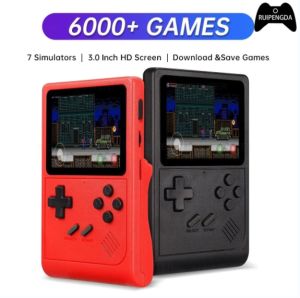
🎁 Original Product + FREE Shipping 🎁 VILCORN GB300 Portable Handheld Game Console Player 3.0 Inch Pocket Video Gaming Console 6000 Games For SFC/GB/GBA Kid Gift

Crysis 3 (Hunter Edition) - Xbox 360
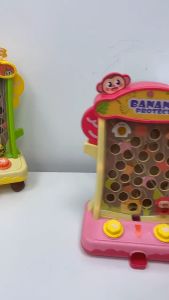
Animal Adventure Game Console Ball Catching Toy with Lights and Sounds for Kids by WISHLAND