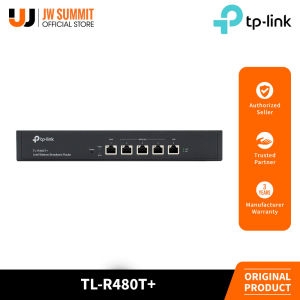
TP-Link TL-R480T+ Desktop/Rackmount Load Balance Broadband Router
TP-Link TL-R480T+ Desktop/Rackmount Load Balance Broadband Router
Introduction to TP-Link TL-R480T+
TP-Link TL-R480T+ is a high-performance router designed for network load balancing and bandwidth management. It supports up to four WAN 10/100 ports for multiple Internet connections, making it an ideal choice for businesses and organizations that require reliable and efficient connectivity. The router is equipped with a web interface portal authentication system, which evaluates and authenticates all accesses to the Internet for better access and bandwidth management.
Key Features & Specifications
- Up to four WAN 10/100 ports for multiple Internet connections
- Load balancing by bandwidth distribution, by type of application, or simply failover when the main connection is disturbed
- Web interface portal authentication evaluates and authenticates all the accesses to the Internet for better access and bandwidth management
- Marshals bandwidth resource to specific clients based on their unique application environments
Comparison with Other Broadband Routers
Compared to other broadband routers available in the market, the TP-Link TL-R480T+ stands out due to its advanced load balancing capabilities and web interface portal authentication system. These features make it an ideal choice for businesses and organizations that require reliable and efficient connectivity.
Understanding Network Load Balancing
Network load balancing is a technique used to distribute network traffic across multiple paths to optimize bandwidth usage and improve network performance. There are three types of load balancing: bandwidth distribution, application type-based, and failover.
Bandwidth Distribution & Application Types
Bandwidth distribution is a method of load balancing that distributes network traffic across multiple paths based on the available bandwidth. This technique ensures that the network is used efficiently and reduces the risk of congestion.
Application type-based load balancing is a method of load balancing that distributes network traffic based on the type of application being used. For example, web browsing and video streaming may require different levels of bandwidth, and this technique ensures that the appropriate amount of bandwidth is allocated to each application.
Failover Mechanism
Failover is a mechanism used to switch to a backup connection when the primary connection fails. This ensures that network connectivity is maintained even in the event of a failure.
Setting Up & Configuring TP-Link TL-R480T+
Setting up and configuring the TP-Link TL-R480T+ is straightforward and can be done through the web interface portal authentication system.
Web Interface Portal Authentication
The web interface portal authentication system evaluates and authenticates all accesses to the Internet for better access and bandwidth management. This system ensures that only authorized users can access the network and helps prevent unauthorized access.
Access & Bandwidth Management
The TP-Link TL-R480T+ allows administrators to manage access and bandwidth usage through the web interface portal authentication system. This system provides a range of features, including client-specific bandwidth allocation, which allows administrators to allocate bandwidth resources to specific clients based on their unique application environments.
Client-Specific Bandwidth Allocation
Client-specific bandwidth allocation is a feature that allows administrators to allocate bandwidth resources to specific clients based on their unique application environments. This feature ensures that each client receives the appropriate amount of bandwidth, which helps improve network performance and reduce congestion.

JW Summit
Review

You May Also Like

Vivo X200 FE Shockproof Case With Camera Lens Protector Cover Leather Camellia Flower Matte Phone case For Girl Women Lady
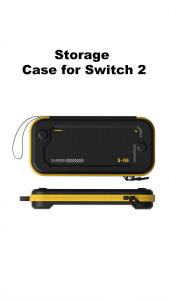
Hagibis Carrying Case for Nintendo Switch 2 PU Leather Bag Portable Travel Pouch Case with10 Game Cartridges for NS Accessories
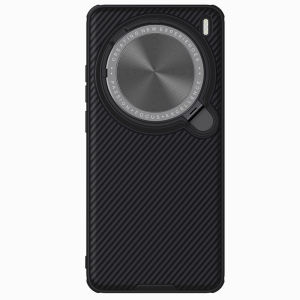
Nillkin is suitable for vivo X200 Pro MagSafe phone case flip lens protection back cover preventing dropping and scratches. The back cover is both protective and a bracket

12Inch Clear Colorful Rulers with Hole Math Ruler Colorful Drawing Ruler with Inches Centimeters Scale for Measuring

YOOBAO C-CC05 27W 2 in 1 Adapter Type-C Male to Type-C Female Audio+Type-C Female Charging PD Quick Charge Fast & Safe Yobao C Cc05 Mujeres C - Lazada

Hello Graffiti Puppy for Oppoa3pro Phone Case A57/A2M Protective Case A1/A3 Active Version A58x/A56s Drop-Resistant A96/A53s Silicone A72/A55s All-Inclusive A97/A11

Snoopy Cartoon Dog New Creative Silicone Protective Case for Apple Airpods 1 2 3 4 pro Wireless Bluetooth Earphone Cover Airpods pro 2 Hard Shell Case
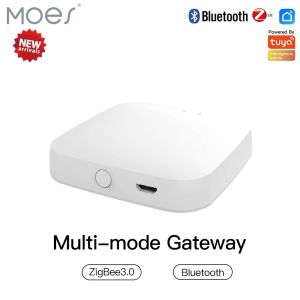
MOES Multi Mode Tuya Smart Gateway ZigBee Bluetooth Mesh Hub

24-in-1 Game for Case for 3DS Game Cartridge Storage Solution Box Shockproof for Shell Silicone Magnet

BOW G100U/G100D Gaming Mechanical Keyboard: A Comprehensive Guide

Ultimate Guide to Silicone Phone Cases for Apple iPhone 14 & 15, iPhone 13 Pro Max