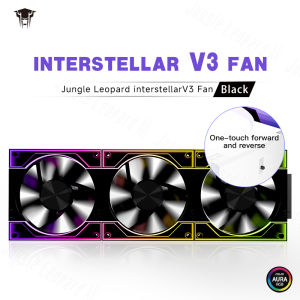
Jungle Leopard Case Fan Interstellar v3: A Comprehensive Guide
Jungle Leopard Case Fan Interstellar v3: A Comprehensive Guide
Introduction to the Jungle Leopard Case Fan Interstellar v3
The Jungle Leopard Case Fan Interstellar v3 is a high-performance 120mm PC computer fan designed to enhance cooling efficiency and provide a visually stunning lighting experience. With its unique Jungle Leopard design, this fan stands out from the crowd, offering both functionality and style.
Overview of the 120mm PC Computer Fan
The Jungle Leopard Case Fan Interstellar v3 is a 120mm PC computer fan that provides excellent cooling performance and is compatible with most PC builds. Its compact size makes it easy to install and integrate into your system, ensuring optimal airflow and temperature control.
Key Features & Benefits of the Jungle Leopard Design
The Jungle Leopard Case Fan Interstellar v3 boasts several key features that make it an ideal choice for any PC build:
- Unique Jungle Leopard design
- High-performance cooling capabilities
- 5V ARGB lighting effects
- Free splicing feature
- Easy installation and setup
Performance & Specifications
How the 12V Chassis Fan 3PIN Enhances Cooling Efficiency
The Jungle Leopard Case Fan Interstellar v3 features a 12V chassis fan with a 3-pin connector, which enables precise control over fan speed and enhances cooling efficiency. This advanced technology ensures that your PC stays cool and runs smoothly, even under heavy loads.
Understanding the 5V ARGB Fan & Its Impact on Lighting Effects
The Jungle Leopard Case Fan Interstellar v3 also includes a 5V ARGB fan, which offers a wide range of customizable lighting effects. This feature adds a touch of style and personality to your PC build, allowing you to create a unique and visually stunning setup.
Installation & Setup
Step-by-Step Guide to Installing the Interstellar v3 Case Fan
Installing the Jungle Leopard Case Fan Interstellar v3 is a straightforward process. Follow these steps to ensure a successful installation:
- Prepare your workspace and gather all necessary tools.
- Remove the existing fan, if applicable.
- Align the new fan with the mounting holes on your case.
- Secure the fan using screws or clips provided.
- Connect the fan to your power supply and motherboard.
Connecting the Fan to Your PC System
To connect the Jungle Leopard Case Fan Interstellar v3 to your PC system, follow these steps:
- Locate the appropriate power supply connector for the fan.
- Connect the fan's 3-pin connector to the corresponding header on your motherboard.
- Power on your PC and test the fan's operation.
Customization & Compatibility
Exploring the Free Splicing Feature & Its Advantages
The Jungle Leopard Case Fan Interstellar v3 offers a free splicing feature, which allows you to connect multiple fans together for a seamless lighting effect. This feature enhances the overall visual appeal of your PC build and provides a cohesive look.
Ensuring Compatibility with Different PC Builds
The Jungle Leopard Case Fan Interstellar v3 is compatible with most PC builds, thanks to its compact size and versatile design. Whether you're building a gaming rig or a workstation, this fan will integrate seamlessly into your system and provide optimal cooling performance.
Conclusion & Final Thoughts
In conclusion, the Jungle Leopard Case Fan Interstellar v3 is a top-notch choice for anyone looking to enhance their PC's cooling performance and add a touch of style to their build. With its unique Jungle Leopard design, high-performance cooling capabilities, and customizable lighting effects, this fan offers both functionality and visual appeal. Whether you're a seasoned gamer or a casual PC user, the Jungle Leopard Case Fan Interstellar v3 is worth considering for your next build.

Global Merch Park
You May Also Like
Lenovo Thinkpad L580 & L590: 8th Gen Intel Processors & 15.6inch IPS FHD Screen

RK6006-BT: A Comprehensive Guide to the 60V 6A DC to DC Voltage Step Down Power Supply
![HP Elitebook 820 G1 [Brand New] legit Laptop Intel Quad/Dual-Core i7/i5 8G/12G/16G RAM 128G SSD+500G/1T HDD 12.5 Inches Screen Built In Camera/Webcam Business Work at home Windows11 Pro Ms office Online Class Learning Computer WiFi/Bluetooth/Notebook](https://img.lazcdn.com/g/p/aefadcdbbffd8da7427fe0b22a7ce1dd.jpg_300x300q80.jpg)
HP Elitebook 820 G1 [Brand New] legit Laptop Intel Quad/Dual-Core i7/i5 8G/12G/16G RAM 128G SSD+500G/1T HDD 12.5 Inches Screen Built In Camera/Webcam Business Work at home Windows11 Pro Ms office Online Class Learning Computer WiFi/Bluetooth/Notebook
3PCS Efficient 4Pin Cooling Fan for GTX1060 1070 1080 Ensures Stable Prolongs Graphics Life 95CM T128010SU
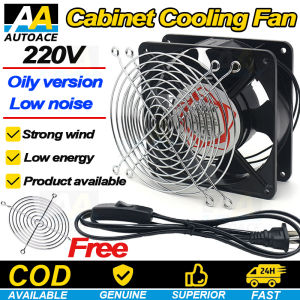
220 Volt Metal 120x120mm Blower Cooling Fan with Grill Plug Iron Mesh Original/Heat Resistant/Rust Resistant Axial Cooling Fan AC Motor Industrial Ventilation Blower/Computer/Incubator
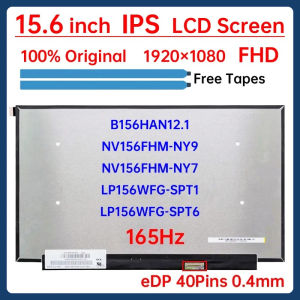
15.6" 165Hz Laptop LCD Screen NV156FHM-NY9 NV156FHM-NY7 B156HAN12.1 LP156WFG-SPT1 LP156WFG-SPT6 Display Matrix Panel eDP 40 Pins

Heat Resistant Instrument Housing Box Enclosure Case for Electronic Projects Various Applications with Waterproof Design

SOYO Motherboard AMD B450M Dual-channel DDR4 Memory AM4 Mainboard M.2 NVME (Supports Ryzen 5500 5600 5600G CPU) New mainboard

6 Heat Pipes CPU Air Cooler 4Pin PWM PC Procesor Tower Cooler for Intel LGA 1700 1200 1150 1151 1155 2011 X79 X99 1366 AM5 AM4
【Brand new】Zoro Computer Monitor 1920*1080 FHD Narrow BorderGaming Monitor 75HZ Refresh Rate Best Gaming Monitor 2ms Response Time HDMI/VGA 20/22/24/27/32inch ultrathin HD monitor Support WallHanging Monitor for Office Study Gaming 1 yr warranty
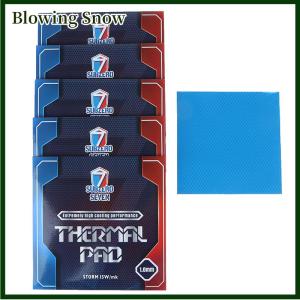
Blowing SubZero Seven-Ultimate 15W MK Thermal Pad CPU GPU Graphics Motherboard Silicone Grease Pad Heat Dissipation Silicone Pad