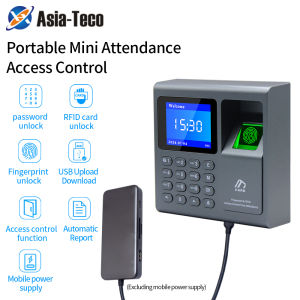
Portable Biometric Fingerprint Scanner & RFID Access Control System: A 1000 User USB Time Recorder Attendance Machine
Portable Biometric Fingerprint Scanner & RFID Access Control System: A 1000 User USB Time Recorder Attendance Machine
What is a Biometric Fingerprint Scanner?
A biometric fingerprint scanner is a device that captures and analyzes the unique patterns found on an individual's fingertips. These patterns consist of ridges and valleys that form a distinctive fingerprint pattern, which is virtually impossible to replicate. Biometric fingerprint scanners are commonly used for authentication purposes, such as verifying employee attendance, granting access to secure areas, or unlocking devices.
Key Features of Biometric Fingerprint Scanners
- High Accuracy: Biometric fingerprint scanners offer high accuracy rates, minimizing false positives and negatives.
- Ease of Use: Users simply place their finger on the scanner, making it a quick and convenient method for authentication.
- Security: Biometric data is stored securely and cannot be easily replicated, providing an added layer of security.
Benefits of Using Biometric Fingerprint Scanners
- Improved Security: Biometric fingerprint scanners help prevent unauthorized access by verifying the identity of individuals.
- Time-Saving: Eliminate the need for manual timekeeping and reduce administrative overhead.
- Enhanced Employee Experience: Streamline the attendance process, making it more efficient and user-friendly.
Understanding RFID Access Control Systems
Radio Frequency Identification (RFID) access control systems use radio waves to identify and authenticate individuals. These systems typically consist of RFID tags or cards and readers, which communicate wirelessly to grant access to secure areas.
Key Features of RFID Access Control Systems
- Non-Contact Technology: RFID systems operate without physical contact, allowing for quick and convenient access.
- Scalability: These systems can be easily scaled up or down to accommodate varying user numbers.
- Data Storage: RFID tags can store additional information, such as employee details or access levels.
Benefits of Using RFID Access Control Systems
- Improved Security: Restrict access to authorized personnel only, reducing the risk of unauthorized entry.
- Streamlined Access Management: Simplify the process of granting or revoking access rights.
- Enhanced Data Collection: Collect valuable data on employee attendance, movements, and activities.
How to Choose the Right Employee Attendance Machine
Selecting the right employee attendance machine is crucial for maximizing efficiency and accuracy. Consider the following factors when making your decision:
Factors to Consider When Choosing an Employee Attendance Machine
- User Capacity: Ensure the system can accommodate your current and future workforce.
- Compatibility: Check if the machine is compatible with your existing hardware and software infrastructure.
- Ease of Use: Opt for a user-friendly interface to minimize training time and reduce errors.
Comparing Different Types of Employee Attendance Machines
- Biometric Fingerprint Scanners: Offer high accuracy rates and enhanced security features.
- RFID Access Control Systems: Provide non-contact technology and scalable solutions.
- USB Time Recorders: Offer convenient data transfer and integration with existing systems.
Setting Up Your 1000 User Capacity System
Setting up a large-scale employee attendance system requires careful planning and execution. Follow these steps to ensure a smooth implementation:
Step-by-Step Guide to Setting Up Your System
- Assess your current workforce and estimate future growth.
- Choose a system that meets your capacity requirements.
- Install the hardware and software components.
- Train employees on how to use the system effectively.
- Monitor system performance and address any issues promptly.
Tips for Managing a Large User Base
- Regular Maintenance: Schedule regular maintenance checks to ensure optimal system performance.
- Data Backup: Implement a robust data backup strategy to prevent loss of critical information.
- User Support: Provide ongoing support to address employee concerns and improve system adoption.
Maximizing Efficiency with a USB Time Recorder
A USB time recorder offers a convenient solution for managing employee attendance records. Follow these best practices to ensure accurate and efficient attendance tracking:
How to Use a USB Time Recorder for Employee Attendance
- Connect the USB time recorder to your computer.
- Import employee data into the system.
- Train employees on how to use the time recorder.
- Regularly export attendance data for analysis and reporting.
Best Practices for Maintaining Accurate Attendance Records
- Regular Audits: Conduct regular audits to identify and correct any discrepancies.
- Employee Training: Provide ongoing training to ensure proper use of the time recorder.
- Data Security: Implement security measures to protect sensitive employee data.

Global Merch Park
Review

You May Also Like

INKSCRIBED TN2280 TN450 TN2260 Compatible Toner Cartridge for Brother HL-2240 DCP-7055 HL-2130 DCP-7065DN HL-2240D FAX-2840

3D Printing Pen 9/50/100/200M PLA Filament LED Display With Travel PU Case DIY Drawing Pens Stimulate Creativity Kids Boys Toys

Toner Cartridge CF226A 226A 26A CF226X 26X for use and Compatible with M402 M426 Pro
Original Epson T11F Standard Capacity Inks
Build Plate For Lab X1/X1C/P1P/P1S/X1E Printers Low Energy Printing Composite Spring Steel Textured Build Plate
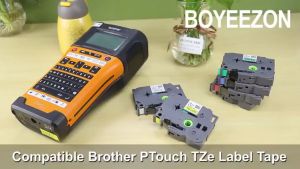
BYZ TAPE TZe231 TZe131 TZe431 TZe631 TZe831 6mm 9mm 12mm 18mm 24mm Laminated White Label Tape Replacement for TZe-231 tze231 TZe221 TZe241 Tze251 Tape Compatible for Brother P-Touch PTD210 PTH110 PTD600 PTD400 PT1280 Label Maker

Epson Replacement Parts For Epson 120 Ink Damper. Epson L360 Ink Hose. Epson L121 Ink Damper Hose. L220 L210 Refurbished
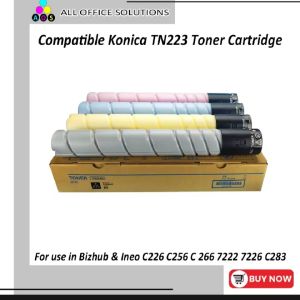
AOS Compatible Konica TN223 toner cartridge (Premium Japan powder) for use in Bizhub & Ineo C226 C256 C 266 7222 7226 C283

INKSCRIBED CRG325 CRG-325 Compatible Toner Cartridge for Canon LBP6000 LBP6030 LBP6030w LBP6018
BEEPRT waybill printer three inches(A8) no ink cellphone bluetooth USB thermal sticker printer/office diy printer
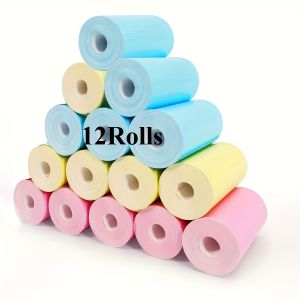
12Rolls Color Thermal Print Paper 57x25mm Photo Print on Color Background for Kid Mini Instant Print Camera Compatible Supplies