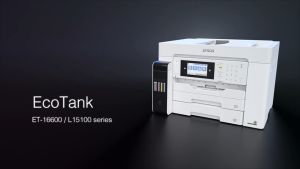
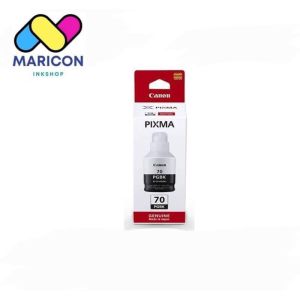
Canon Genuine ink G1 70: Black & Colored Ink Cartridges
Canon Genuine ink G1 70: Black & Colored Ink Cartridges
Introduction to Canon Genuine ink G1 70
What is Canon Genuine ink G1 70?
Canon Genuine ink G1 70 is a high-quality ink cartridge designed specifically for Canon printers. It comes in two types: black ink cartridge (G1 70BK) and colored ink cartridge (G1 70CL). These ink cartridges provide exceptional print quality, vibrant colors, and reliable performance, making them ideal for both personal and professional use.
Why choose genuine Canon ink?
Choosing genuine Canon ink cartridges ensures optimal performance and longevity of your printer. Using compatible or third-party ink may lead to issues like poor print quality, clogged nozzles, and even damage to your printer. Genuine Canon ink is designed to work seamlessly with Canon printers, providing consistent results every time.
Choosing the Right Ink Cartridge
Black ink cartridge vs. colored ink cartridge
Black ink cartridges (G1 70BK) are used for printing text documents, while colored ink cartridges (G1 70CL) are designed for printing images and graphics. Both types of ink cartridges have their unique advantages, depending on your printing needs.
Compatible ink for Canon printers: Pros & Cons
Using compatible ink for Canon printers may seem like a cost-effective solution, but it comes with its drawbacks. While compatible ink might be cheaper, it often results in lower print quality, increased maintenance costs, and potential damage to your printer. On the other hand, genuine Canon ink guarantees superior performance, reliability, and longevity.
How to Install Canon Genuine ink G1 70
Step-by-step installation guide
- Turn on your Canon printer and open the cartridge access door.
- Remove any used ink cartridges from the printer.
- Carefully remove the new ink cartridge from its packaging and pull off the tape covering the ink nozzles.
- Align the ink cartridge with the corresponding slot in the printer and gently press it down until it clicks into place.
- Close the cartridge access door and allow the printer to initialize the new ink cartridges.
Troubleshooting common issues
If you encounter any problems during the installation process, refer to the troubleshooting guide in your printer's manual or visit the Canon support website for assistance.
Maximizing Ink Cartridge Performance
Proper storage tips
To ensure your Canon Genuine ink G1 70 lasts as long as possible, store it in a cool, dry place away from direct sunlight and extreme temperatures. Keep the ink cartridge sealed in its original packaging until ready for use.
Extending ink cartridge life
To maximize the life of your Canon Genuine ink G1 70, avoid overusing the ink by printing only what is necessary. Additionally, regularly clean your printer's ink nozzles using the built-in cleaning function to maintain optimal performance.
Conclusion
Recap of Canon Genuine ink G1 70 benefits
Canon Genuine ink G1 70 offers exceptional print quality, vibrant colors, and reliable performance. By choosing genuine Canon ink, you ensure optimal printer performance and longevity, avoiding potential issues associated with compatible or third-party ink.
Final thoughts on choosing the right ink cartridge
When selecting ink cartridges for your Canon printer, consider your printing needs and budget. While compatible ink may seem more affordable, it often leads to poor print quality, increased maintenance costs, and potential damage to your printer. Investing in genuine Canon ink is a smart choice for those who value consistent, high-quality prints and long-term printer reliability.

Maricon Inkshop
You May Also Like
Phomemo M110 Bluetooth Thermal Label Printer: A Powerful Portable Solution
GTCODESTAR X-9701C Handheld Barcode Reader Wireless 2.4G Barcode Scanner for Mobile E-payment Wireless Qr code Reader

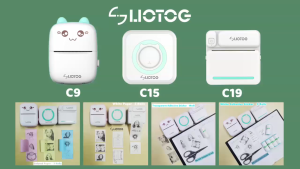
LIOTOG C9 Mini Bluetooth Thermal Printer: A Compact Solution for Small Businesses
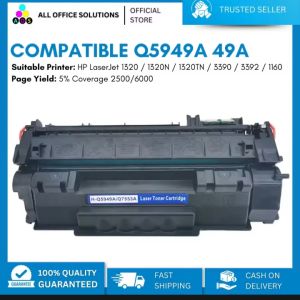
AOS Compatible HP Toner Cartridge 49A 5949A Q5949X Q5949A For HP LaserJet 1320 1320N 1320TN 3390 3392 1160 printer
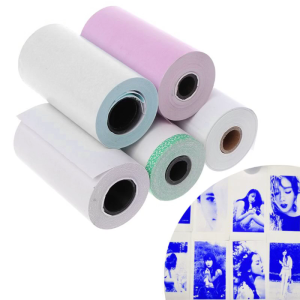
Photo Paper Mini Printable Sticker Roll Thermal Printers Clear Printing Smudge-P
NOXIER Mini Bluetooth Thermal Printer Photo Printer Label Sticker Paper Portable WAYBILL PRINTER with Free Printer Paper
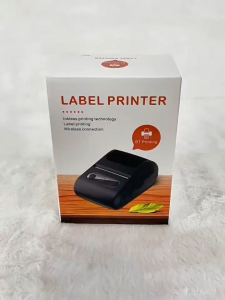
Portable Wireless Mini Thermal Label Bluetooth Printer for Barcodes and Stickers
EPSON Original Ink #664 For Epson L1300 l EP ink L120/121 l EP #672
Print Digital QUAFF Dye Ink for All Types of Inkjet Printer 100ml
MLT-D105L MLTD105L MLT D105L Compatible Toner Cartridge for Samsung Printer: A Comprehensive Guide
Refill ink 664 for Lseries Printer