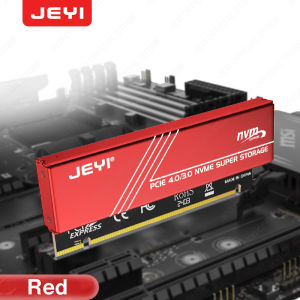
JEYI M.2 NVMe to PCIe 4.0 x16 Adapter: High-Speed Storage Solution
JEYI M.2 NVMe to PCIe 4.0 x16 Adapter: High-Speed Storage Solution
Introduction to JEYI M.2 NVMe to PCIe 4.0 x16 Adapter
The JEYI M.2 NVMe to PCIe 4.0 x16 Adapter is a high-speed storage solution designed to enhance the performance of your computer system. This adapter is compatible with Samsung 980 PRO and 970 EVO SSDs, providing exceptional speed and reliability.
Overview of the Adapter
The JEYI M.2 NVMe to PCIe 4.0 x16 Adapter features a robust design with an aluminum heatsink case, ensuring optimal cooling during operation. It supports PCIe 4.0 x16 Gen4 expansion card, offering a significant boost in data transfer rates.
Key Features & Benefits
- High-Speed Storage Adapter: The JEYI adapter supports PCIe 4.0 x16 Gen4 expansion card, enabling faster data transfer rates and improved system performance.
- Samsung 980 PRO & 970 EVO Compatible: This adapter is compatible with Samsung's top-of-the-line SSDs, ensuring seamless integration and maximum performance.
- Aluminum Heatsink Case: The adapter features an aluminum heatsink case, providing excellent heat dissipation and maintaining optimal operating temperatures.
Understanding the High-Speed Storage Adapter
The JEYI M.2 NVMe to PCIe 4.0 x16 Adapter is designed to enhance the performance of your computer system by supporting high-speed data transfer rates. This adapter is compatible with Samsung 980 PRO and 970 EVO SSDs, ensuring optimal performance and reliability.
Compatibility with Samsung 980 PRO & 970 EVO
The JEYI adapter is specifically designed to work seamlessly with Samsung's top-of-the-line SSDs, including the 980 PRO and 970 EVO. This compatibility ensures that users can take advantage of the latest advancements in storage technology while maintaining optimal system performance.
Performance Enhancements
The JEYI M.2 NVMe to PCIe 4.0 x16 Adapter offers significant performance enhancements over traditional storage solutions. By supporting PCIe 4.0 x16 Gen4 expansion card, this adapter enables faster data transfer rates, resulting in improved system performance and responsiveness.
Installation Guide: How to Install the JEYI Adapter
Installing the JEYI M.2 NVMe to PCIe 4.0 x16 Adapter is a straightforward process. Follow these steps to ensure a smooth installation experience.
Preparing Your System
Before installing the JEYI adapter, ensure that your computer system meets the minimum requirements. Verify that your motherboard supports PCIe 4.0 x16 slots and has sufficient power supply capacity to handle the increased power consumption of the adapter.
Step-by-Step Installation Process
- Power off your computer and unplug all cables and peripherals.
- Open the case and locate an available PCIe 4.0 x16 slot.
- Insert the JEYI adapter into the slot, ensuring proper alignment and secure connection.
- Connect the necessary power cables to the adapter.
- Close the case and reconnect all cables and peripherals.
- Power on your computer and verify that the adapter is recognized by the system.
Maximizing Performance with the JEYI Adapter
To get the most out of your JEYI M.2 NVMe to PCIe 4.0 x16 Adapter, follow these tips for optimizing settings and troubleshooting common issues.
Optimizing Settings for Best Results
- Enable PCIe 4.0 Support: Ensure that your motherboard's BIOS settings support PCIe 4.0 x16 slots.
- Update Firmware: Keep your adapter's firmware up-to-date to ensure optimal performance and compatibility.
- Monitor Temperatures: Use software tools to monitor the adapter's operating temperatures and adjust cooling settings as needed.
Troubleshooting Common Issues
- Adapter Not Recognized: Verify that the adapter is properly seated in the PCIe 4.0 x16 slot and that all necessary power cables are connected.
- Performance Issues: Check your system's BIOS settings and ensure that PCIe 4.0 support is enabled.
- Overheating: Ensure that your computer's cooling system is functioning properly and that the adapter's aluminum heatsink case is securely attached.

Global Merch Park
Review
You May Also Like

Inplay ICE TOWER V2 3-In-1 Fan Kit: A Comprehensive Guide
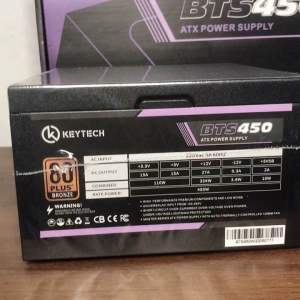
Keytech TrueRated Power Supply 80 Plus Bronze BTS450 450W PSU Power Supply Unit for Desktop PC PSU
![[Creative] 1Pc LED Driver 260mA 1-3W LED Power Supply Adapt AC 85V-265V to DC 5-12V LED Lights Transformers Driver for LED Drive Power](https://img.lazcdn.com/g/p/1a87e6e00039dda0885f4b5fee173de5.jpg_300x300q80.jpg)
[Creative] 1Pc LED Driver 260mA 1-3W LED Power Supply Adapt AC 85V-265V to DC 5-12V LED Lights Transformers Driver for LED Drive Power
Western Digital WD Green 2.5 SATA III SSD: The Ultimate Laptop & Desktop Storage Solution
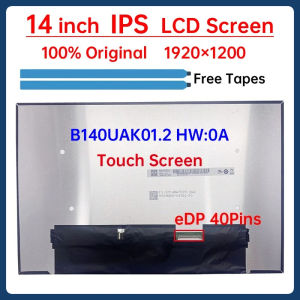
14 Inch IPS Laptop LCD Screen B140UAK01.2 HW:0A Display Matrix Panel Replacement 1920x1200 eDP 40 Pins 60Hz Touch Screen
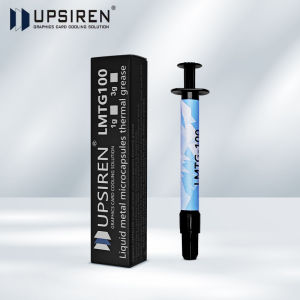
UPSIREN LMTG-100 Liquid metal microcapsules thermal grease Non-conductive Liquid metal 100W/Mk Easy to apply high performance

CROWMSTAR 12V 1.5A UPS Battery Backup for WiFi Router Modem and CCTV Camera Power Supply
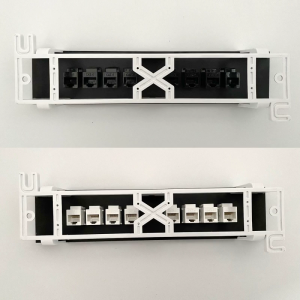
8 Ports Patch Panel CAT6 RJ45 Extender Keystone Gigabit LAN Coupler Plug Module Slot For Internet Jack Ethernet
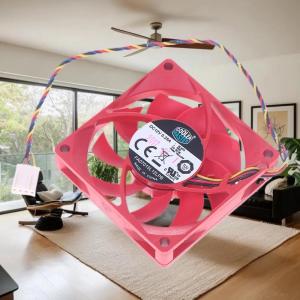
💕 Store opening 💕 AMD CPU Cooling Fan Original Cooler Master 7015 70x70x15MM 70MM Cooling Fan FA07015L12LPB 4PIN PWM 1000-3400RPM DC12V 0.25A

UPSIREN LMTG-100 Liquid metal microcapsules thermal grease Non-conductive Liquid metal 100W/Mk Easy to apply high performance

Low Power Consumption Power Supply Board 15V 3A Modification Power Board Module Easy Installation