V8s Sound Card: A Universal Audio Mixer for Streaming & Live Singing
V8s Sound Card: A Universal Audio Mixer for Streaming & Live Singing
Introduction to V8s Sound Card
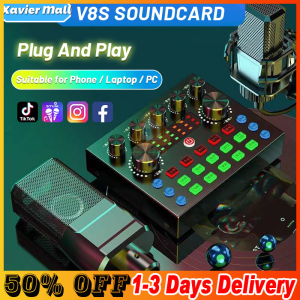
The V8s Sound Card is a versatile audio mixer designed for streaming, live singing, and various applications such as YouTube, Facebook, home karaoke, voice chat, TikTok, WeChat, Smule, podcasts, gaming, and more. This compact device offers multiple sound effects, voice change functions, and compatibility with a wide range of devices, including PC, laptop, iOS, Android, and gaming devices.
Multiple Sound Effects & Voice Change Function
One of the standout features of the V8s Sound Card is its ability to provide 10 funny sound effects and 4 different voice-changing functions. These effects and voice changes can be used to enhance your live performances, add humor to your streams, or simply personalize your audio experience. Additionally, the device offers 7 volume adjustment modes, allowing users to customize their audio output according to their preferences.
Wide Compatibility with PC/Laptop/iOS/Android Devices
The V8s Sound Card is compatible with a variety of devices, including Android phones, iPhones, PCs, tablets, condenser microphones, speakers, electronic instruments, and certain gaming devices. This extensive compatibility ensures that users can enjoy the benefits of the V8s Sound Card regardless of their preferred platform or device.
Features & Benefits of V8s Sound Card
Excellent Sound Quality & Bluetooth Accompaniment
The V8s Sound Card features an upgraded design with dual DSP intelligent processing chips, which ensure stable and clear audio signals. The device supports Bluetooth wireless accompaniment, allowing users to connect their phones and stream music or other audio sources without the need for cables. Simply open your phone's Bluetooth settings, search for "FRJ-speaker," and connect to start enjoying wireless audio.
Real-time Monitoring & 7 Volume Adjustment Modes
Another advantage of the V8s Sound Card is its real-time monitoring capabilities, which allow users to monitor their audio input and make adjustments as needed. With 7 different volume adjustment modes, users can fine-tune their audio output to achieve the desired sound quality.
How to Use V8s Sound Card
Connecting to Mobile Phones, PCs, Tablets, & Gaming Devices
To use the V8s Sound Card, simply connect it to your preferred device using the appropriate cable or Bluetooth connection. Once connected, you can start utilizing the device's various features and functions.
Setting Up Bluetooth Sound Effects & Wireless Accompaniment
To set up Bluetooth sound effects and wireless accompaniment, follow these steps:
- Connect the V8s Sound Card to your device using the appropriate cable or Bluetooth connection.
- Open your device's Bluetooth settings and search for "FRJ-speaker."
- Select the V8s Sound Card from the list of available devices and connect.
- Adjust the sound effects and volume settings as desired.
Utilizing the Audio Mixer for Various Applications (YouTube, Facebook, Home Karaoke, etc.)
The V8s Sound Card is an excellent choice for a wide range of applications, including YouTube, Facebook, home karaoke, voice chat, TikTok, WeChat, Smule, podcasts, live streaming, gaming, recording, Periscope, and more. Its versatility makes it an ideal companion for anyone looking to enhance their audio experience.

Mi Life
Review

You May Also Like
Power Outlet Feature Touch Control Night Light 2xUSB Port 2xUSB C Outputs 50W Efficient Power Supply
Jungle Leopard Interstellar V2RS CPU Block Fan ARGB 120mm White Prism Lian li Same Model Infinite Mirror Building Block Splicing Single PC Fan 5V 3PIN Mainboard Lighting Sync
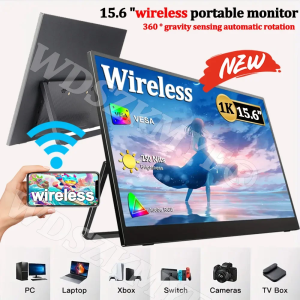
NEW 15.6” Wireless Portable FHD 1080P 16:9 IPS Panel Secondary Display Computer Monitor Type-C HDMI For Xbox Switch Laptop
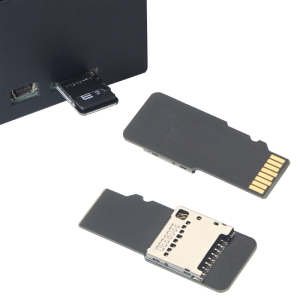
Extension Adapters Memory Reader Extender /RSMMC for Mini 3D Printer

Wireless Compatible PC Fan Dust Protector Magnetic Mesh Cover for Cooling Fan Guard 8-14cm Dust Filter for Computer Case
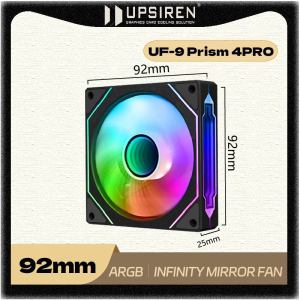
UPSIREN UF-9 PRISM 4PRO 92mm Computer Chassis Fan ARGB 4 Pin PWM Quiet Cooling Fan 12V Large Air Volume 40CFM 800-2500RPM
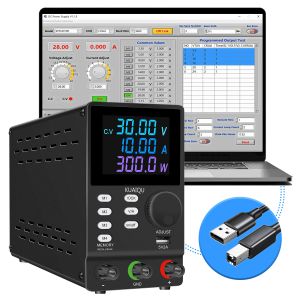
KUAIQU SPPS3010D-232 Programmable Laboratory DC Power Supply 300V 200V 30V 10A/1A RS232/USB Communication Interface Edit Stored Data Bench
RELIFE RL-605 Pro Universal Chip Slot Laptop Motherboard Repair Fixture Special for Laptop and Mobile Phone Motherboard Tools
Lenovo ThinkPad X280 Laptop: A Comprehensive Review
10G Double Port Ethernet Card X540-T2 PCIE-X8 X16 Nework Extend Adapter Support For Synology NAS And Others
JEEJIA Portable Dual Screen Display Convenient Foldable Notebook Expansion Secondary Screen Stock Trading Expansion Split