Jungle Leopard Interstellar V2RS CPU Block Fan ARGB 120mm White Prism Lian li Same Model Infinite Mirror Building Block Splicing Single PC Fan 5V 3PIN Mainboard Lighting Sync
Jungle Leopard Interstellar V2RS CPU Block Fan ARGB 120mm White Prism Lian li Same Model Infinite Mirror Building Block Splicing Single PC Fan 5V 3PIN Mainboard Lighting Sync
What is the Jungle Leopard Interstellar V2RS CPU Block Fan?
The Jungle Leopard Interstellar V2RS CPU block fan is a cutting-edge 120mm ARGB fan designed to enhance your PC cooling system while adding a vibrant visual flair. This fan features a white prism design that complements the Lian Li models and seamlessly integrates with Infinite Mirror Building Blocks, allowing you to create stunning lighting effects.
Key Features & Specifications
- Size: 120mm
- Color: White Prism
- Compatibility: Lian Li models
- Lighting: ARGB (Addressable RGB)
- Connection: 5V 3PIN Mainboard Lighting
Compatibility with Lian Li Models
The Jungle Leopard Interstellar V2RS CPU block fan is compatible with various Lian Li models, including the PC-O11 Dynamic, PC-O11 Dynamic XL, and PC-O11 Dynamic SE. This compatibility ensures that the fan will fit seamlessly into your existing setup, providing optimal cooling performance and visual appeal.
How to Install the Jungle Leopard Interstellar V2RS
Installing the Jungle Leopard Interstellar V2RS CPU block fan is a straightforward process that requires minimal effort. Follow these steps to ensure a smooth installation:
Preparing Your System
- Power off your computer and unplug it from the power source.
- Open your case and locate the area where you want to install the fan.
- Remove any existing fans or components that might interfere with the installation process.
Step-by-Step Installation Process
- Align the fan with the mounting holes on your case.
- Secure the fan using the screws provided in the package.
- Connect the 5V 3PIN cable to the appropriate port on your motherboard.
- Power on your computer and check if the fan is working properly.
Troubleshooting Common Issues
If you encounter any issues during installation or after powering on your computer, try the following solutions:
- Fan not spinning: Check if the fan is properly connected to the motherboard and ensure that the power supply is providing sufficient voltage.
- No lighting: Verify that the ARGB cable is correctly connected to the motherboard and that the RGB settings are enabled in your BIOS or motherboard software.
Enhancing Your Setup with Infinite Mirror Building Blocks
The Jungle Leopard Interstellar V2RS CPU block fan supports Infinite Mirror Building Blocks, allowing you to create a mesmerizing visual effect by splicing single PC fans and syncing them with your 5V 3PIN mainboard lighting.
Splicing Single PC Fans
To splice single PC fans, simply connect them using the included cables and adjust the spacing to achieve the desired effect. This technique can be used to create a seamless lighting pattern across multiple fans.
Syncing with 5V 3PIN Mainboard Lighting
Syncing the Jungle Leopard Interstellar V2RS CPU block fan with your 5V 3PIN mainboard lighting is easy. Connect the ARGB cable to the appropriate port on your motherboard and configure the RGB settings using your BIOS or motherboard software.
Conclusion
The Jungle Leopard Interstellar V2RS CPU block fan is a top-of-the-line cooling solution that combines cutting-edge technology with stunning visual effects. Its compatibility with Lian Li models and support for Infinite Mirror Building Blocks make it an ideal choice for PC enthusiasts looking to enhance their system's performance and aesthetics. With its 120mm ARGB design and 5V 3PIN mainboard lighting, the Jungle Leopard Interstellar V2RS CPU block fan is a must-have component for any modern PC build.

kldz168168.ph
Review
You May Also Like
Power Board for 35008 Replacement Console Power Supply Board Professional Built in Power Console Board Repair
Universal ARGB GPU Support Brackets For PC Builds 5V 3Pin Interfaces Metal Plastic Structure AntiSag Design Quickly Setups
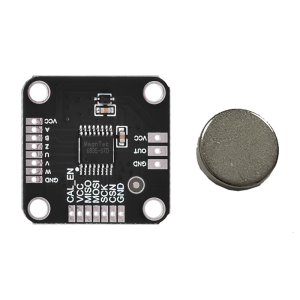
MT6835 Magnetic Encoders Module Board With 21BIT Resolution PWM SPI Interfaces For Robotics And Industrial Automation
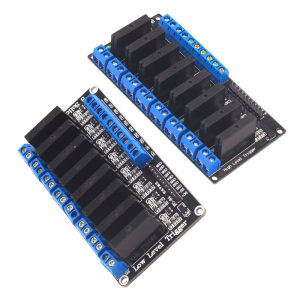
8 Channel Solid Relays Module PLC Driver DC5V 12V 24V With Reverse Proof Power Function For DIY Enthusiasts
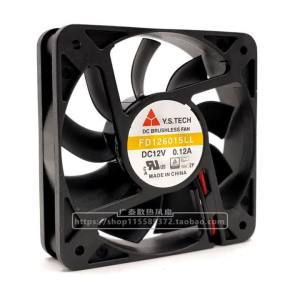
Y.s.techYuanshan Fd126015ll 5015 12v 0.12a Silent Cooling Fan 5cm

Ultra-Thin Semiconductor Heat Sink Magnetic Adsorption Patch for Mobile Phones Tablets Car Mounts Heat Dissipation Iron Piece
![[The Cici Shop] 4Pcs set Graphics Card Interface Dust Plug DVI HDMI DP PCI-E Laptop Dustproof Ports Cover Protector Cap](https://img.lazcdn.com/g/p/984275a731c17777fe0d5ec7e9a08f0d.jpg_300x300q80.jpg)
[The Cici Shop] 4Pcs set Graphics Card Interface Dust Plug DVI HDMI DP PCI-E Laptop Dustproof Ports Cover Protector Cap

Xiaomi Monitor G27i (GAMING)
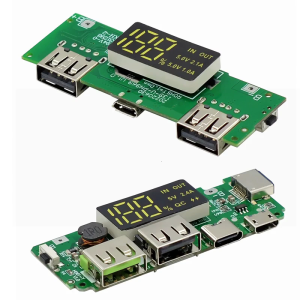
18650 Charging Board Double USB Output Mobile Power Module 5V 2.4A/2A 1A with Overcharge and Shortcircuit Protections
Folding Fan Holders Clear Acrylic Fan Display Stand Folding Hand Fan Display Holders Fan Stand Base Fan Holders for Desktop
Blower Cooling Fan 220 Volts & 120x120mm: A Comprehensive Guide