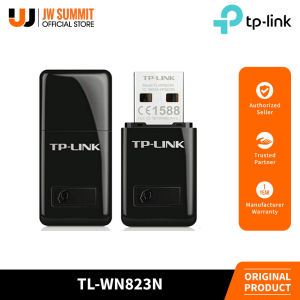
TP-Link TL-WN823N 300Mbps Mini Wireless N USB Adapter
TP-Link TL-WN823N 300Mbps Mini Wireless N USB Adapter
The TP-Link TL-WN823N is a compact and versatile USB wireless adapter designed to provide high-speed wireless networking for various applications. With its 300Mbps wireless speed, this mini-sized adapter is perfect for smooth HD video streaming, voice calls, and online gaming. In addition, its SoftAP Mode allows users to turn a wired internet connection into a Wi-Fi hotspot, making it a versatile choice for both personal and professional use.
What is the TP-Link TL-WN823N?
The TP-Link TL-WN823N is a USB Wireless Network Adapter that offers reliable and high-performance wireless networking. This compact wireless USB adapter supports 802.11n standards, providing a maximum wireless speed of 300Mbps. Its small size makes it easy to carry around, and it can be easily connected to any computer or laptop with a USB port.
Key Features & Benefits
The TP-Link TL-WN823N comes with several key features that make it stand out from other USB wireless adapters:
- 300Mbps Wireless Speed: Ideal for smooth HD video streaming, voice calls, and online gaming.
- Mini-sized Design: Compact and portable, making it easy to carry around.
- SoftAP Mode: Allows users to turn a wired internet connection into a Wi-Fi hotspot.
- One-Touch WPS Button: Easy setup of a secure wireless connection.
Comparison with Other USB Wireless Adapters
Compared to other USB wireless adapters, the TP-Link TL-WN823N offers several advantages:
- Higher Wireless Speed: Supports 300Mbps wireless speed, providing faster data transfer rates.
- SoftAP Mode: Unique feature that allows users to turn a wired internet connection into a Wi-Fi hotspot.
- One-Touch WPS Button: Simplifies the setup process and ensures a secure wireless connection.
How to Set Up Your TP-Link TL-WN823N
Setting up the TP-Link TL-WN823N is simple and straightforward. Follow these steps to get started:
Step-by-Step Installation Guide
- Connect the adapter to a USB port on your computer or laptop.
- Download and install the latest driver from the TP-Link website.
- Restart your computer or laptop.
- Connect to your preferred Wi-Fi network using the adapter.
Troubleshooting Common Issues
If you encounter any issues while setting up or using the TP-Link TL-WN823N, here are some common troubleshooting tips:
- No Wireless Signal: Ensure that the adapter is properly connected to a USB port and that the driver is installed correctly.
- Slow Internet Speed: Check if your Wi-Fi network is congested or if there are any physical obstructions affecting the signal strength.
- Connection Drops: Try moving the adapter closer to the router or changing the Wi-Fi channel.
How to Maximize Performance with the TP-Link TL-WN823N
To get the most out of your TP-Link TL-WN823N, follow these tips:
Optimal Placement & Positioning
- Place the adapter close to the router to minimize signal loss.
- Avoid placing the adapter near physical obstructions such as walls or metal objects.
- Keep the adapter away from other electronic devices that may interfere with the signal.
Enhancing Security & Connectivity
- Enable WPA2 encryption to secure your wireless network.
- Change the default Wi-Fi password to prevent unauthorized access.
- Update the firmware of the adapter to ensure optimal performance.
Real-Life Applications of the TP-Link TL-WN823N
The TP-Link TL-WN823N has several real-life applications that make it a versatile choice for both personal and professional use:
Smooth HD Video Streaming & Voice Calls
With its 300Mbps wireless speed, the TP-Link TL-WN823N provides smooth HD video streaming and voice calls, making it perfect for video conferencing, online education, and entertainment.
High-Speed Online Gaming
The TP-Link TL-WN823N supports high-speed online gaming, providing a seamless and lag-free experience for gamers.
Creating a Wi-Fi Hotspot with SoftAP Mode
The SoftAP Mode feature allows users to turn a wired internet connection into a Wi-Fi hotspot, making it a versatile choice for both personal and professional use. This feature is particularly useful for creating a temporary Wi-Fi network in areas where Wi-Fi coverage is limited.

JW Summit
You May Also Like
Google Assistant & Smart TV Remote Control: A Comprehensive Guide
I Know Gap Filler for Stove and Counter - Kitchen Stove Counter Gap Cover Silicone Gap Cover Between Stove and Counter 21 Inches Stove Gap Filler Heat Resistant Cover Easy Clean White
Replacement Band Watch Breathable Straps for Children Watch 15mm Bracelets Sweatproof Wristband Quick Release Belt

20mm/22mm Nylon Strap For Samsung Adjustable Galaxy watch 6/Classic 6/5 4 3 Classic Gear S3 S4 S2 Sport Active 2 46mm 42mm 45mm 44mm 40mm 41mm Newest bracelet for Huawei GT5/4/3/2/Pro Amazfit band

New Arrival: Soft Silicone Electronic Pet Machine Cover Case Scratch Proof Waterproof Virtual Electronic Digital Pets Machine Protector for Tamagotchi Meets/4U/4U+
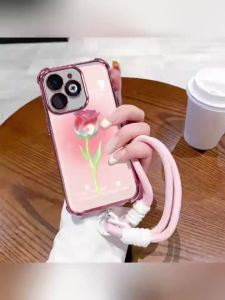
Case for Realme C35 REALME C31 2022 5G phone casing Softcase Silicone shockproof Cover quadrangle clear with lanyard SJSTYDMG01
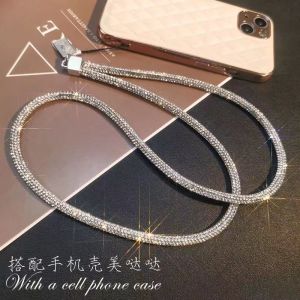
Rhinestone Chain Phone Lanyard - Long And Short Wrist-Style Pendants Fully Rhinestoned Ornaments Sparkling Neck Straps

Handbag for Action Camera Action Bag Portable Hard Case for Camera Accessory Storage Bag
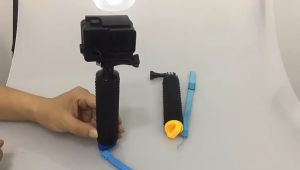
Water Floating Hand Grip Handle Mount Float Action Camera Accessories for GoPro Gopro Hero 11 10 9 8 7 Yi 4K Insta360 Waterproof Handheld Underwater Sport Selfie Stick Monopod Pole Floating Hand Grip Diving Handle Tripod Mount for GoPro HD Hero SJCAM AKA
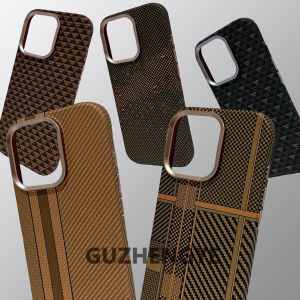
Gold Series Magsafe Carbon Fiber Kevlar Texture Phone Case for iPhone 16ProMax Apple 17Pro Matte Anti-Fingerprint Business Style
WnlShopping 360° Rotatable Tablet & Phone Stand | Adjustable Foldable Portable Holder for Desk | Metal Carbon