TEUCER L-Z3: A Comprehensive Guide to PCI-E3.0 Graphics Card Vertical Mounting Bracket & Extension Cable Holder
TEUCER L-Z3: A Comprehensive Guide to PCI-E3.0 Graphics Card Vertical Mounting Bracket & Extension Cable Holder
What is the TEUCER L-Z3?
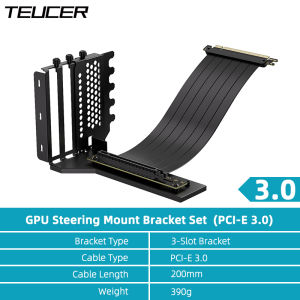
The TEUCER L-Z3 is a versatile PCI-E3.0 Graphics Card Vertical Mounting Bracket designed specifically for vertical mounting of GPUs, providing an optimal solution for managing cable clutter and improving airflow within your system. This innovative kit includes a 200mm PCI-E 4.0 x16 extension cable holder, ensuring compatibility with a wide range of graphics cards. In this comprehensive guide, we will explore the key features, installation process, troubleshooting tips, and compatibility specifications of the TEUCER L-Z3.
Key Features
- Vertical Mounting Bracket: Designed for PCI-E3.0 graphics cards, the TEUCER L-Z3 allows for vertical mounting, which significantly reduces cable clutter and improves airflow within your system.
- 200mm Extension Cable Holder: The included extension cable holder supports PCI-E 4.0 x16 adapters, providing compatibility with the latest graphics cards.
- Easy Installation: The TEUCER L-Z3 comes with step-by-step instructions, making it simple to install and integrate into your existing system.
- Compatibility: The TEUCER L-Z3 is compatible with a wide range of graphics cards, ensuring that it can be easily incorporated into most systems.
How it Works
The TEUCER L-Z3 works by providing a vertical mounting solution for PCI-E3.0 graphics cards, allowing users to mount their GPUs vertically instead of horizontally. This design significantly reduces cable clutter and improves airflow within the system, resulting in better cooling performance and overall system stability. The included 200mm extension cable holder supports PCI-E 4.0 x16 adapters, ensuring compatibility with the latest graphics cards.
Installation Guide
Installing the TEUCER L-Z3 is a straightforward process, and we have provided step-by-step instructions below to help you get started.
Step-by-Step Instructions
- Prepare your system: Before installing the TEUCER L-Z3, ensure that your system is powered off and unplugged from any power sources.
- Remove existing GPU: Carefully remove any existing graphics card from your system, taking note of any cables or connectors that may need to be disconnected.
- Install the vertical mounting bracket: Attach the vertical mounting bracket to the back of your case, ensuring that it is securely fastened.
- Connect the extension cable holder: Connect the included 200mm extension cable holder to the PCI-E slot on your motherboard, ensuring that it is securely connected.
- Mount the graphics card: Carefully mount the graphics card onto the vertical mounting bracket, ensuring that it is securely fastened.
- Reconnect cables and power: Reconnect any cables or connectors that were previously disconnected, and plug your system back into its power source.
- Power on and test: Power on your system and test the graphics card to ensure that it is functioning correctly.
Troubleshooting Tips
If you encounter any issues during installation or while using the TEUCER L-Z3, refer to the troubleshooting tips below:
- Check connections: Ensure that all cables and connectors are securely connected and properly seated.
- Verify compatibility: Check that your graphics card is compatible with the TEUCER L-Z3 by referring to the compatibility specifications.
- Consult the manual: Refer to the user manual for additional installation instructions and troubleshooting tips.
Compatibility & Specifications
Supported Graphics Cards
The TEUCER L-Z3 is compatible with a wide range of graphics cards, including:
- NVIDIA GeForce RTX 30 series
- NVIDIA GeForce GTX 10/16/20 series
- AMD Radeon RX 5000/6000 series
Cable Management Solutions
The TEUCER L-Z3 includes a 200mm extension cable holder, providing an optimal solution for managing cable clutter within your system. This design significantly reduces cable clutter and improves airflow, resulting in better cooling performance and overall system stability.
Conclusion & Final Thoughts
The TEUCER L-Z3 is a versatile PCI-E3.0 Graphics Card Vertical Mounting Bracket that provides an optimal solution for managing cable clutter and improving airflow within your system. With its easy-to-install design, compatibility with a wide range of graphics cards, and included 200mm extension cable holder, the TEUCER L-Z3 is an excellent choice for anyone looking to enhance their system's performance and stability. Whether you're a professional gamer, content creator, or simply looking to improve your system's cooling performance, the TEUCER L-Z3 is a must-have addition to any PC build.

Global Merch Park
Review

You May Also Like
Upgraded 4G LTE FDD Wifi Router 150Mbps Mobile Hotspot Wifi Modem 3G 4G Router Travel Pocket WIFI Mobile Broadband
MVP DMA Board Basic Version: A Comprehensive Guide
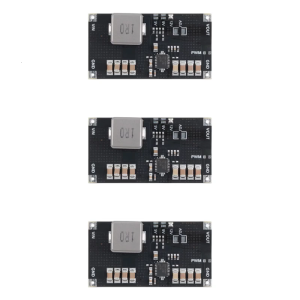
TPS61088 Power 5V/9V/12V Boost Module Stepping Up Power Module Adjustable Power Supply Adapter Regulator Module
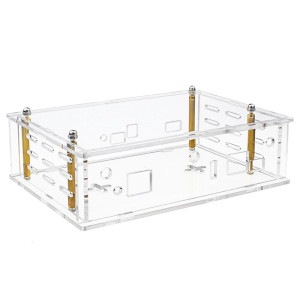
Protective Case Pecise Acrylic Holder for Banana Pi OpenWrtOne Development Boards Enhances Safety
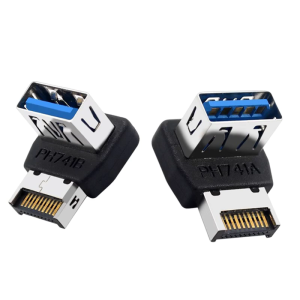
USB Motherboard Adapter USB 3.1 To TYPE E Header Converter Panel TYPE E 90 Degree Steering Connector Data Transfer
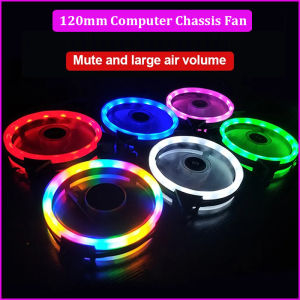
120mm Aurora Computer Chassis Fan 12cm Luminous LED Color Light Mute Cool RGB Cooling Fan Quiet Edition High Airflow LED Case Fan for PC Cases CPU Coolers Water Cooling Radiators System
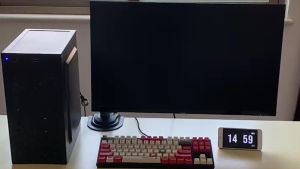
Full Set Desktop Computer: Inter Core i3/i5/i7 Gaming PC Set with 16GB RAM & 960GB SSD
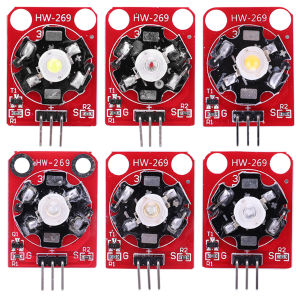
3W LED Module White/Red/Yellow/Blue/Green/Purple High Power RGB LED Module LED Drive Lamp Module for Arduino
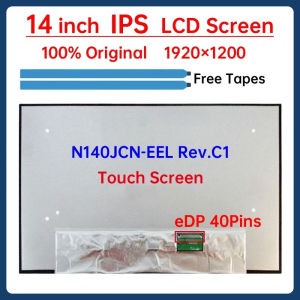
14 Inch IPS Laptop LCD Screen N140JCN EEL N140JCN-EEL Rev.C1 Display Matrix Panel Replacement 1920x1200 eDP 40 Pins Touch Screen
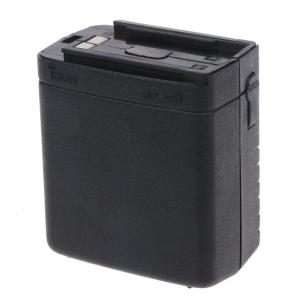
Lightweight Cell Storage Case ABS Small Case 2.4x2.2-inch Square Case Used for ic-v68 ic-w21a ic-w1 ic-2gxa
PT-30 Ultimate Performance Thermal Paste for CPU Consoles Graphics Cards laptops Very high Thermal Conductivity Long Durability Non-Conductive Non-capacitive 12.8w/m-k Pt 30 Thermal Paste - Lazada