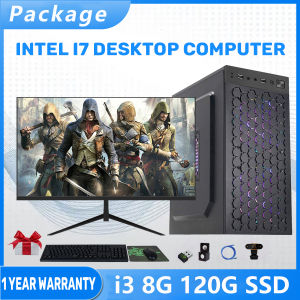
Full Set Desktop Computer: Inter Core i3/i5/i7 Gaming PC Set with 16GB RAM & 960GB SSD
Full Set Desktop Computer: Inter Core i3/i5/i7 Gaming PC Set with 16GB RAM & 960GB SSD
What is a Full Set Desktop Computer?
A full set desktop computer is a complete system that includes all necessary components to get started with gaming, work, or any other computing tasks. This comprehensive package typically consists of a tower, monitor, keyboard, mouse, webcam, audio, and network cables. The Uni Cafe Desktop Computer Original Brand New Inter Core i3/i5/i7 16G 960G SSD Set PC Full Set Computer set Gaming PC Set Gaming Computer With 24/27 inches LED Monitor Computer Set is a prime example of a full set desktop computer tailored for gaming enthusiasts.
Key Components of a Full Set Desktop Computer
A full set desktop computer includes the following components:
- Tower: The main unit housing the CPU, motherboard, RAM, storage, and power supply.
- Monitor: A display screen for visual output, usually in 24/27 inches LED Monitor size.
- Keyboard & Mouse: Input devices for controlling the system and interacting with applications.
- Webcam: A camera for video conferencing and streaming.
- Audio: Headphones or speakers for audio output.
- Network Cable: Ethernet cables for connecting to the internet.
Benefits of a Full Set Desktop Computer
A full set desktop computer offers several advantages:
- Convenience: All necessary components are provided, eliminating the need to purchase individual items separately.
- Compatibility: Components are pre-tested and guaranteed to work together seamlessly.
- Cost-effective: Buying a full set is often more affordable than purchasing individual components.
Choosing the Right Gaming PC Set
Selecting the right gaming PC set depends on your specific needs and preferences. Consider the following factors when choosing a gaming PC set:
Selecting the Best CPU: Inter Core i3/i5/i7
The CPU is the brain of your computer, responsible for processing instructions and executing tasks. For gaming, a powerful CPU is essential for smooth gameplay and responsiveness. The Uni Cafe Desktop Computer Original Brand New Inter Core i3/i5/i7 offers three options:
- Inter Core i3: A budget-friendly option suitable for basic gaming and productivity tasks.
- Inter Core i5: A mid-range option offering good performance for gaming and multitasking.
- Inter Core i7: A high-end option providing excellent performance for demanding games and applications.
Memory and Storage: 16GB RAM & 960GB SSD
Memory and storage are crucial factors in determining the overall performance of your gaming PC set. The Uni Cafe Desktop Computer Original Brand New Inter Core i3/i5/i7 comes equipped with 16GB RAM and a 960GB SSD, providing ample memory and storage for gaming, multitasking, and file storage.
Setting Up Your Gaming PC
Setting up your gaming PC involves connecting the monitor, configuring peripherals, and setting up audio and network connections.
Connecting the Monitor: 24/27 inches LED Monitor
Connect the monitor to the tower using the provided cable. Ensure the monitor is properly positioned and adjusted for comfortable viewing.
Configuring Peripherals: Keyboard, Mouse, Webcam, Audio & Network Cable
Connect the keyboard, mouse, webcam, audio, and network cables to their respective ports on the tower. Follow the manufacturer's instructions for setup and configuration.
Maintaining Your Gaming PC Set
Regular maintenance and troubleshooting are essential for keeping your gaming PC set running smoothly.
Regular Maintenance Tasks
- Keep the system clean: Dust can accumulate inside the tower, causing overheating and performance issues. Regularly clean the system using compressed air.
- Update software: Keep your operating system, drivers, and applications up-to-date for optimal performance and security.
- Monitor performance: Regularly check system performance using built-in tools or third-party software.
Troubleshooting Common Issues
- Overheating: Ensure proper airflow and cooling by cleaning the system and using fans or liquid cooling solutions.
- Performance issues: Optimize system settings, close unnecessary programs, and update drivers for improved performance.
- Connection problems: Check cables and ports for loose connections or damage. Reconnect or replace as needed.

Uni Cafe
Review

You May Also Like
Shockproof and Waterproof Storage Case for RTX5080 16G Graphics for Travel and Protections
1PC B450M-TI ARGB Motherboard M.2 NVME ARGB PC Motherboard AMD Processor Dual-Channel 4*DDR4 Memory AM4 USB Mainboard
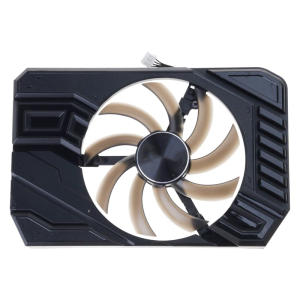
85mm 4Pin Graphics Cooling Fan GPU Coolers Replacement Fan for GTX1660 2060 StormX Graphics Management Accessories
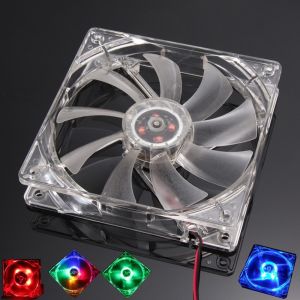
120mm PC Computer Fan: 4 LEDs Case Colorful Cooling Fan
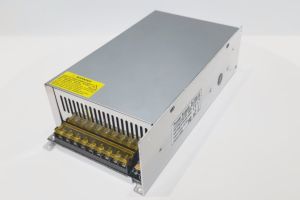
Switching power supply DC 720W-1500W 12V 15V 18V 24V 28V 36V 48V indoor dual-panel transformers AC 110-264V adapter for LED light belt
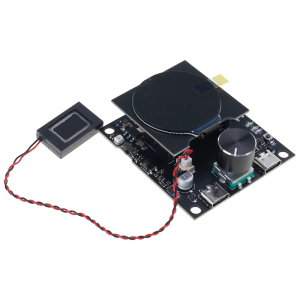
Intelligent Displaying ESP32C3-LCDkit Board with I2C Support & Low Power Features
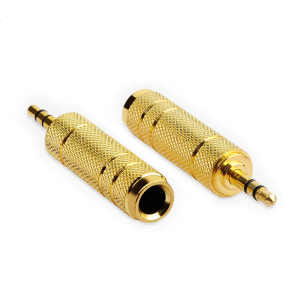
Stereo Audios Adapter Set 3.5mm Male to 6.35mm Female Audios Adapter for Clear Sound in Headphones and Players
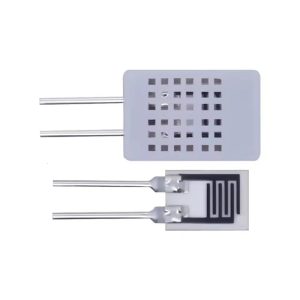
Precise HR202L Humidity Sensing Module Reliabled 0.2mW Low Power For Intelligent Home And Agricultural Use
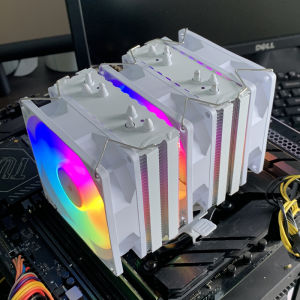
CPU Air-cooled Cooler 6 Heatpipes White Tower RGB Ventilador For Intel LGA 1151 1156 1366 1200 1700 2011 AM4 AM5 PC Radiator

0.96inch OLEDs Display Module I2C IIC Interfaces 128x64 LCD for DIY Electronics and Embeddeds Systems
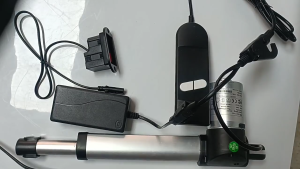
16A Load Capacity Motor Power Switches with Overloads Protective Quick Setups for Electric Furniture Controllers