H61 Motherboard LGA1155 Socket Support: A Comprehensive Guide
H61 Motherboard LGA1155 Socket Support: A Comprehensive Guide
Product Overview
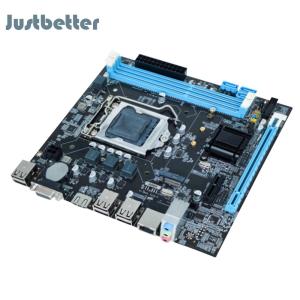
The H61 Micro-ATX Motherboard is a reliable and cost-effective option for those looking to build or upgrade their office computer system. This motherboard features LGA1155 socket support, making it compatible with Intel i3, i5, and i7 processors. In addition, it offers 2 x DDR3 memory slots, 4 x SATA 2.0 ports, and onboard Realtek 10/100 Mbps LAN, providing users with a versatile and powerful platform for their computing needs.
H61 Motherboard Features
- LGA1155 Socket Support: Compatible with Intel i3, i5, and i7 processors, offering a wide range of performance options.
- 2 x DDR3 Memory Slots: Provides ample room for memory expansion, allowing users to customize their system according to their specific requirements.
- 4 x SATA 2.0 Ports: Supports up to four SATA devices, ensuring fast data transfer rates and easy storage management.
- Onboard Realtek 10/100 Mbps LAN: Offers reliable networking capabilities, enabling seamless connectivity within office environments.
Key Specifications
- Form Factor: Micro-ATX
- Socket Type: LGA1155
- Memory Slots: 2 x DDR3
- SATA Ports: 4 x SATA 2.0
- Network Interface: Realtek 10/100 Mbps LAN
Included Components
- 1 x Motherboard
- 1 x Baffle
- 1 x SATA Data Cable
Installation & Setup
Before installing the H61 Motherboard, it is essential to prepare your workspace and gather all necessary components. Ensure that your workspace is clean, organized, and free from any potential hazards.
Preparing Your Workspace
- Gather all necessary components, including the motherboard, CPU, memory, and storage devices.
- Ensure that your workspace is clean, organized, and free from dust and debris.
- Ground yourself to avoid static electricity damage to sensitive components.
Connecting the Motherboard
- Carefully align the motherboard with the case and secure it using screws.
- Connect the power supply to the motherboard using the appropriate connectors.
- Connect the front panel connectors, including power, reset, and USB ports.
Installing the CPU & Memory
- Carefully remove the CPU from its packaging and align it with the LGA1155 socket on the motherboard.
- Insert the CPU into the socket and secure it using the retention mechanism.
- Install the memory modules into the DDR3 slots, ensuring they click into place.
Performance & Compatibility
The H61 Motherboard offers excellent performance and compatibility with a wide range of CPUs, memory configurations, and storage devices.
Supported CPUs
The LGA1155 socket supports Intel i3, i5, and i7 processors, offering a versatile range of performance options for users.
Memory Configuration
With 2 x DDR3 memory slots, users can easily expand their system's memory capacity according to their specific requirements.
Storage & Connectivity
The 4 x SATA 2.0 ports allow for easy connection and management of storage devices, while the onboard Realtek 10/100 Mbps LAN provides reliable networking capabilities within office environments.
Conclusion
In conclusion, the H61 Motherboard is a reliable and cost-effective option for those looking to build or upgrade their office computer system. With LGA1155 socket support, 2 x DDR3 memory slots, 4 x SATA 2.0 ports, and onboard Realtek 10/100 Mbps LAN, this motherboard offers a versatile and powerful platform for users' computing needs.
Summary of Key Points
- H61 Micro-ATX Motherboard with LGA1155 socket support
- 2 x DDR3 memory slots and 4 x SATA 2.0 ports
- Onboard Realtek 10/100 Mbps LAN for reliable networking capabilities
Final Thoughts
Overall, the H61 Motherboard is an excellent choice for those looking to build or upgrade their office computer system. With its wide range of compatibility and performance options, this motherboard provides users with a reliable and cost-effective solution for their computing needs.

Justbetter
Review

You May Also Like
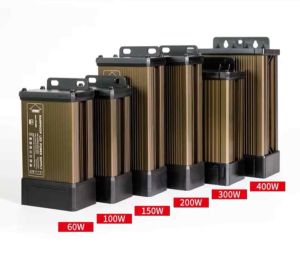
【COD&Ready】Rohstar 12V 60W 120W 150W 250W 400W 600W Aluminum rain-proof power supply transformers

ADT-Link R43SG-4.0 PCIe x16 to M.2 NVMe eGPU Adapter: A Comprehensive Guide
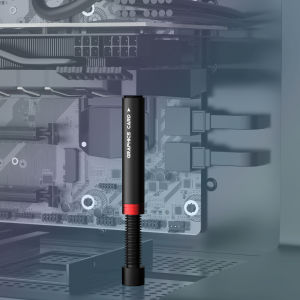
JEYI Graphics Card Brace GPU Support Bracket iBrace-8 Universal Video Card VGA Graphics Card Holder Desktop PC Case

DALI Dimming LED Constant Power Supply 12V/24V/36V Constant Pressure 48W Output Compatible ABB KNX System
Raspberry Pi 5 PCIe to M.2 HAT NVME High Speed Expansion Board with 16P Cable GPIO Header Support Active Cooler for RPI 5 Pi5

B13 SOUND CARD LIVECAST WEBCAST AND VOICE CHANGE SYNTHESIZER
8 Channel Solid Relays Module PLC Driver DC5V 12V 24V With Reverse Proof Power Function For DIY Enthusiasts
Universal MMCX Female Adapters For IE300/600/900 Headphones HassleFree Installation Maintains Original Sound Quality
3D Printer Accessories Stepper Motor MKS SERVO42C PCBA Board Kit Current 0-3000mA Drive Silent Support 1-256 subdivision
KAMPEON Gaming Monitor for PC 27 inch 165HZ Curved Computer HDMI VGA Home Office

HikVision C100 480GB SATA 2.5