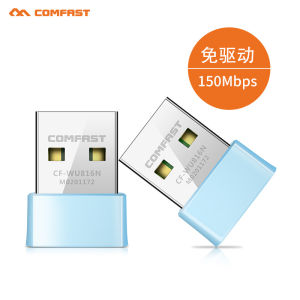
Win7 XP System Driver-Free Wireless Network Card Connect to Mobile Phone Hotspot Network Desktop Computer Wi-Fi Receiver
Win7 XP System Driver-Free Wireless Network Card Connect to Mobile Phone Hotspot Network Desktop Computer Wi-Fi Receiver
What is a Driver-Free Wireless Network Card?
A driver-free wireless network card is a type of hardware device that allows desktop computers to connect to wireless networks without requiring any additional software drivers. This makes it easier for users to set up their devices and connect to the internet, especially for those who may not be familiar with installing drivers manually.
Key Features of Driver-Free Wireless Network Cards
Driver-free wireless network cards offer several advantages over traditional network cards. Some of the key features include:
- No driver installation required
- Plug-and-play functionality
- Compatibility with a wide range of operating systems, including Windows XP and Windows 7
- Easy setup and configuration
Benefits of Using Driver-Free Wireless Network Cards
Using a driver-free wireless network card has many benefits, including:
- Ease of use: With no driver installation required, users can easily set up their desktop computers and connect to wireless networks without any technical expertise.
- Compatibility: Driver-free wireless network cards are compatible with a wide range of operating systems, making them ideal for users who may be running older versions of Windows.
- Reliability: These network cards are designed to work seamlessly with wireless networks, providing a stable and reliable connection.
Connecting Your Desktop Computer to a Mobile Phone Hotspot
Connecting your desktop computer to a mobile phone hotspot can be a convenient way to access the internet when you don't have access to a wired connection. Here are the steps to connect your desktop computer to a mobile phone hotspot:
Steps to Connect a Desktop Computer to a Mobile Phone Hotspot
- Enable the mobile hotspot feature on your smartphone by going to Settings > Network & Internet > Hotspot & Tethering > Portable Wi-Fi hotspot.
- Connect your desktop computer to the mobile hotspot using a driver-free wireless network card.
- Enter the password for the mobile hotspot when prompted.
- Once connected, you can browse the internet and access online services just like you would with any other wireless network.
Troubleshooting Common Issues
If you encounter any issues connecting your desktop computer to a mobile phone hotspot, here are some troubleshooting tips:
- Make sure your mobile hotspot is enabled and broadcasting.
- Check that your driver-free wireless network card is properly connected to your desktop computer.
- Restart both your smartphone and desktop computer to ensure they are running the latest software updates.
Wireless Network Connectivity for Desktop Computers
Wireless network connectivity allows desktop computers to connect to the internet without the need for wired connections. This provides greater flexibility and mobility for users, allowing them to work from anywhere within range of a wireless network.
Understanding Wireless Network Connectivity
Wireless network connectivity works by transmitting data over radio waves. A wireless router or access point broadcasts a signal that can be picked up by devices equipped with a wireless network card, such as a driver-free wireless network card. The device then connects to the network and can access the internet and other online services.
Choosing the Right Wi-Fi Receiver for Your Desktop Computer
When choosing a Wi-Fi receiver for your desktop computer, consider the following factors:
- Compatibility with your operating system (Windows XP, Windows 7, etc.)
- Range and speed of the wireless network card
- Ease of installation and setup
Maximizing Your Wireless Network Experience
To get the most out of your wireless network experience, here are some best practices and tips for enhancing your Wi-Fi receiver performance:
Best Practices for Wireless Network Connectivity
- Place your wireless router or access point in a central location to maximize coverage.
- Keep your wireless router or access point updated with the latest firmware.
- Limit the number of devices connected to your wireless network to avoid congestion.
Tips for Enhancing Your Wi-Fi Receiver Performance
- Position your driver-free wireless network card in a location that receives a strong signal from your wireless router or access point.
- Update the firmware on your driver-free wireless network card to ensure optimal performance.
- Use a wired connection whenever possible to minimize interference and improve speed.

TB supermarket store
Review

You May Also Like
M5Stack StickC Plus2 ESP32 IoT development board Wearable watch set

Fast Delivery Free Shipping Factory!! EA05A AVR Automatic Voltage Regulator Instead of KUTAI
Circuitrocks TFT 2.8" Touch Shield for Arduino w/ Capacitive Touch
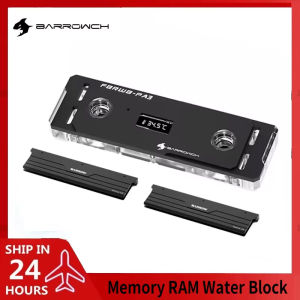
Barrowch PC Memory RAM Water Block +2 Armors Vest Multi-mode Display Module Cooling Cooler Set Flash Stick 5V ARGB FBRWB-PA3
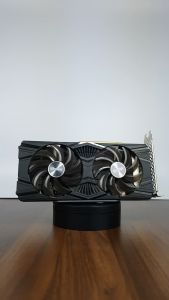
EMTEK GEFORCE RTX 2060 STORM X DUAL BASIC | 12GB GDDR6 | 192-Bit | Display Port | DVI | HDMI | (SLIGHTLY USED)
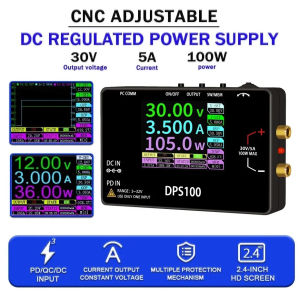
DPS100 Portable 30V 5A DC Adjustable Power Supply 100W Laboratory Power Supply Voltage Current Regulated Input Output Protect
AISURIX DDR3 DDR4 4GB 8GB Desktop Memory RAM 1600MHz 2666Mhz
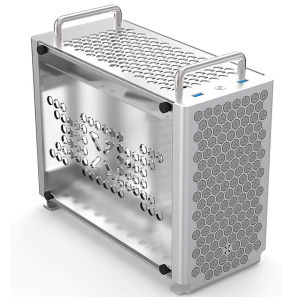
ZZAW B2 ITX Computer Case: A Compact & Portable Gaming Solution
【3 Years Warranty】Xiaomi G24i Gaming Monitor G24i 2026 23.8 Inch Fast IPS LCD 200Hz Refresh Monitor
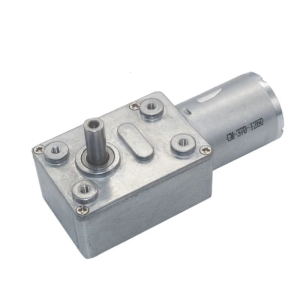
JGY370 2 RPM to 375 RPM High Torque Speed Reducer 6V/12V24V Metal Reversible Low Speed Worm Gear Motor
USB Charging Quiet Desk Fan with Adjustable Airflow Quiet Cooling Fan ABS Texture Perfect for Office or Bedroom Use