Independent Graphics Card Computer HDMI GTS450 550TI GTX650TI 730 740 1G 2G Disassembly for Server Workstation Enterprise Level
Independent Graphics Card Computer HDMI GTS450 550TI GTX650TI 730 740 1G 2G Disassembly for Server Workstation Enterprise Level
Understanding Independent Graphics Cards
What is an Independent Graphics Card?
An independent graphics card, also known as a dedicated graphics processing unit (GPU), is a hardware component that handles the rendering of images, video, and animations for a computer system. It is separate from the central processing unit (CPU) and provides a significant boost in graphical performance compared to integrated graphics solutions.
Types of Independent Graphics Cards: GTS450, 550TI, GTX650TI, 730, 740
Several types of independent graphics cards are available on the market, catering to different performance requirements and budgets. Some popular models include:
- GTS450: A mid-range graphics card suitable for gaming and general-purpose tasks.
- 550TI: A slightly higher-end graphics card offering better performance than the GTS450.
- GTX650TI: A powerful graphics card designed for gaming and professional applications.
- 730: An entry-level graphics card suitable for basic tasks and low-end gaming.
- 740: A mid-range graphics card offering better performance than the 730.
Benefits of Using Independent Graphics Cards
Using independent graphics cards offers several advantages over integrated graphics solutions, including:
- Improved Performance: Dedicated GPUs can handle complex graphical tasks more efficiently, resulting in smoother gameplay and faster rendering times.
- Better Compatibility: Many professional applications require a dedicated GPU to function optimally.
- Increased Flexibility: Independent graphics cards can be easily upgraded or replaced, allowing users to adapt their systems to changing needs.
Disassembling Server Workstations for Upgrades
Preparing for Disassembly: Tools & Safety
Before disassembling a server workstation, it is essential to gather the necessary tools and take appropriate safety precautions. Required tools include:
- Screwdrivers: Phillips and flathead screwdrivers for removing screws.
- Anti-static wrist strap: To prevent static electricity from damaging sensitive components.
- Plastic opening tool: For gently prying open case panels and other components.
Removing the Existing Graphics Card
To remove the existing graphics card, follow these steps:
- Power off the server workstation and unplug all cables.
- Open the case by removing screws and sliding off the side panel.
- Locate the existing graphics card and remove any cables connected to it.
- Loosen the screws securing the graphics card to the motherboard.
- Gently lift the graphics card out of the slot.
Installing the New Graphics Card
To install the new graphics card, follow these steps:
- Align the new graphics card with the slot on the motherboard.
- Insert the graphics card into the slot, ensuring it is securely seated.
- Tighten the screws securing the graphics card to the motherboard.
- Connect any necessary cables, such as power connectors and display outputs.
- Close the case and reconnect all cables.
Choosing the Right Graphics Card for Your Needs
Factors to Consider: Performance, Power Consumption, Compatibility
When selecting a graphics card for your server workstation, consider the following factors:
- Performance: Choose a graphics card that meets the demands of your intended applications.
- Power Consumption: Ensure the chosen graphics card fits within your power budget.
- Compatibility: Verify that the graphics card is compatible with your motherboard and other components.
Comparing Enterprise-Level Graphics Cards: HDMI & Independent Graphics Cards
Enterprise-level graphics cards often come with multiple display outputs, including HDMI ports. When comparing these options, consider the following:
- Number of Display Outputs: More display outputs allow for greater flexibility in connecting multiple monitors.
- Performance: Higher-end enterprise-level graphics cards typically offer better performance.
- Power Consumption: More powerful graphics cards may consume more power.
Long-Tail Keywords: GTS450 550TI GTX650TI, 1G, 2G, Enterprise Level Graphics Card
When searching for independent graphics cards, consider using long-tail keywords such as GTS450, 550TI, GTX650TI, 730, 740, 1G, 2G, and Enterprise Level Graphics Card to find the best options for your needs.

TAO Electronic Accessories
You May Also Like
Compact 6V/12V 100RPM Motor Metal for Small Robot Development Slow Speed High Torque
Original Thunder God 911me Mt 911plus 911mp T58-v Mechanical Revolution Notebook Camera Digital Accessories Computer Components
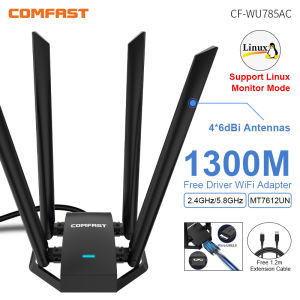
Comfast 1300Mbps Adaptador 2.4G&5GHz Usb Network Card Wireless WiFi Adapter High Gain 4*6dbi Antenna Desktop Linux Wi-fi Receive
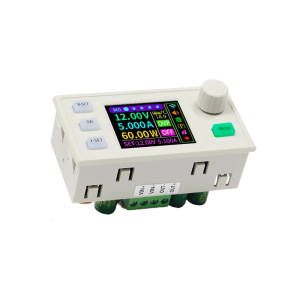
0~40V 120W Step-Down Stabilized Voltages Current Regulator Converter Constant Voltages Current Step Down Module Easy Use
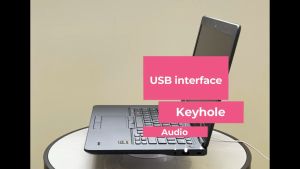
Dell Latitude E7450: Business-Class Laptop with Integrated Graphics & 16GB RAM
Genuine Xinyue 7921: A Superior Choice for Desktop & Laptop Cooling
TMC5160T V1.0 HighPower Stepper Motor Driver forBTT OctopusSKR V1.4Turbo TMC2209 SKR MiniE3 for 3D Printer
Safe and Effective HY510 YJ-G190 Thermal Paste Ideal for CPU GPU Heatsink Grey Processor
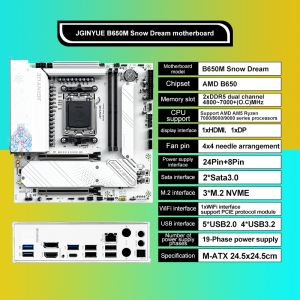
JGINYUE B650M Snow Dream AM5 DDR5 ARGB M-ATX Motherboard For Gaming PCIe 4.0×4 M.2 For CPU 9700X/9900X/7800X3D gaming pc DIY
18W/Mk Laptop Thermal Putty Fehonda LTP81 Liquid Thermal Pad 12g 50g 100g Thermal Putty For Pc Vga Gpu Cpu
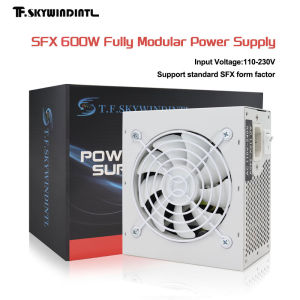
T.F.SKYWINDINTL SFX 600W Full Modular Power Supply for Gaming PC/ITX Builds PSU Mini Gaming Silent 120mm Fan Sfx 600w watt