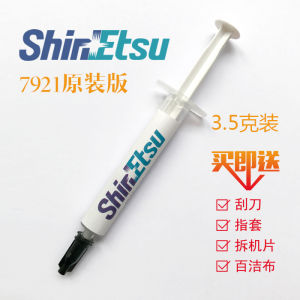
Genuine Xinyue 7921: A Superior Choice for Desktop & Laptop Cooling
Genuine Xinyue 7921: A Superior Choice for Desktop & Laptop Cooling
What is Genuine Xinyue 7921?
Genuine Xinyue 7921 is a high-quality thermally conductive silicone grease that has gained popularity among computer enthusiasts and professionals for its exceptional cooling capabilities. This advanced thermal paste is specifically designed to improve heat transfer between the CPU and GPU components and their respective coolers, resulting in enhanced system performance and longevity.
Key Features
- High thermal conductivity
- Non-conductive and non-corrosive
- Long-lasting and stable
- Easy to apply and remove
Applications
Genuine Xinyue 7921 is suitable for a wide range of applications, including desktop graphics card cooling and laptop CPU cooling. It is compatible with various types of coolers, such as air coolers, liquid coolers, and even heat sinks.
Benefits
Using Genuine Xinyue 7921 offers several benefits, including:
- Improved thermal performance
- Increased system stability
- Enhanced component longevity
- Cost-effective solution
How to Choose the Right Cooling Solution
Selecting the appropriate cooling solution is crucial for optimal system performance and longevity. Here are some factors to consider:
Desktop Graphics Card Cooling
For desktop graphics cards, choosing the right cooling solution depends on several factors, including the card's power consumption, the ambient temperature, and the desired level of overclocking. Genuine Xinyue 7921 is an excellent choice for desktop graphics card cooling due to its high thermal conductivity and ease of application.
Laptop CPU Cooling
Laptops have limited space for cooling solutions, making it essential to choose a high-performance thermal paste that can effectively transfer heat away from the CPU. Genuine Xinyue 7921 is an ideal choice for laptop CPU cooling due to its non-conductive and non-corrosive properties, which ensure safe and stable operation.
Factors to Consider
When selecting a cooling solution, consider the following factors:
- Thermal conductivity
- Compatibility with components and coolers
- Ease of application and removal
- Longevity and stability
How to Apply Genuine Xinyue 7921
Applying Genuine Xinyue 7921 is a straightforward process that requires minimal tools and equipment. Here are the steps to follow:
Preparation
Before applying Genuine Xinyue 7921, ensure that the CPU and GPU components and their respective coolers are clean and free from any debris or residue. This will help ensure optimal thermal performance.
Application Process
To apply Genuine Xinyue 7921, follow these steps:
- Squeeze a small amount of the thermal paste onto the center of the CPU or GPU component.
- Spread the thermal paste evenly using a credit card or similar tool.
- Attach the cooler to the component, ensuring that it is properly aligned and securely fastened.
Maintenance Tips
To maintain optimal thermal performance, follow these maintenance tips:
- Regularly clean the CPU and GPU components and their respective coolers.
- Replace the thermal paste every 2-3 years or as needed.
- Monitor system temperatures and adjust cooling solutions as necessary.
Comparison with Other Cooling Solutions
Genuine Xinyue 7921 offers several advantages over other cooling solutions, including:
Performance
Genuine Xinyue 7921 has a higher thermal conductivity compared to many other thermal pastes, resulting in improved heat transfer and better system performance.
Cost-effectiveness
Genuine Xinyue 7921 is a cost-effective solution that provides excellent value for money, making it an attractive option for computer enthusiasts and professionals alike.
User Reviews
User reviews of Genuine Xinyue 7921 have been overwhelmingly positive, with many users praising its high thermal conductivity, ease of application, and cost-effectiveness.

TAO Electronic Accessories
You May Also Like

MEAN WELL DRDN20 Series DC12V 24V 48V 30A Redundancy Module DIN Rail Power Supply For Redundant Operation Of 24V System
TVCON Gaming Monitor For PC 19 22 24 27 inch 1080P 75Hz Flat Display Desktop Computer with HDMI VGA Support IPS
UPS Power V380 Pro 12V 1.5A 21000mAh Mini UPS Battery Backup for WiFi Router Modem /CCTV Camera Power Supply
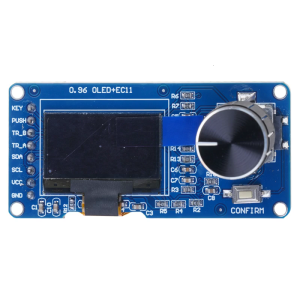
Embeddeds Oleds Display Rotarys Input Module I2C Protocol Support For Parameters Adjustment Systems
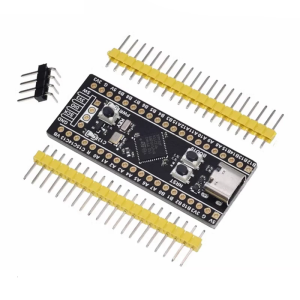
Efficient STM32F411 Cores Board with SPI Flash Extension Option and Comprehensive Peripherals Support for Developers
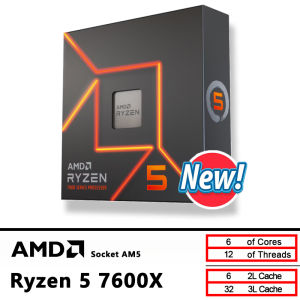
AMD New Ryzen 5 7600X CPU R5 7600X 4.7 GHz 6-Core 12-Thread 5NM L3=32M 100-000000593 Socket AM5 Sealed Without cooler
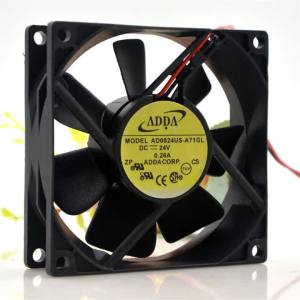
Adda AD0824US-A71GL 8025 24V 0.26A 8CM Converter Cooling Fan 2-Wire
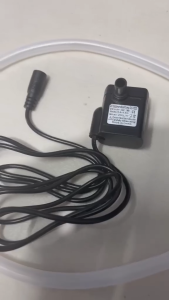
Circuitrocks Water Pump Immersible and Water Tube
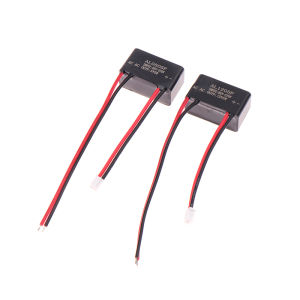
💕 Store opening 💕 AC 220V To DC 5V 1A 12V 5W AL0505F Waterproof Epoxy Potting Light Power Supply Isolation Switch Module Driver AC To DC Converter
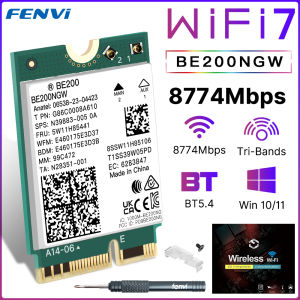
FENVI BE200 WiFi 7 Card BE200NGW For Bluetooth 5.4 Tri Band 2.4G/5G/6GHz M.2 Wireless Network Adapter For PC Windows10/11 WiFi6E
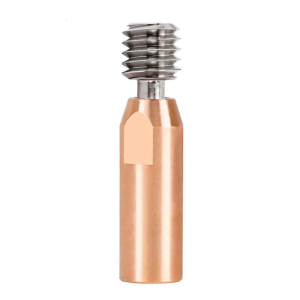
for 3D Printer Cr10 Hotend Heat Block Bimetal for Titanium Copper Alloy High Temperatur Heatbreak M6 M7 Smooth